


MCP
Unsora MCP
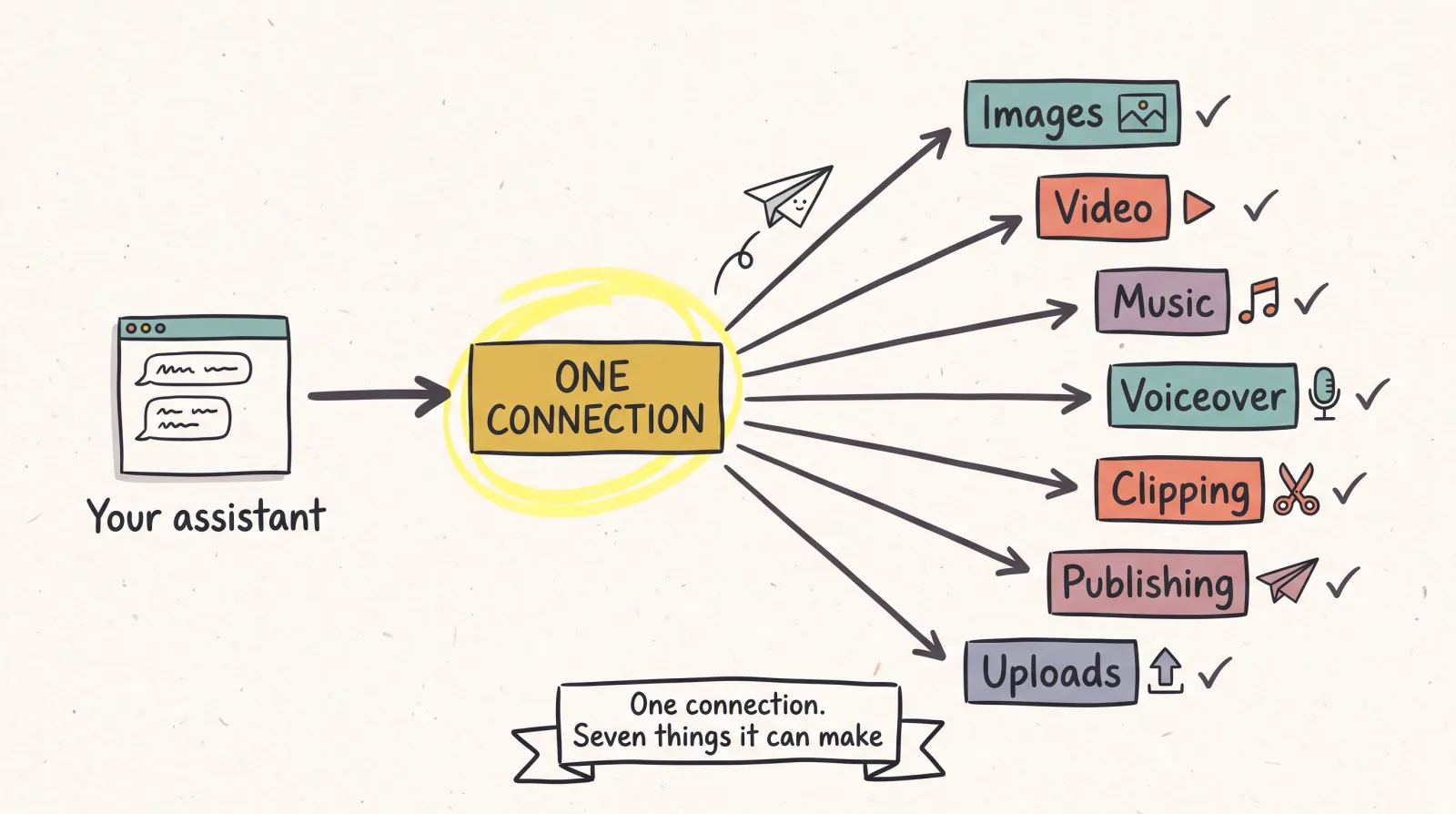
One connection that gives Claude, ChatGPT and Claude Code the ability to generate images, video, music and voiceover, cut long recordings into shorts, and publish the results to seven social platforms. Without leaving the chat.
If your client calls these connectors, the connector page has the same server with the settings-menu steps and the clipping and scheduling side. This page has the protocol, the CLI setup and generation.
https://mcp.tryunsora.com/mcpThe difference
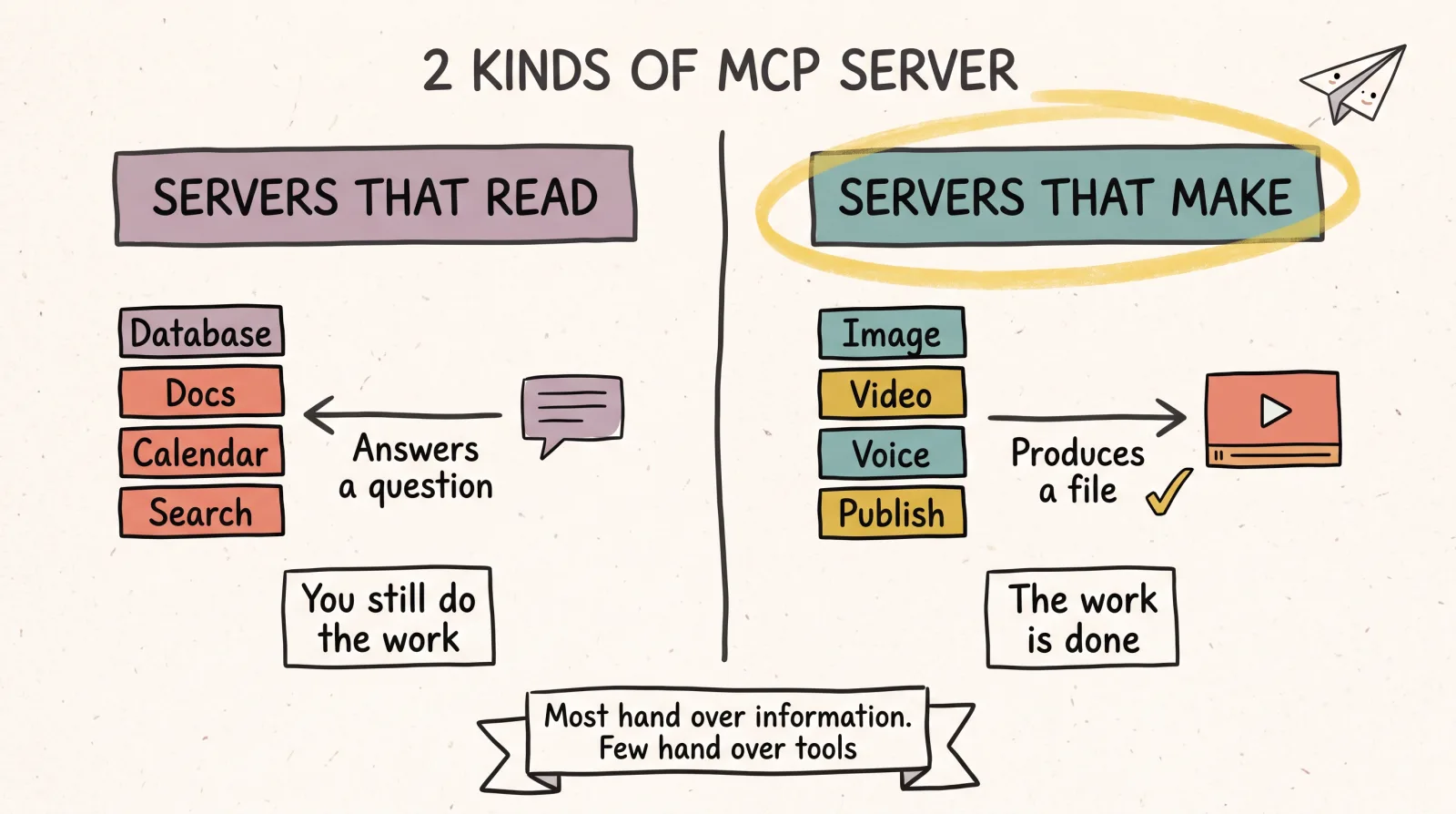
Most MCP servers hand your assistant information. This one hands it tools.
Look down a list of MCP servers and you will notice almost all of them do the same shape of thing: they let an assistant read something. A database, a docs site, your calendar, a repo, a search index. The assistant asks, the server answers, and the useful work still happens in your hands afterwards.
A much smaller number let the assistant change something in the world. Fewer still let it make something that did not exist before.
Unsora is in that second group. Connected, your assistant can generate an image, generate a video, write and voice a script, produce a music bed, take a two-hour recording and cut the good parts out of it, and put the result on TikTok. Those are not descriptions of what Unsora can do on your behalf through a dashboard. They are function calls your assistant makes directly.
The practical difference shows up in what you type. Instead of a session that ends with "here is a prompt you could paste into a video tool", the session ends with a video. "Take the podcast at this link, find the three best moments, caption them vertically, and queue them across next week" is one instruction, and the files exist when it finishes.
Honesty
What an MCP connection cannot do, and what to expect
This is the part every page about MCP servers leaves out, and it will save you an afternoon.
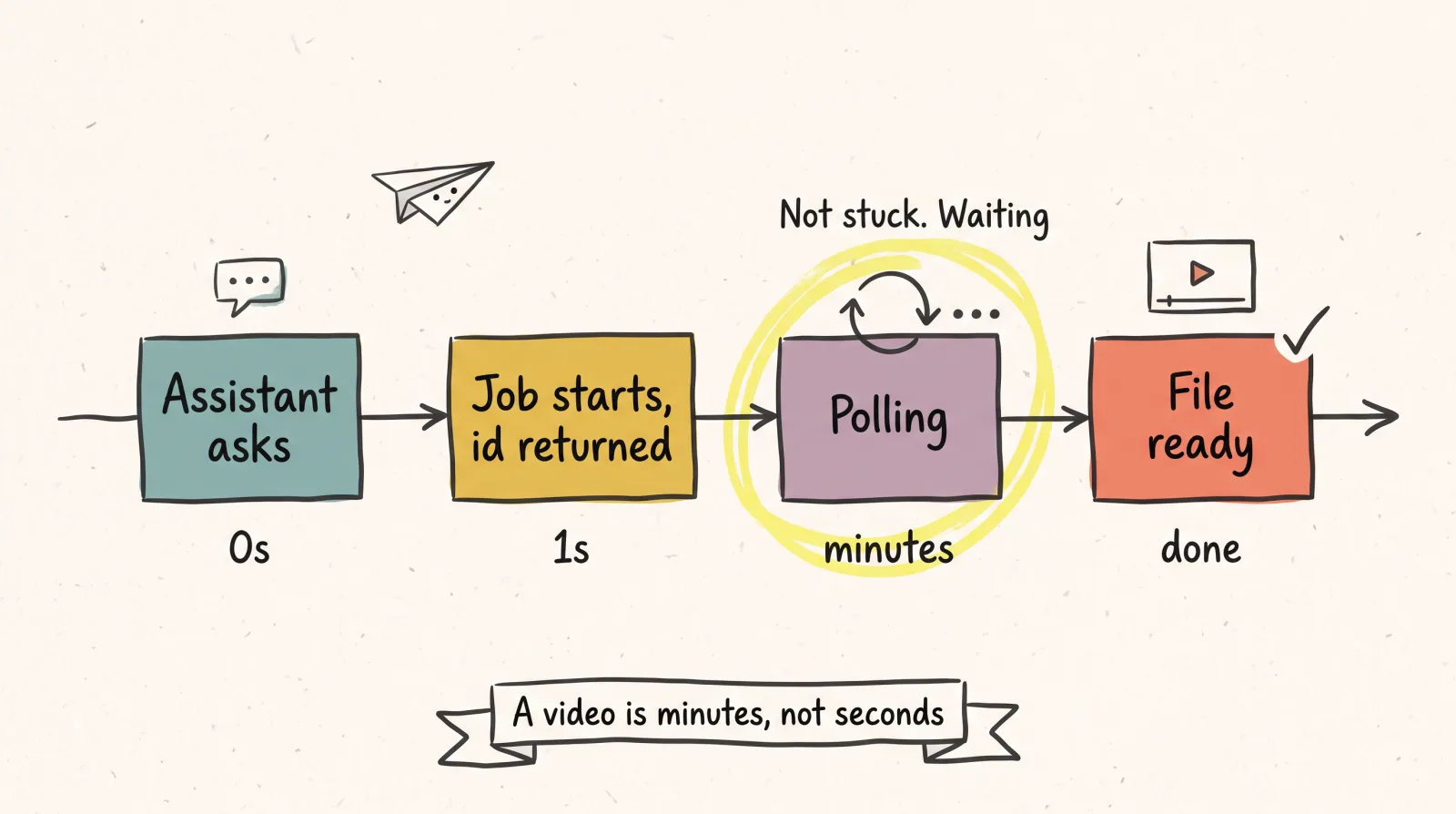
Generation is slow, and your assistant will wait.
An image takes tens of seconds. A video takes several minutes. MCP calls are request and response, so a long generation is handled by starting a job, returning an id, and polling until it finishes. That is normal and it is how Unsora works. A request for eight videos is not an instant operation, and an assistant that appears to be idle is usually waiting on a queue rather than stuck.
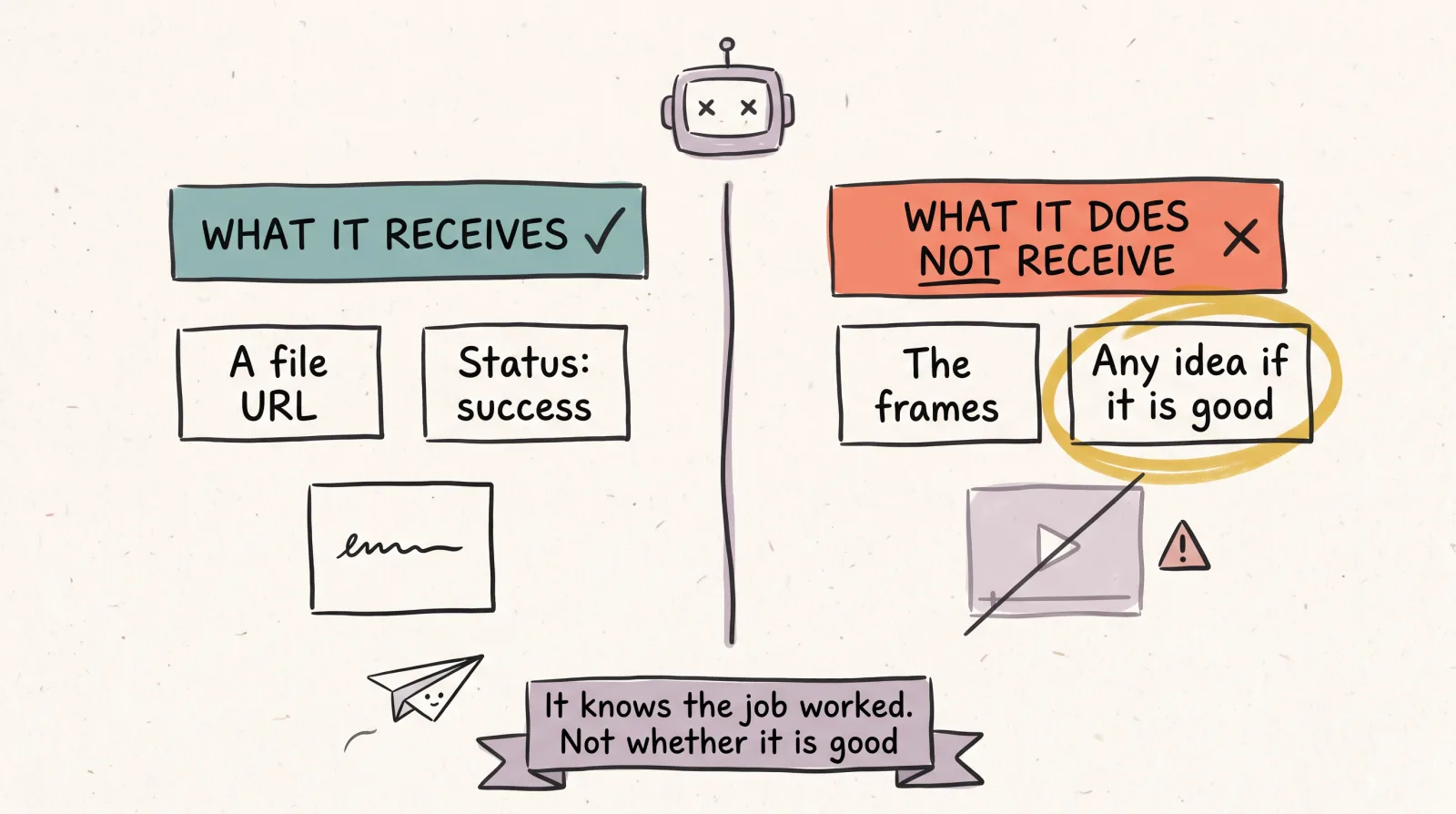
Your assistant cannot watch the video it just made.
The model can write a prompt, call the tool, and receive back a URL, but it has no eyes on the output. It cannot tell you whether the motion looks right or whether the text in the frame came out garbled. It knows the job succeeded. It does not know if the result is good. Review the output yourself, every time, and treat any assistant that claims a generation "looks great" as describing the API response rather than the file.
Every call costs something real.
Generation is not free, and an assistant looping over a list can spend a lot faster than a person clicking buttons. Ask for a small batch first and check the result before scaling the instruction up.
Not every client supports remote MCP servers the same way.
Support has moved quickly and unevenly across Claude, Claude Code, ChatGPT and the various IDE integrations. If a connection fails, the cause is usually the client's transport support rather than anything on the server side. The dated matrix in the setup section is what we have verified.
The assistant will still get prompts wrong.
MCP gives the model the ability to call a generator. It does not give it taste. A vague instruction produces a vague video, exactly as it would if you had typed the prompt yourself.
Setup
Connecting it
Unsora runs as a remote MCP server, so there is nothing to install and nothing to run locally. You point your client at the endpoint, authorise once, and the tools appear. You will need an API key from API keys in the dashboard (it looks like uns_live_...). Every command below was run on September 20, 2026 and the output shown is what came back.
Claude Code: claude mcp add
One command, with your key in place of the placeholder. The transport is HTTP and the key travels as a header.
claude mcp add --transport http unsora https://mcp.tryunsora.com/mcp --header "apiKey: uns_live_YOUR_KEY"What it printed (Claude Code 2.1.268):
Added HTTP MCP server unsora with URL: https://mcp.tryunsora.com/mcp to local config
Headers: {
  "apiKey": "[REDACTED]"
}
File modified: /Users/you/.claude.json [project: /Users/you/your-project]
Confirm it connected:
claude mcp get unsoraunsora:
Scope: Local config (private to you in this project)
Status: ✔ Connected
Type: http
URL: https://mcp.tryunsora.com/mcp
Headers:
apiKey: uns_live_YOUR_KEY
To remove this server, run: claude mcp remove unsora -s localInside a Claude Code session, /mcp shows the same status plus the tool count. Add --scope user to the add command if you want the server in every project rather than just this one.
Claude (web and desktop)
- 01In claude.ai go to Settings → Connectors → Add custom connector.
- 02Paste
https://mcp.tryunsora.com/mcpand click Add. - 03Sign in to Unsora when prompted. No key to paste; the server handles the sign-in over OAuth.
- 04In any chat, click +, open Connectors, and switch Unsora on.
Once it is on, Claude Code on the same account lists it too. This is the line claude mcp list printed for it:
claude.ai Unsora: https://mcp.tryunsora.com/mcp - ✔ ConnectedChatGPT
- 01Go to Settings, then Connectors.
- 02Under Advanced, turn on Developer mode, then click Create.
- 03Name it Unsora, paste
https://mcp.tryunsora.com/mcp, and save. Sign in to Unsora when asked. - 04In a new chat, open the tools menu and enable Unsora.
Custom connectors in ChatGPT need a paid plan and, on Business or Enterprise, a workspace admin to allow them.
Cursor
Add this to .cursor/mcp.json in your project, or to ~/.cursor/mcp.json for every project:
{
  "mcpServers": {
    "unsora": {
      "url": "https://mcp.tryunsora.com/mcp",
      "headers": { "apiKey": "uns_live_YOUR_KEY" }
    }
  }
}
Cursor resolves ${env:UNSORA_API_KEY} inside headers, which keeps the key out of git.
Any other client
- URL
- https://mcp.tryunsora.com/mcp
- Transport
- Streamable HTTP
- Auth
- header apiKey: uns_live_YOUR_KEY
If your client only runs local stdio servers it cannot reach a remote one directly. Put mcp-remote in between, or read the API docs and call the endpoints yourself.
Remote MCP support
Checked September 20, 2026. Client-side support changes monthly, so treat anything older than a quarter as a hint.
| Client | Remote servers | Auth | Where |
|---|---|---|---|
| Claude (web and desktop) | Yes, as a custom connector | Sign in to Unsora (OAuth) | Settings → Connectors → Add custom connector |
| Claude Code | Yes, --transport http | apiKey header | claude mcp add (command below) |
| ChatGPT | Yes, in Developer mode on paid plans | Sign in to Unsora (OAuth) | Settings → Connectors → Advanced → Developer mode → Create |
| Cursor | Yes, Streamable HTTP | apiKey in headers | .cursor/mcp.json (below) |
| Windsurf, VS Code, Gemini CLI, OpenClaw, Hermes | Where the client supports Streamable HTTP | apiKey header | URL plus header in the client's MCP config |
| Clients that only run local stdio servers | Not directly | Passed through the bridge | Use mcp-remote as a bridge, or use the API |
MCP client support and connection steps last checked September 20, 2026.
Capabilities
What your assistant can do once connected
Generate images.
Multiple models, reference images, aspect ratios.
Generate video.
Text to video, image to video, first and last frame control.
Generate music.
Full songs with lyrics, or instrumental beds.
Generate voiceover.
Scripted narration in a chosen voice.
Clip long recordings.
Find the moments worth keeping in a long video, cut them vertical, burn in captions.
Publish.
Queue or post to TikTok, Instagram, YouTube, Facebook, LinkedIn, Pinterest and Bluesky.
Upload and manage media.
Bring your own files into the same workflow. Pulled a track with the save a SoundCloud track as MP3 tool? Upload it and it becomes a music bed or a voiceover reference.
The last two matter more than they look. Plenty of tools will generate something for an assistant. Very few will also put it live on a platform, which is what turns a chat session into a finished piece of work rather than a folder of assets you still have to deal with.
Limits
What it does not do
- Let the assistant see or judge the media it produced.
- Generate anything instantly. Video takes minutes.
- Work without credits. Generation is metered.
- Bypass any platform's own publishing rules. TikTok's audit requirement, Instagram's professional account requirement and the rest still apply exactly as they do in the dashboard.
- Replace your judgement about whether the output is any good.
MCP or API
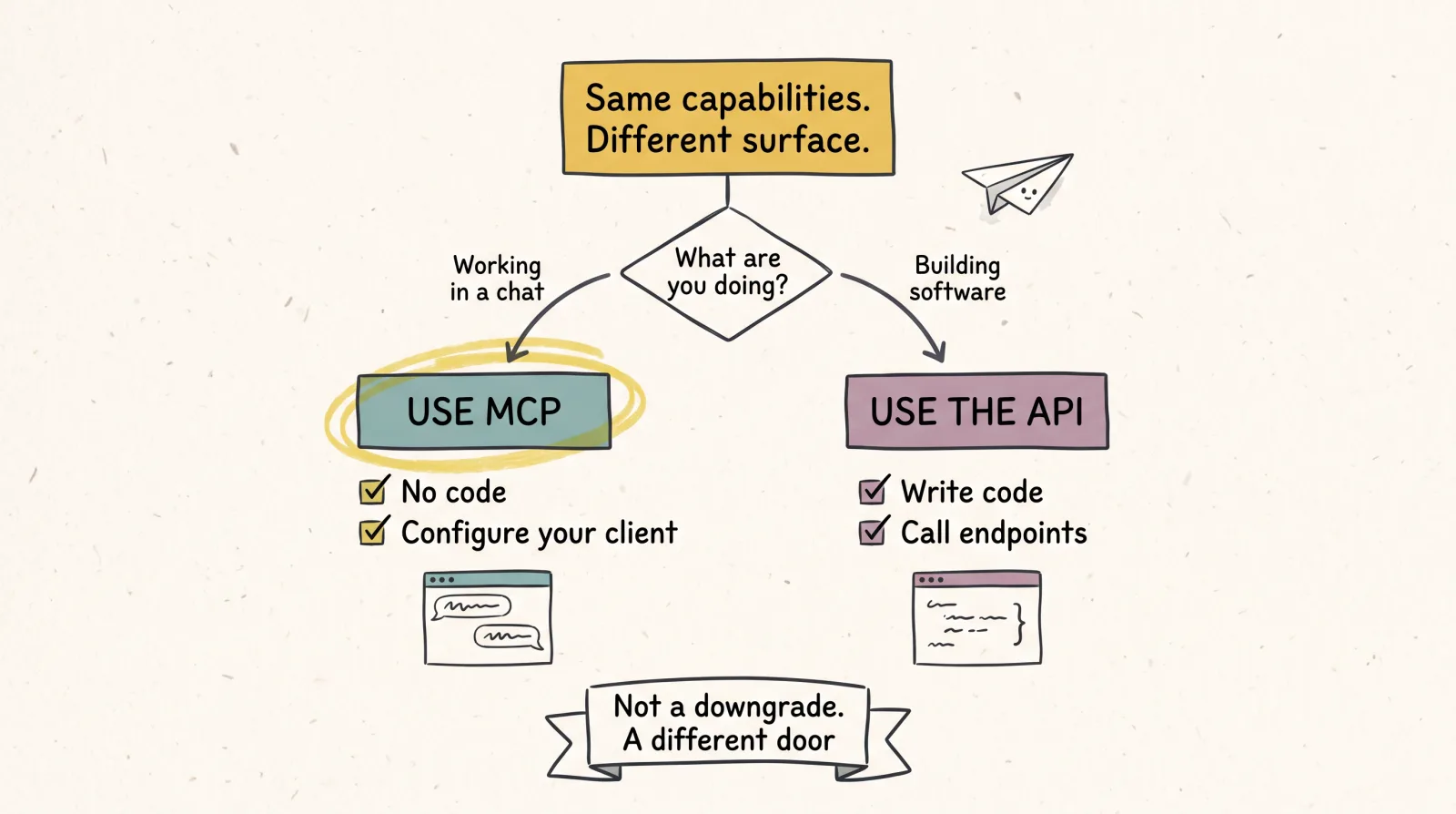
Same capabilities, different surface.
The API is for building software. MCP is for driving those capabilities from a conversation with an assistant. If you are writing an application, read the API docs. If you want to work inside Claude or ChatGPT, use MCP. Same account, same credits, same key either way.
FAQ
Common questions
What is MCP?
The Model Context Protocol is an open standard for connecting AI assistants to external tools. A client like Claude or ChatGPT connects to a server, discovers what functions it offers, and can then call them during a conversation. Unsora is one of those servers.
Do I need to write any code?
No. Unsora is a remote server, so connecting is a configuration step in your client rather than an install.
Which assistants can use it?
Any client with remote MCP support, which currently includes Claude, Claude Code, ChatGPT and Cursor. Support is still moving, so check your client's current documentation if a connection fails.
Why does a video take so long?
Because generating video is genuinely expensive computationally. The tool starts a job and reports back when it is done rather than blocking the conversation for several minutes.
Can my assistant tell me if the video came out well?
No, and be wary of any that says it can. The model receives a URL and a success status, not the frames. Watch the output yourself.
Does it cost anything to connect?
Connecting is free. Generation consumes credits, so a long automated loop can spend quickly. Start small.
Can it post to my social accounts?
Yes, to accounts you have connected and authorised. Every platform's own rules still apply, and the platform pages on this site set out what each one will and will not allow a third-party tool to publish.
Is this different from the API?
Same capabilities, different surface. The API is for building software. MCP is for driving those capabilities from a conversation with an assistant. If you are writing an application, use the API. If you want to work inside Claude or ChatGPT, use MCP.
Is this the same thing as the Unsora connector?
Yes. A connector is what Claude and ChatGPT call an MCP server in their settings. The connector page covers the same server with the per-client UI steps and the clipping and scheduling side; this page covers the protocol, the CLI setup and generation.
Related