


Unsora/AI influencer/Consistent character
Create a Consistent AI Influencer That Looks the Same in Every Video
By Irfan Sadek, co-founder of Unsora · Last updated:
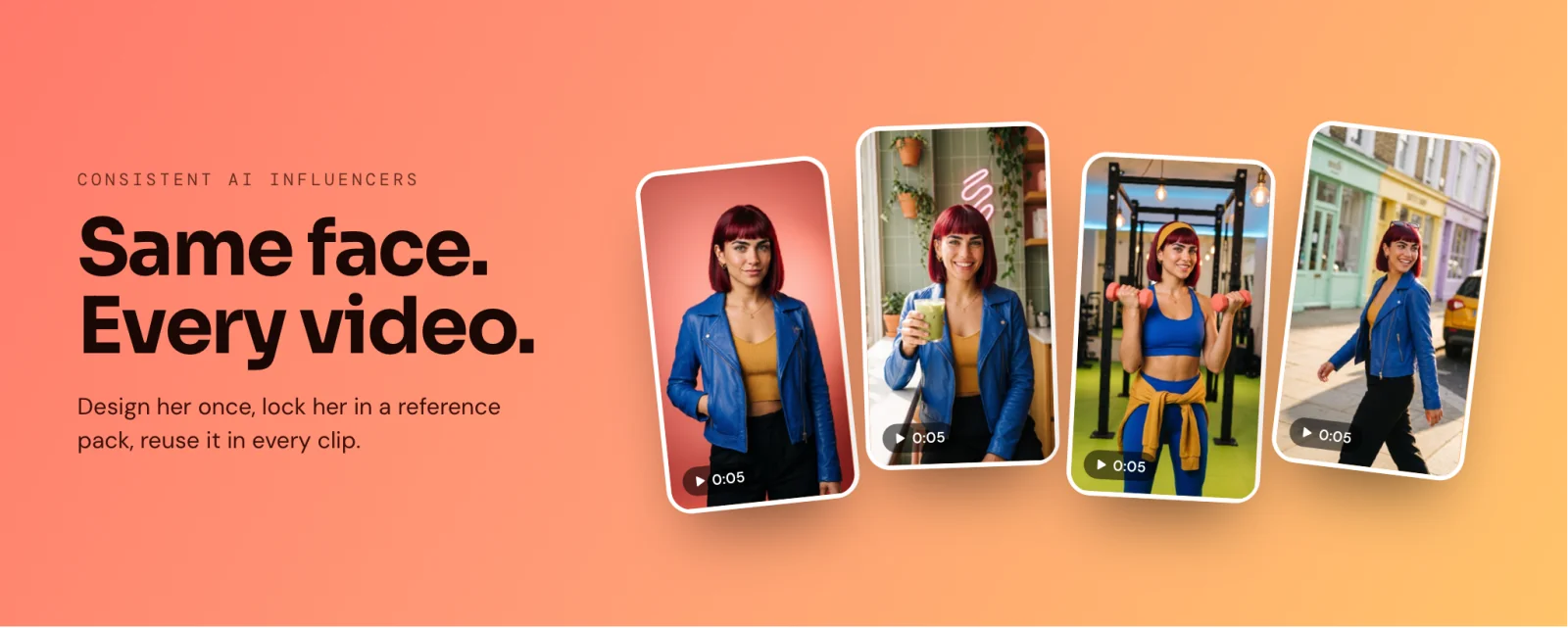
Design the face once, save it as a four-angle reference pack, and use those images in every generation to keep an AI influencer consistent. In our test of 300 clips, a reference pack held the face in 89% of clips; text prompts managed 31%.
Key takeaways
- Reference images hold a face; re-describing it in words does not (89% vs 31% in our test).
- Put four angles together before shooting anything: front, two three-quarter views and a full-body shot.
- Make the still first, then animate it. Short clips held up better: 92% at 5 seconds, 81% at 10 seconds.
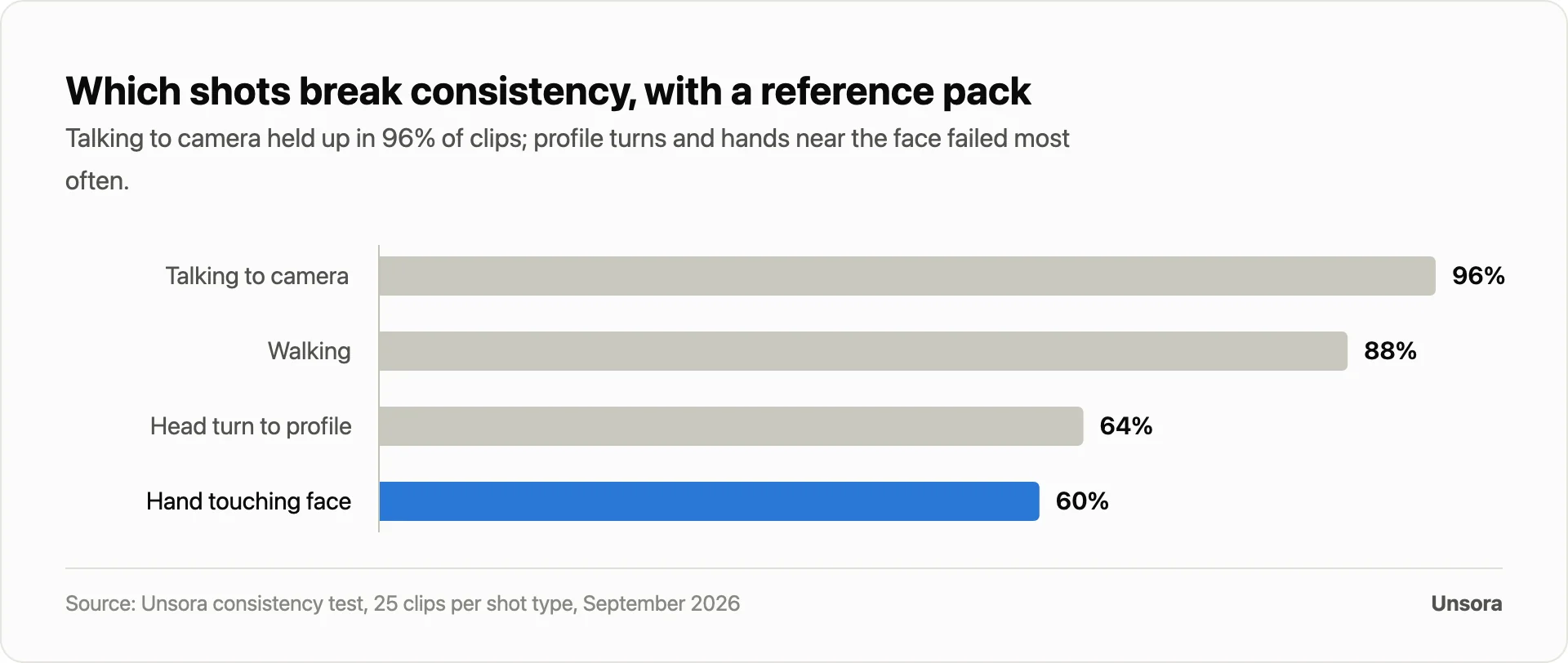
- Profile turns and hands near the face break consistency most often (64% and 60%).
- A reference pack cut the work to 1.5 attempts per usable clip, against 4.5 attempts with text prompts.
- Connect Unsora over MCP and your AI agent drives the whole pipeline from one chat, on plans from $19 a month.
Clip one: your AI influencer looks exactly right. Clip five: the jawline has gone soft, the hairline sits higher, and each regeneration eats more credits.
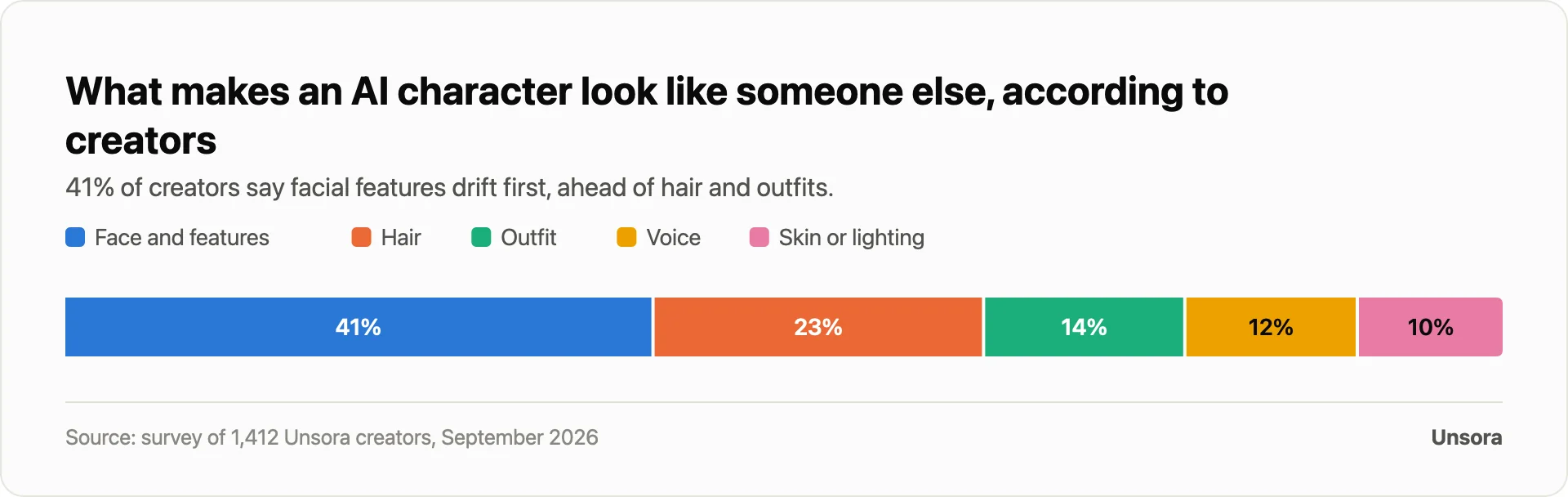
When we surveyed 1,412 Unsora creators, 41% said facial features are the first thing to drift. Here is the method that fixes it, measured.
What keeps an AI influencer's face the same in every video?
The face stays put when every generation reuses the same reference images or a trained identity. Re-describing the person in text fails, because the model paints a brand-new face each time.
Five approaches to locking a face, side by side:
| Method | What you give the tool | Setup | How the face holds in video | Best for |
|---|---|---|---|---|
| Text prompt only | A written description every time | None | Poorly: 31% of clips matched in our test | Quick concept images, not a series |
| Single reference image | A single portrait each generation | Minutes | Better: 68% in our test | One-off short clips |
| Reference pack (Unsora, Runway References, Kling Elements) | 2 or more images of one face shot from different angles | Under an hour | Strongest without training: 89% in our test | An influencer who recurs across many videos |
| Trained identity (Higgsfield Soul ID, HeyGen Personal Model, LoRA) | A model trained on 10–80 photos | Minutes to hours | Strong, though tied to a single platform | One persona posted daily for months |
| Face swap | One master face pasted over other footage | Instant | Hinges on the source footage | Reusing footage you already have |
The pack hits the sweet spot: nothing to train, it works with any video model, and the files stay yours.
How do you create a consistent AI influencer, step by step?
The workflow runs through four phases: design the face, freeze it into a reference pack, generate fresh stills from that pack, then animate and voice the result.
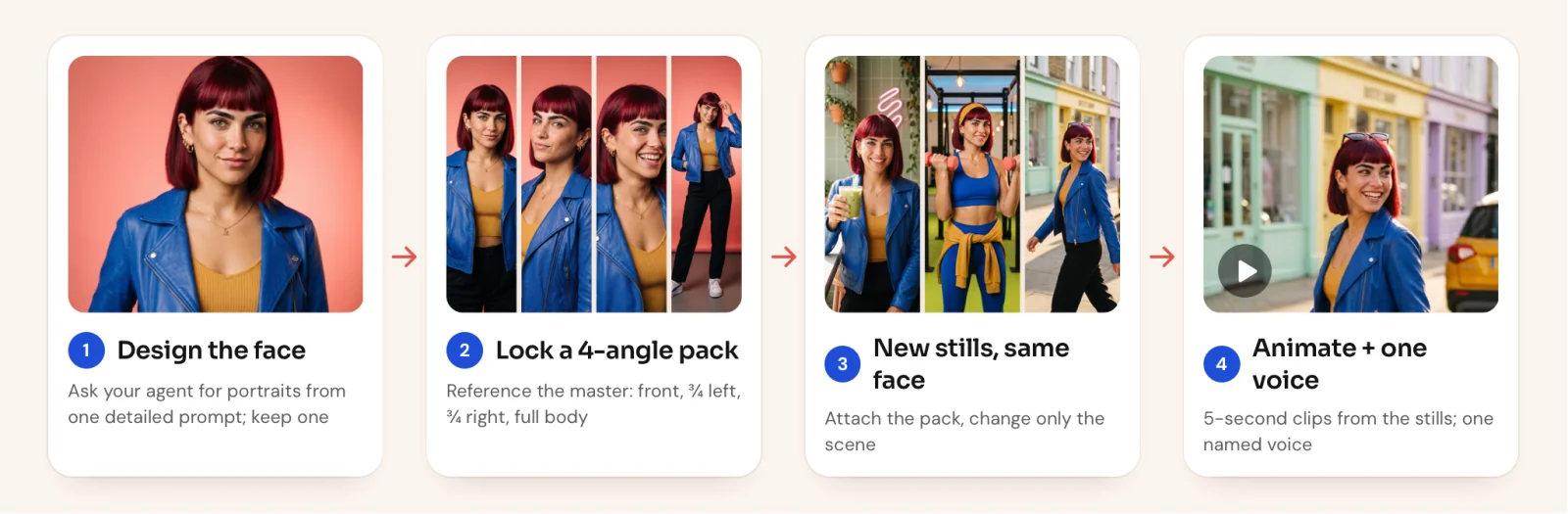
Every step that follows is a single request to your AI agent once Unsora is connected, and the same approach works in any tool that accepts reference images.
Before you start: connect Unsora to your agent
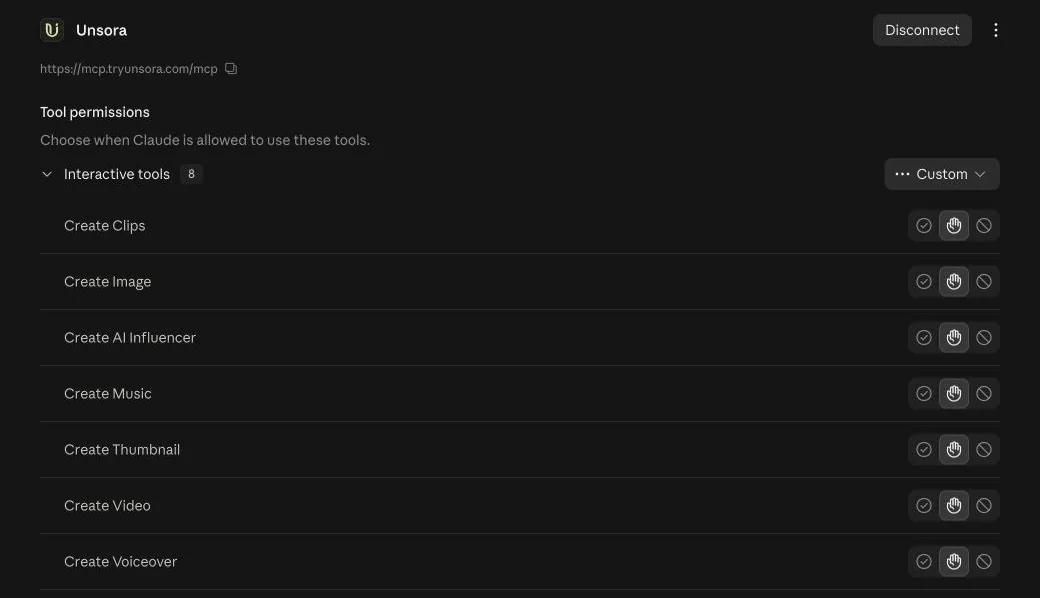
Connect Unsora a single time and the whole tutorial happens in chat. Open Claude and go to Customize → Connectors, pick Add custom connector, then drop in https://mcp.tryunsora.com/mcp. The same URL works in ChatGPT's Developer mode, while OpenClaw, Claude Code and Cursor accept either that URL or an API key (setup guide).
From there, just ask in plain language. The agent picks the appropriate Unsora tool, pauses for your approval, then drops the finished file into the conversation.
Step 1: Design the base face
Request a batch of portraits, then commit to one face forever. Behind the scenes, your brief goes to Unsora's create_influencer tool along with your picks: ratio, a style (UGC or Golden Hour), camera angle, age and how many images to generate (as many as 10, at 10 credits each).
- Build in a signature look. An unusual hair colour, one statement garment and an accessory or two hand the model concrete details to grip, and hand your audience something to remember. A plain white shirt against a beige wall hands nobody anything.
- Skip device names.Typing "iPhone photo" risks a phone appearing in her hand; write "amateur phone camera style" to get the look without the prop.
- Go vertical. 9:16 fits Reels, TikTok and Shorts natively.
Try this: "use unsora to create my AI influencer. Maya is 26, a lifestyle and fitness creator with a cherry-red chin-length bob with bangs, a cobalt leather moto jacket over a mustard crop top, a gold ear cuff, on a coral studio backdrop. 2 options, 9:16"
Step 2: Lock the face in a reference pack
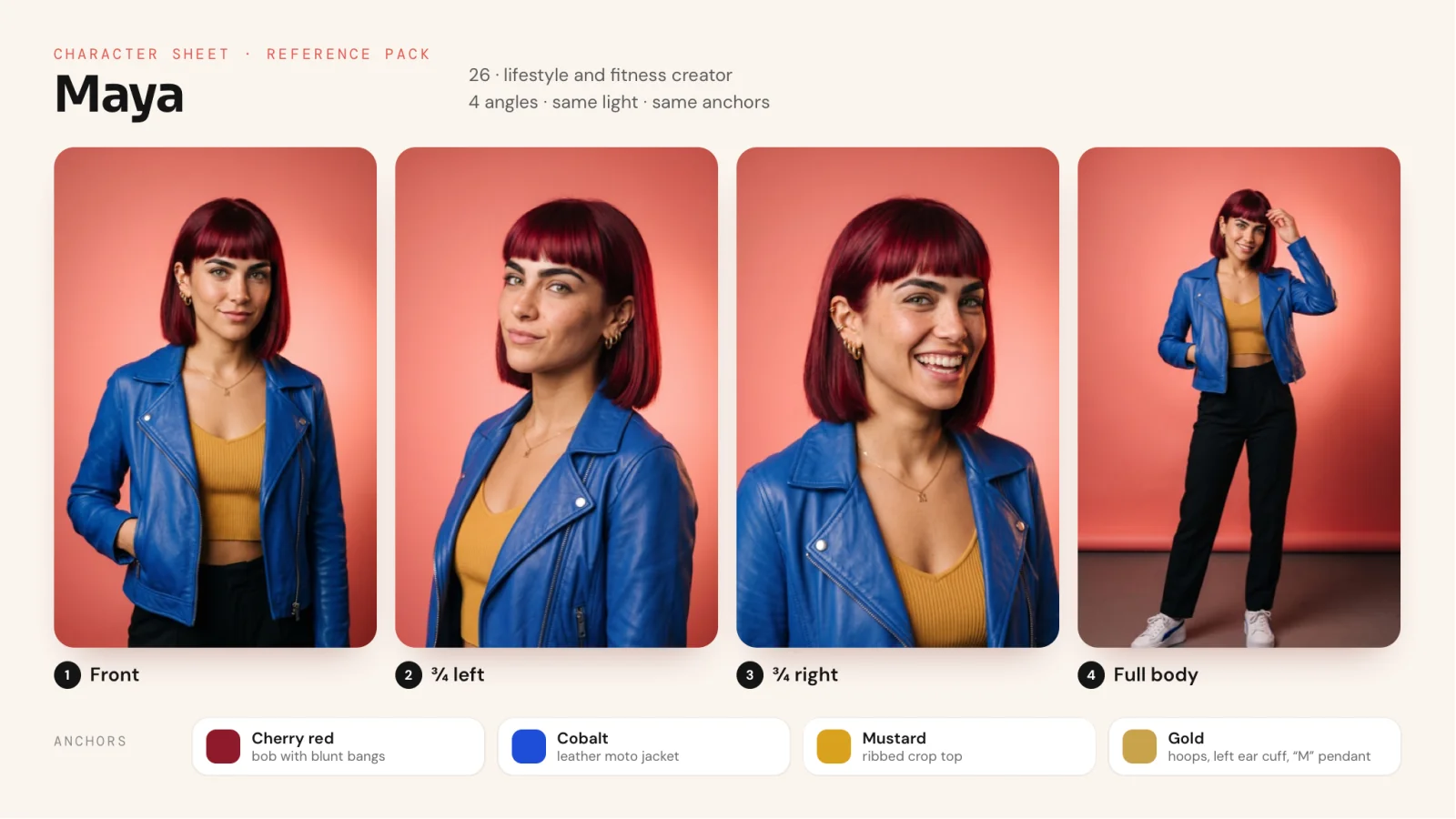
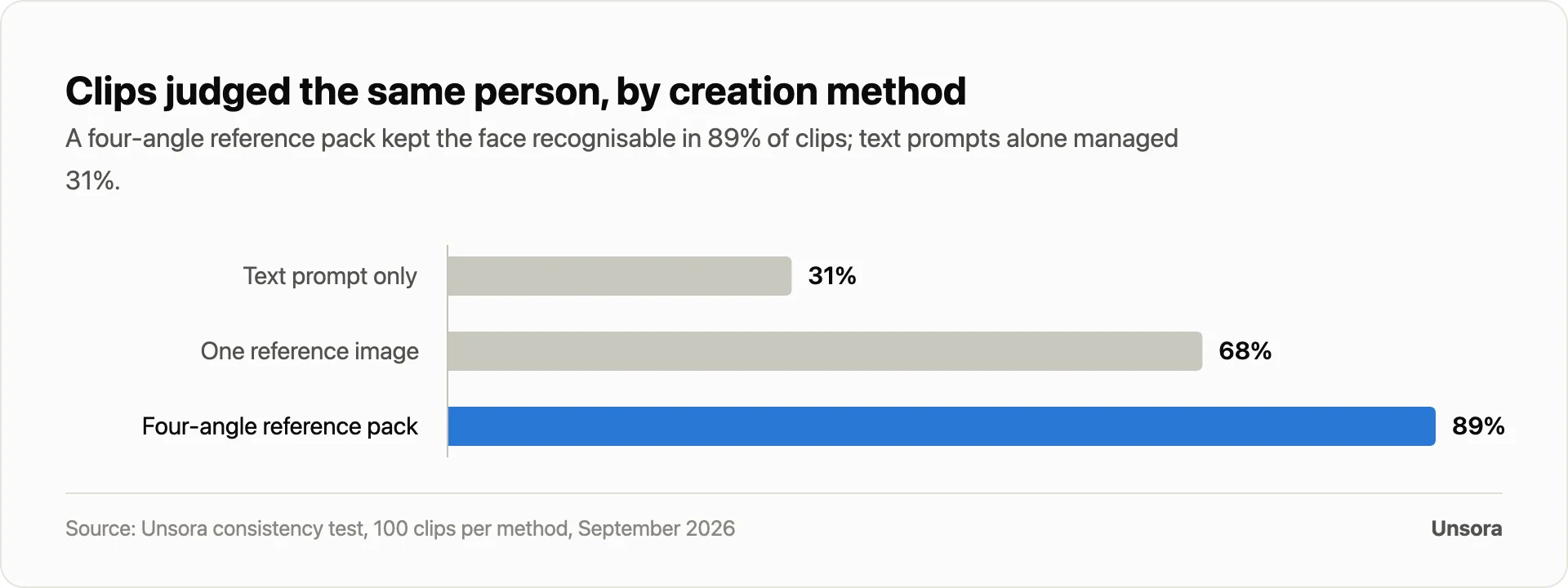
Turn your chosen portrait into four images of the same person before you make a single video. In our test, one reference image kept the face in 68% of clips; four angles kept it in 89%.
The pack contains:
- 01The front-facing portrait you settled on in Step 1
- 02A three-quarter view from the left
- 03A three-quarter view from the right
- 04A full-body shot wearing the signature outfit
Have your agent produce the other three with your portrait as the reference, one angle per image, along the lines of "same woman as in the reference image, three-quarter view facing left, identical backdrop and light." It runs through Unsora's create_image tool on Nano Banana 2, at 3 credits per 2K image.
Hold every image to at least 1,024 pixels on the short edge, keep the face unobstructed, and confirm her anchors (bob, jacket, ear cuff) show up in all four.
Step 3: Make new stills of the same person
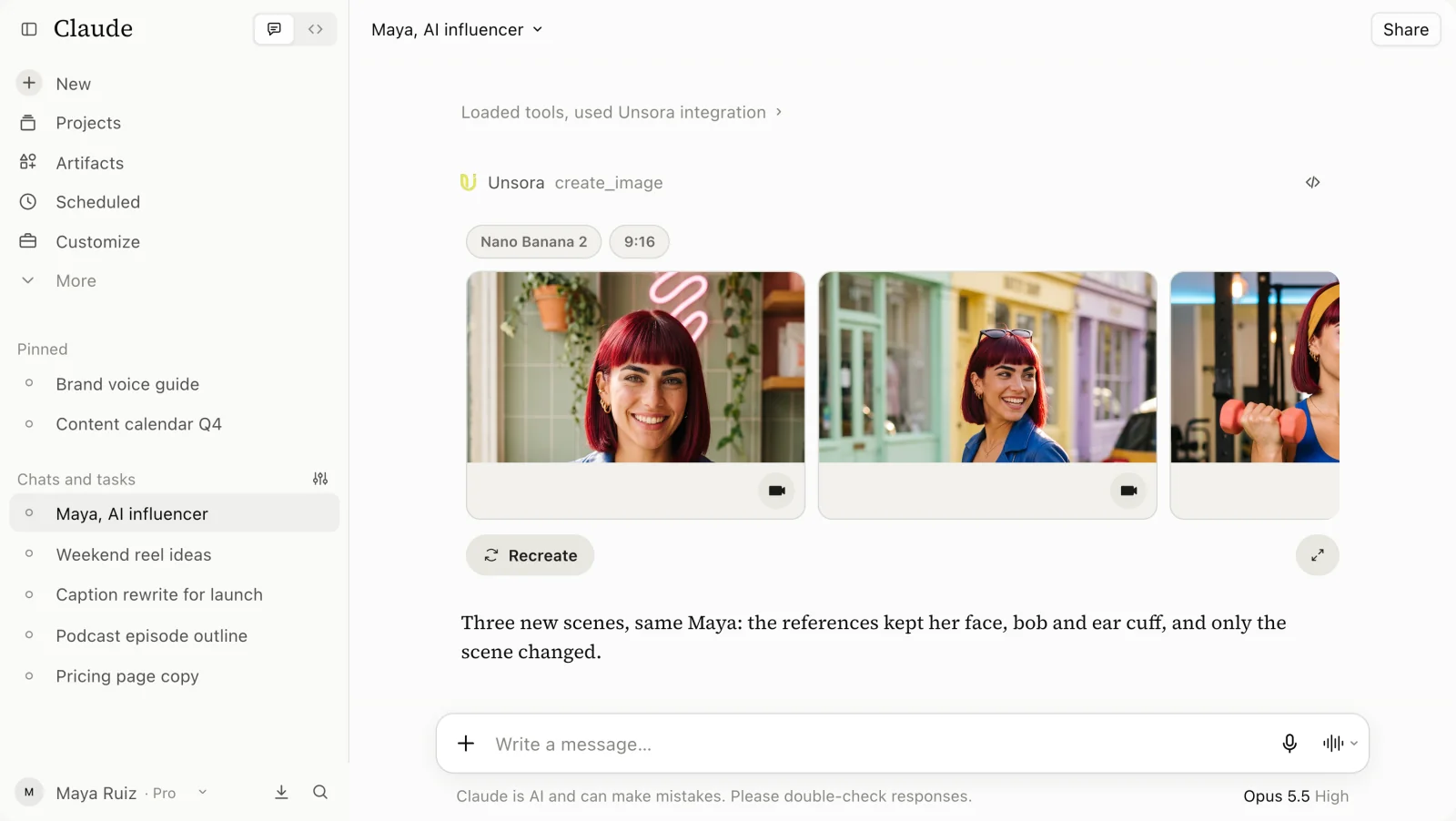
Every new image gets the full pack attached; only the scene changes. Because Nano Banana 2 accepts up to 20 references, your agent can send all four pack images with each request. Call out her anchors by name, then let the prompt describe nothing but the setting.
Say this: "same woman as maya's 4 reference images, in new scenes: at a café window counter holding an iced matcha, on a city street, in the gym. 9:16"
Step 4: Animate the still
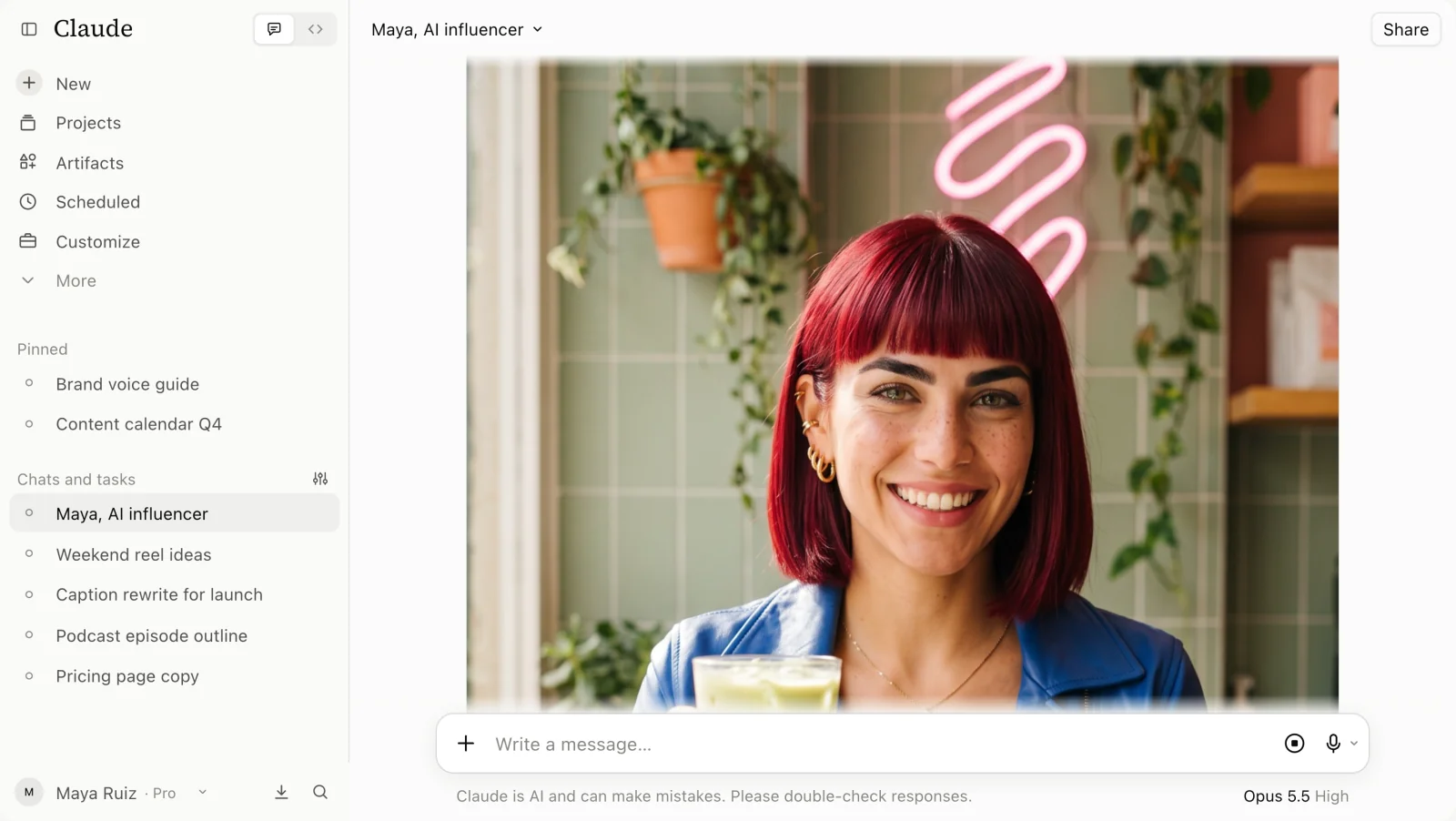
Animate an approved still; never send a text prompt straight into the video model. Leave the pack attached here too: Seedance 2.5 accepts up to 30 reference images, so the still plus all four pack images travel together in one create_video call.
- Keep clips to 5 seconds. Our 5-second clips kept the face 92% of the time; 10-second clips dropped to 81%.
- Keep motion plain. Walking toward the camera and talking to it survive; spinning, profile turns and hands touching the face do not.
- Watch every clip yourself.Claude can't play video, so inspect the face in the middle and final frames with your own eyes.
Ask this: "animate the café photo as a 5-second clip: she looks up from her matcha and smiles at the camera, with a slow push-in. hold her face to the reference pack"
The agent appends "no head turn" and dispatches the job to Seedance 2.5 at 9:16. Expect to pay 64 credits for a 5-second clip, or 37 on Seedance 2.5 Fast.
Step 5: Add one voice and keep it
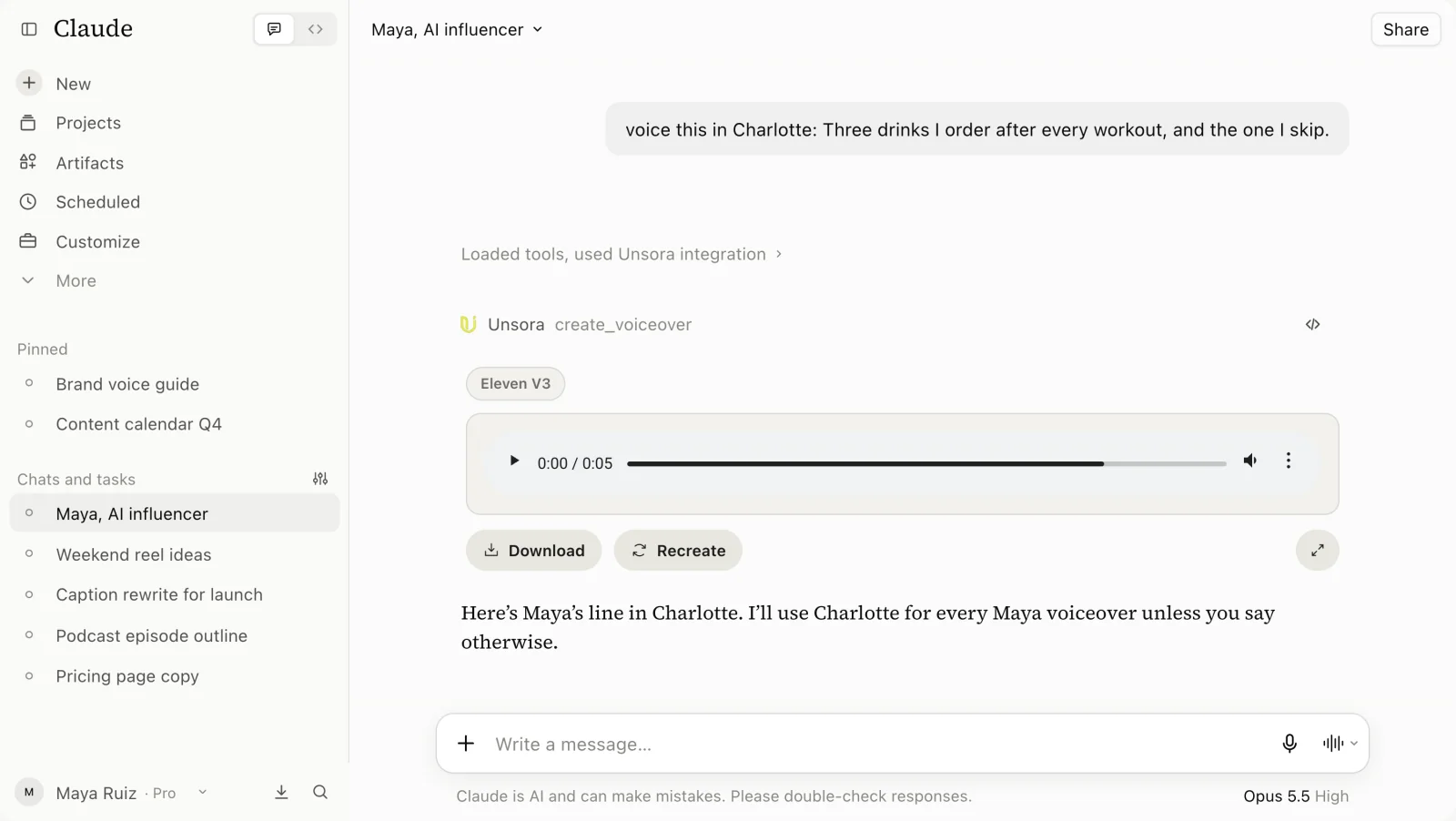
Settle on a single voice and reuse it across every video. The script and a voice name go to Unsora's create_voiceover tool via your agent. ElevenLabs v3 voices run 6 credits per 1,000 characters, and cloning your own voice is an option too. Seedance, Kling and Veo will also generate audio directly in the clip.
Try this: "voice this line in Charlotte: Three drinks I order after every workout, and the one I skip."
Step 6: Stitch longer videos and schedule them
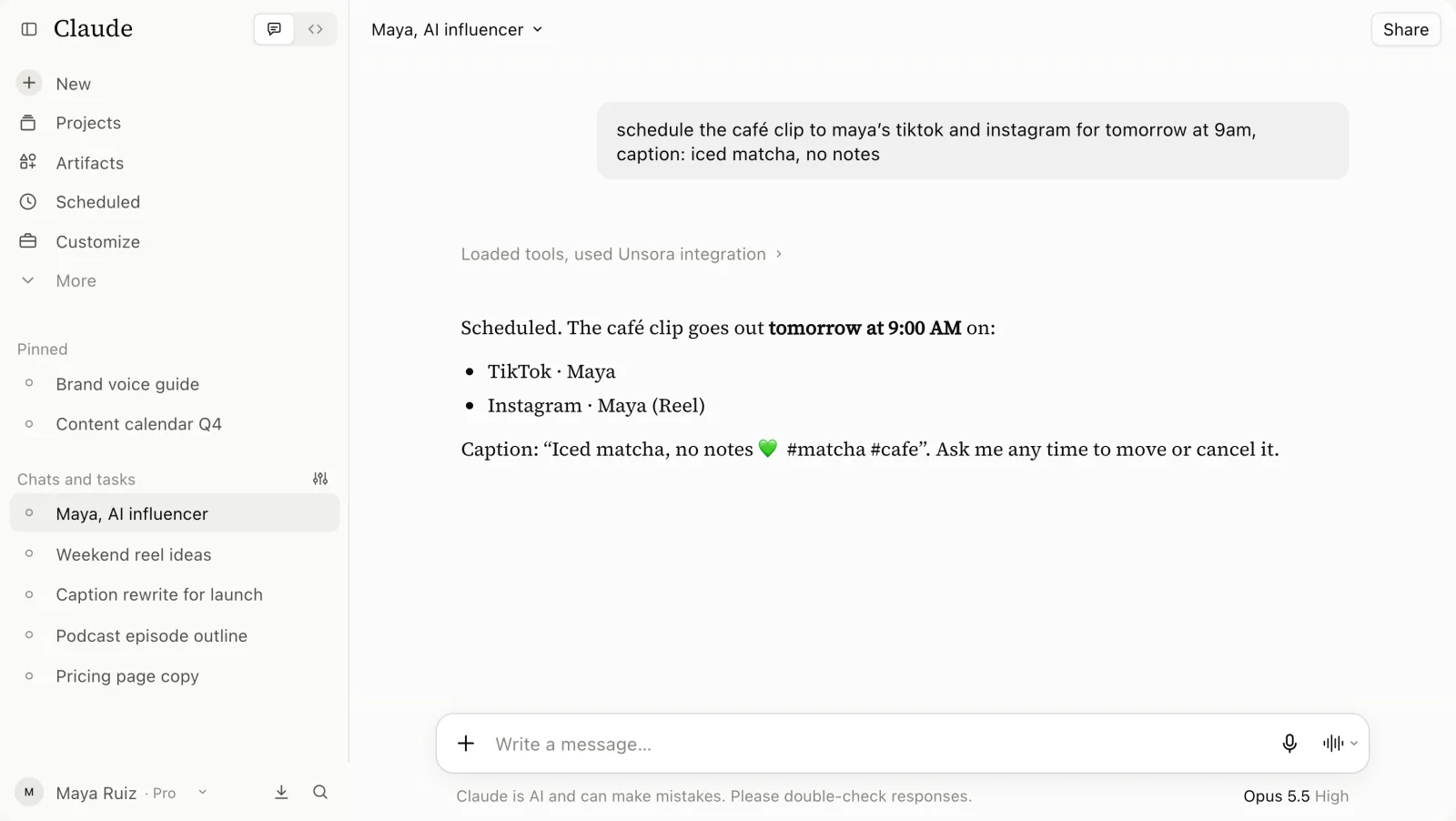
Assemble long videos out of short ones. Seedance 2.5 can roll for 30 seconds in a single take, yet faces held up best at 5 seconds. Feed the final frame of one clip in as the opening frame of the next so the face carries over the cut, then join everything in any editor. After that, your agent can schedule the post to your TikTok and Instagramaccounts through Unsora's create_post tool.
Say this: "post the café clip to maya's tiktok and instagram tomorrow at 9am, caption: iced matcha, no notes"
We generated 300 clips of the same AI influencer. What kept her face the same?
A four-angle reference pack kept the face recognisable in 89% of clips, compared with 68% for a single reference image and 31% for a text prompt alone.
How we tested it.In September 2026 we created one fictional influencer, "Maya", and generated 300 clips of her in Unsora: 100 with a text description only, 100 with one front-facing reference image and 100 with a four-angle reference pack. All three approaches ran the same 20 scene prompts on the same video model, and we saved every generation, good or bad.
Three reviewers who did not make the clips compared the middle and last frame of each clip with Maya's reference portrait, without knowing the method. A clip counted as "same person" when at least two of three reviewers agreed on both frames. Separately, we asked 1,412 Unsora creators who publish AI influencer content which trait drifts first.
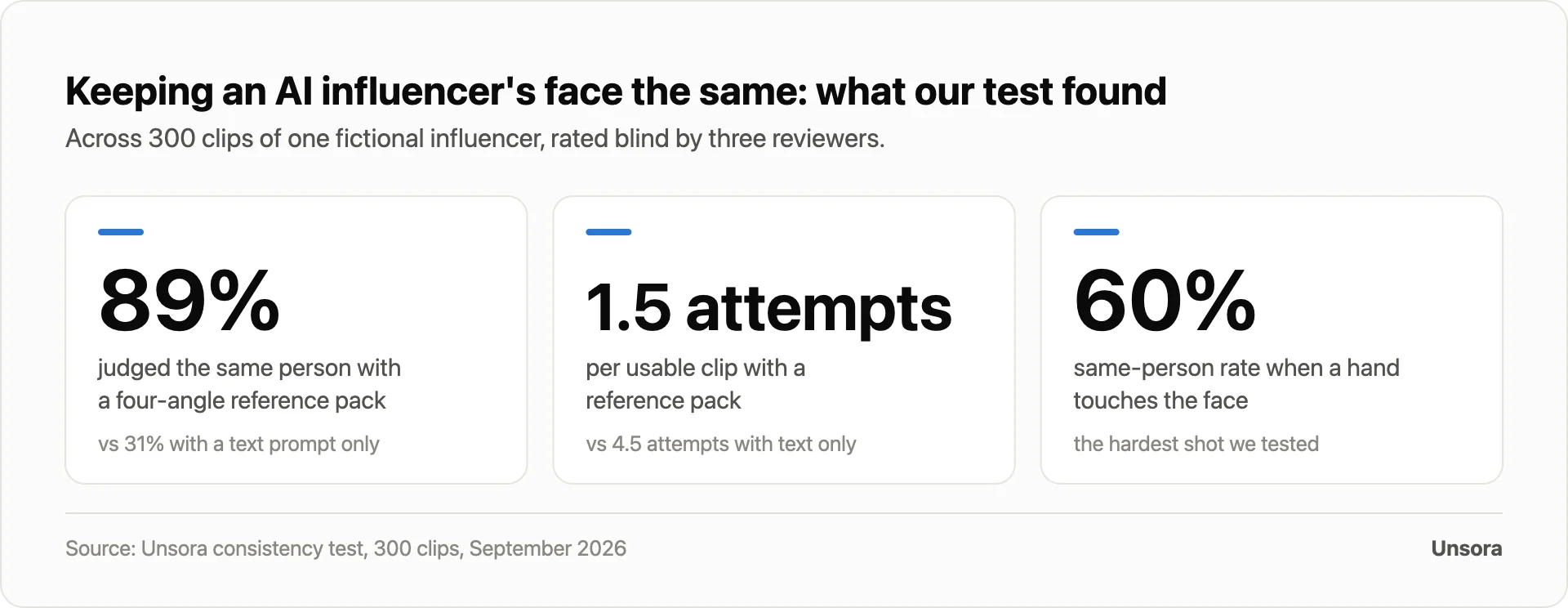
References do the heavy lifting. A single reference image more than doubled the text-only match rate, and three extra angles wiped out most of the gap left over.
Short clips hold the face better. With the reference pack, 5-second clips matched 92% of the time and 10-second clips 81%. Faces drift as the model generates frames further from the reference.
The shot matters as much as the method. Talking to camera held up in 96% of clips and walking in 88%. Turning the head to profile dropped to 64%, and a hand touching the face to 60%.
Creators see the same thing. In our survey, 41% said facial features drift first, followed by hair at 23%, outfit and accessories at 14%, voice at 12% and skin tone or lighting at 10%.
| Result | Text prompt only | One reference image | Four-angle reference pack |
|---|---|---|---|
| Clips judged the same person | 31% | 68% | 89% |
| Attempts per usable clip | 4.5 attempts | not measured | 1.5 attempts |
What this means for you: spend your first hour on the reference pack, not on prompts. It pays back on every clip: 1.5 attempts per usable clip instead of 4.5 attempts means about a third of the credits for the same week of posts.
Why does an AI influencer's face change between clips, and how do you fix it?
Drift starts the moment the model has to invent facial detail the reference doesn't show: a profile it has never seen, a jaw blocked by a hand, a mouth caught mid-word.
| Symptom | Likely cause | Fix |
|---|---|---|
| Face gradually morphs partway through a clip | The clip runs longer than the model can hold identity | Hold clips to 5 seconds and stitch them |
| A different person appears when she turns her head | The references contain no side angle | Work the three-quarter views into the pack; skip full profile turns |
| Jaw or nose shifts when a hand touches her face | The hand covers the very features the model anchors to | Write prompts that keep hands below the chin |
| Hair length or parting drifts | Hair lives in the prompt instead of the references | Strip hair words from the prompt; leave hair to the references |
| Outfit swaps between clips | The pack contains no outfit reference | Add the full-body shot, or supply the outfit as its own reference |
| Face matches but the voice doesn't | A fresh voice gets chosen per video | Stick to one named voice across every clip |
How do you keep the same AI influencer across different video models?
Carry one reference pack, one aspect ratio and one voice into every model, and commit to a single model per series instead of hopping mid-campaign.
Each model interprets references its own way: inside Unsora, Seedance 2.5 accepts up to 30 reference images (ByteDance), Veo 3.1 offers a reference mode, and Kling 3 performs best with your still leading as the first frame (model reference). Skin and colour rendering also vary between them, so a feed stitched from several models reads as less consistent.
- Audition once, then commit. Get your agent to run one scene on two or three models, judge each output against your reference portrait, and stick with the winner for the series.
- Freeze the settings. Identical aspect ratio, resolution and clip length on every generation.
Which tool should you use: Unsora, Higgsfield or HeyGen?
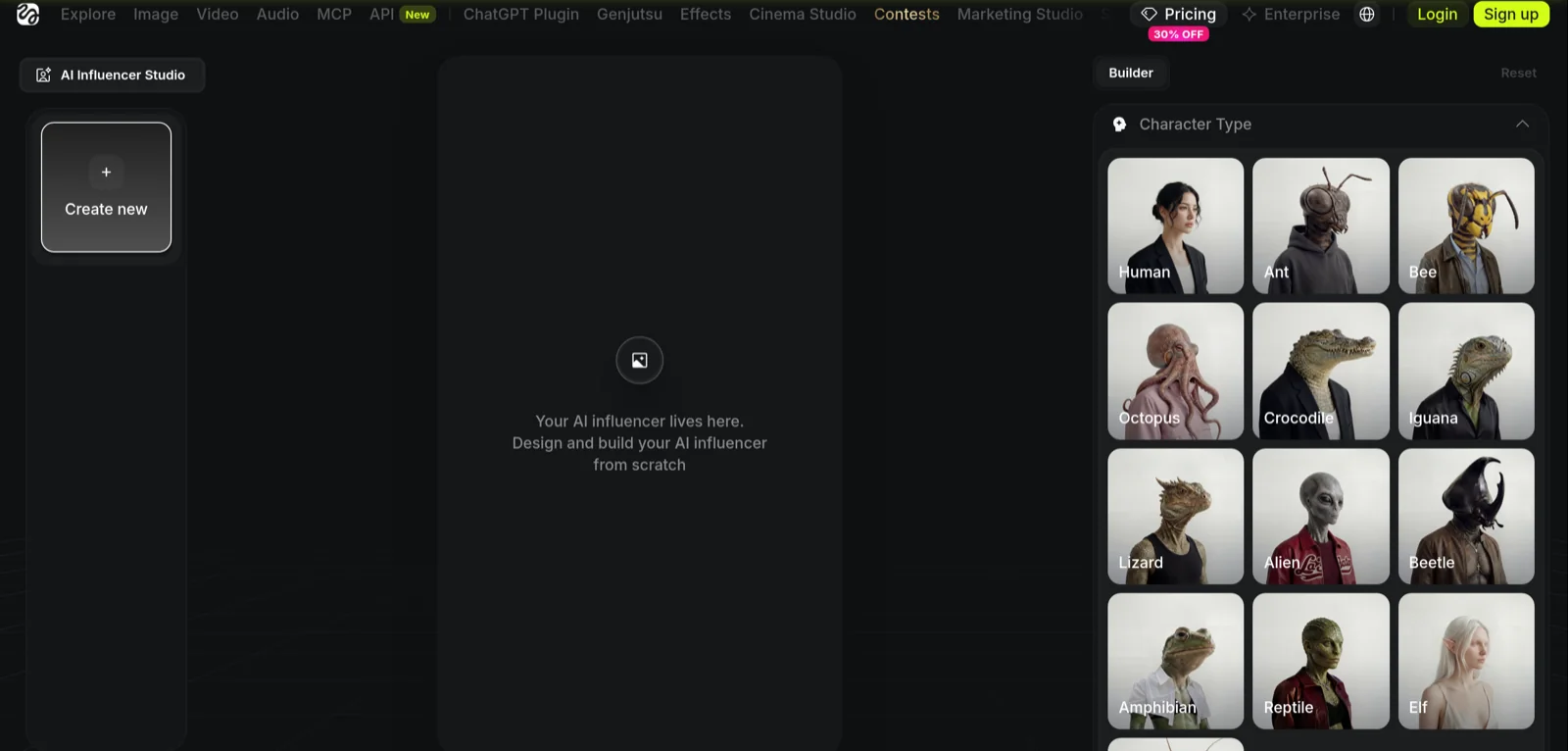
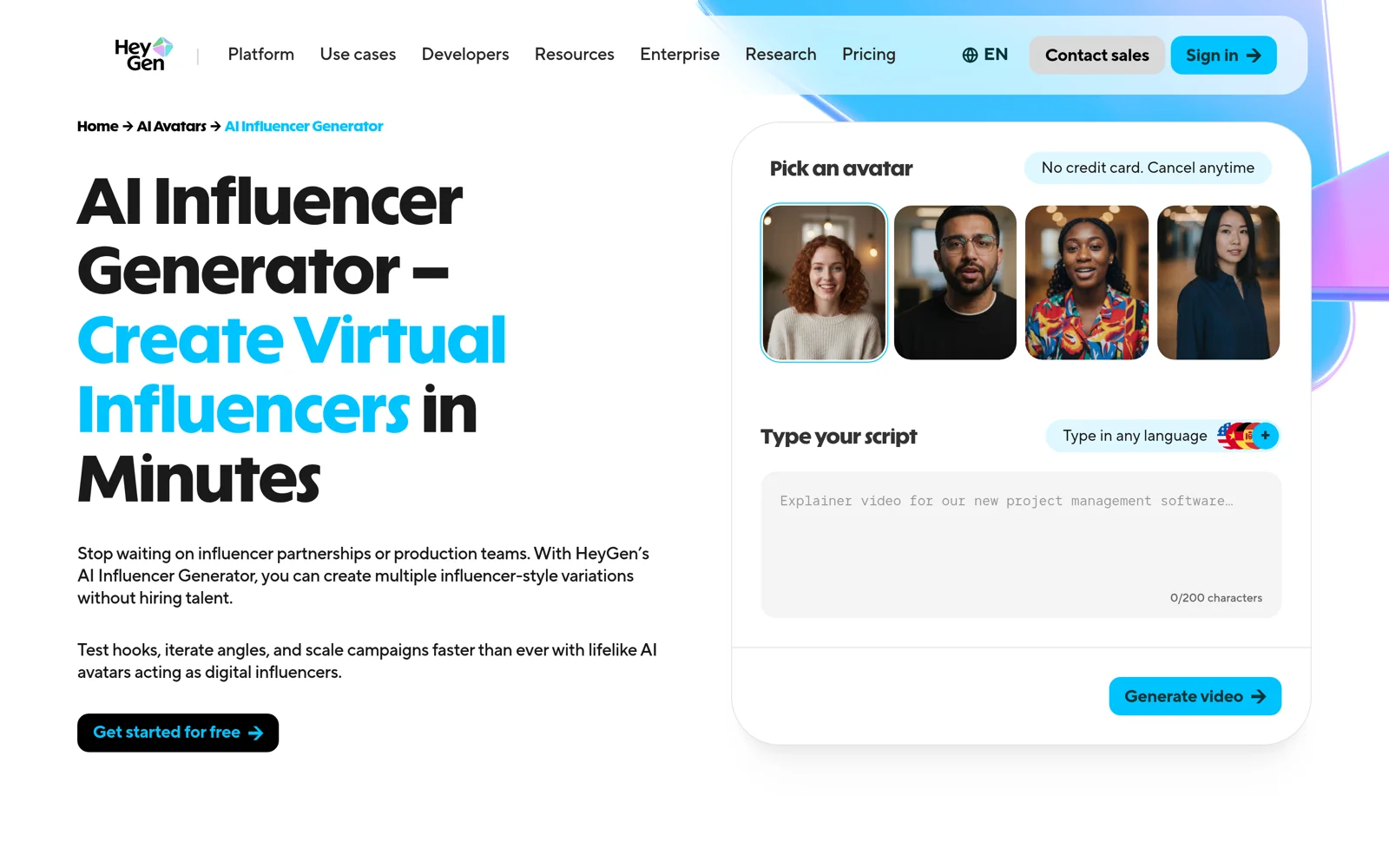
Choose by what you publish: Unsora for reference-driven clips an AI agent builds over MCP, Higgsfield for a trained identity that travels across many video models, and HeyGen for long talking-head scripts.
| Unsora | Higgsfield | HeyGen | |
|---|---|---|---|
| How it keeps the face | Reference images attached to every image and video generation (up to 30 on Seedance 2.5) | Soul ID, an identity trained from 20–80 photos | A photo avatar built from 1 photo, a Personal Model trained on 10–30+ photos, or a Digital Twin captured from 2–5 minutes of video |
| Where you work | Inside your AI agent (ChatGPT, Claude, OpenClaw, Hermes) over MCP, or the web app | Higgsfield web app | HeyGen web app |
| Video | Takes of up to 30 seconds on Seedance 2.5 | Varies with the video model chosen | Talking-head videos as long as 30 minutes on Creator |
| Talking and lip-sync | Built-in audio on Seedance, Kling and Veo | Lipsync Studio, with 8 engines | The core product |
| Voice | ElevenLabs v3 plus built-in voices, with voice cloning | Voice cloning from a sample | Voice cloning from a 30-second sample; 175+ languages |
| Starting price | $19/month (500 credits) | $9/month (120 credits) | $29/month, or $24/month billed annually |
| Free option | 3-day free trial | Limited models and no credits | 3 one-minute videos a month; commercial use not allowed |
All prices pulled from the vendors' pricing pages on September 24, 2026 (Unsora, Higgsfield, HeyGen).
Where the rivals beat Unsora.A Soul ID learns the face rather than pointing back at reference images, which suits a single persona published daily for months, and the Lipsync Studio covers talking formats we don't offer. HeyGen is the stronger pick for long scripted videos: a 20-minute talking-head explainer is its home ground.
Each rival has a catch, though. Higgsfield's trained identity can't be exported, and HeyGen's free plan bans commercial use.
Two more worth a look: Runway works from 1–3 reference images per generation (from $15 a month), while Kling stores a character as a reusable "element" built from 2–4 images (from $10 a month).
How much does it cost to run a consistent AI influencer?
Unsora's Pro plan ($39 a month, 1,100 credits) covers 20 five-second clips with voiceovers at roughly 860 credits, so one plan handles five posts a week with spare credits for redos. Credit prices come from Unsora's video and voiceover docs, checked September 24, 2026.
| Item | Credits each | Per month (20 posts) |
|---|---|---|
| 5-second clip, Seedance 2.5 Fast | 37 | 740 |
| Voiceover (under 1,000 characters) | 6 | 120 |
| Total | 860 of 1,100 |
Move up to full Seedance 2.5 at 64 credits per 5-second clip and the same month demands 1,400 credits, which pushes you onto the Power plan ($149, 5,000 credits; see plans). Portraits and stills tack on a few credits apiece. All plans open with a 3-day free trial.

What can't these tools do yet?
No tool in this guide survives profile turns, hands over the face or long single takes unscathed, so design your shots around those constraints.
- Clip length.Seedance 2.5 tops out at 30 seconds per take, and identity slips the longer a take runs, so stitch short clips. 4K is a separate pass: your agent can push the finished clip through Unsora's video upscaler.
- Talking videos.Unsora's video models bake native audio into short clips; long scripted talking heads are better served by HeyGen or Higgsfield's Lipsync Studio.
- Perfect identity.Higgsfield's own wording caps expectations: even trained identities promise "clearly the same person," never a pixel-identical face.
Is it legal to create an AI influencer, and do you have to disclose it?
Yes, provided the face is an original creation or you hold that person's permission, and you flag the content as AI wherever platforms and laws demand it.
| Where | What applies |
|---|---|
| TikTok | Realistic AI-generated or heavily edited people and scenes must carry TikTok's AI-generated label or a clear caption, sticker or watermark (policy) |
| Instagram and Facebook | Photorealistic video or realistic-sounding audio made or altered with AI goes through Meta's AI-disclosure tool, and Meta then adds an "AI info" label (policy) |
| YouTube | When you upload realistic AI-generated or meaningfully altered content, switch on the "AI use" setting in YouTube Studio (help) |
| European Union | Article 50 of the AI Act has, since 2 August 2026, obliged anyone publishing a deepfake to disclose it, and AI tools must machine-mark their output as well (Article 50) |
| United States | Under the FTC's 2023 Endorsement Guides, an endorser is someone who can "be or appear to be" a person, a definition that covers virtual influencers, so paid posts call for clear disclosure (FTC) |
One hard rule: never build a character from a real person's photos without written consent. Unsora's terms oblige you to hold the rights to anything you upload.
FAQ
Unsora's 3-day free trial gives you room to design and test one, and Higgsfield, HeyGen, Runway and Kling all run limited free tiers. Posting regularly means a paid plan.
Four is enough for most video: front, two three-quarter views and a full-body shot. In our test, four angles kept the face in 89% of clips against 68% for one image.
Written consent is a must. Borrowing a real likeness without permission violates platform rules and can run afoul of publicity-rights laws.
Most models output 4–15 seconds a clip; Seedance 2.5 stretches to 30. For anything longer, chain short clips so each one opens on the closing frame of the clip before it.
A few do, via brand deals and sponsored posts. The agency behind Aitana López told Euronews she can earn up to €10,000 a month, a figure the agency supplied itself.
One of the best-known virtual influencers is Lil Miquela, built by the Los Angeles startup Brud in 2016, and she had about 2 million Instagram followers in September 2026.
Any one AI agent with MCP connector support will do: ChatGPT, Claude, OpenClaw, Hermes, Claude Code or Cursor. Paste https://mcp.tryunsora.com/mcp in once and the entire guide runs from that chat. ChatGPT gates custom connectors behind a paid plan (OpenAI); Claude's free plan permits one custom connector. Prefer a browser? The identical tools live in the Unsora web app.