


Free tools/OK.ru video downloader
OK.ru Video Downloader
Paste a link from OK.ru, the site Odnoklassniki, and save the video as an MP4 in whichever quality that upload has.
Only download content you have the right to save. Public content only — respect creators and each platform's terms.
- No signup and no extension
- Nothing stored on our servers
- Real qualities, not a fixed menu
- Works with ok.ru, m.ok.ru and videoembed links
Only download content you have the right to save: your own uploads, Creative Commons material, or videos whose owner has given you permission. Unsora hosts nothing, stores nothing, and is not affiliated with OK.ru, Odnoklassniki or VK. We read what the site's own player serves any visitor, and keep no copy.
How it works
01
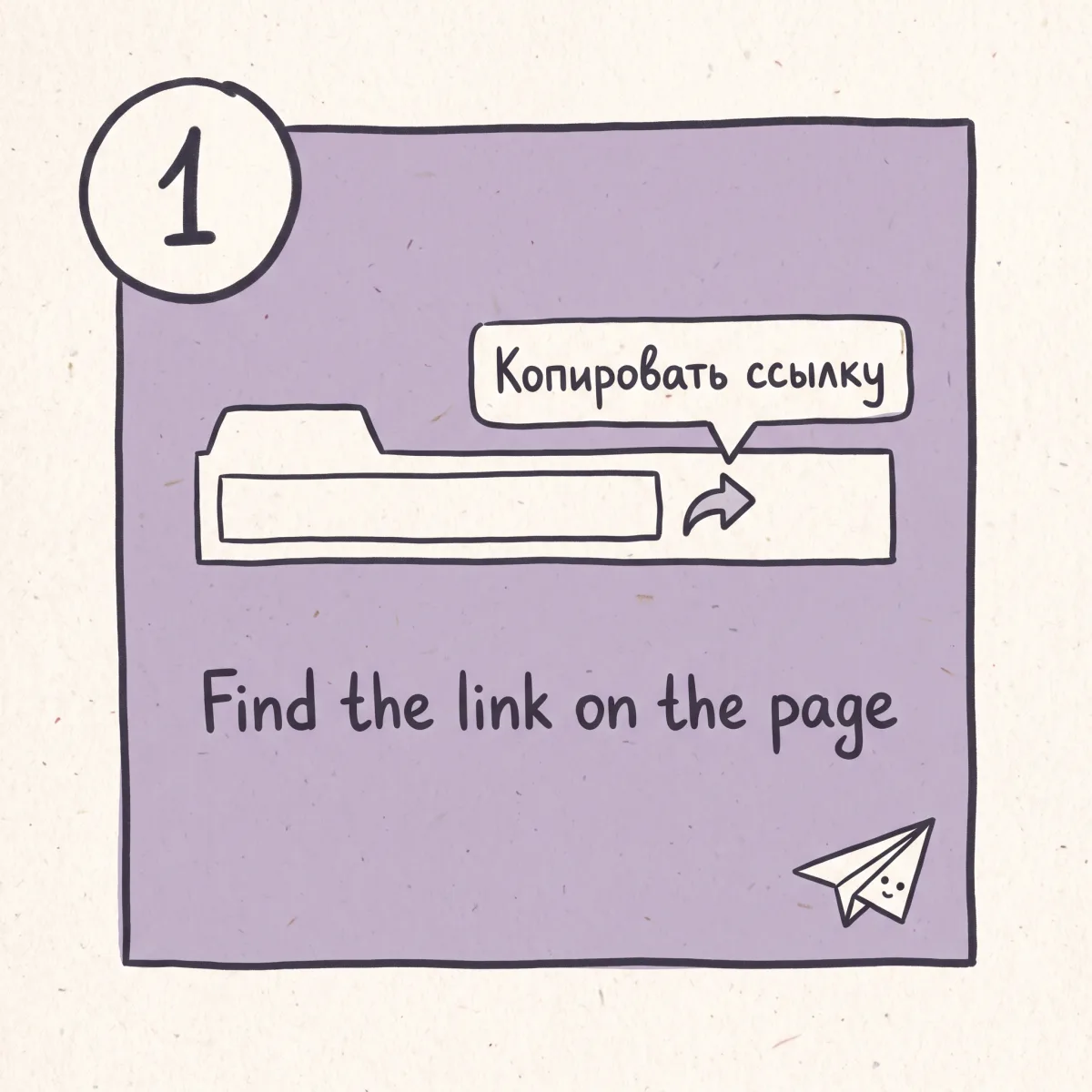
Find the link on the page
Open the video itself so the address bar reads ok.ru/video/ and a long number. If you are on a feed post or group topic, click the video first. The share control under the player is Поделиться, and the copy option inside it is Копировать ссылку.
02
Paste it and let us read the player
We ask OK.ru for the same setup data your browser gets and list every quality that upload has. If the video needs a login, or the site refused us, we say which.
03
Pick a quality and save
Choose from what is there. The file lands as an MP4, H.264 and AAC, with no watermark and no re-encode.
What you get
Video and embed links both work
ok.ru/video/<id> and ok.ru/videoembed/<id> both resolve.
Built for a Cyrillic page
We show you which button is which.
Real qualities, not a fixed menu
If the upload tops out at 360p, there is no 1080p button pretending otherwise.
Straight answers when it fails
Group-only, friends-only, age-gated or deleted: you get the reason.
Nothing installed, nothing kept
No extension, no app, no account, no copy kept.
Then cut the long one down
Unsora's AI clipping turns a two-hour upload into captioned vertical shorts.
What OK.ru is, and why you probably got here from a link
OK.ru is Odnoklassniki. The name means "classmates", and it is one of the two big Russian-language social networks — VK works much the same way. Both sit under the same corporate roof, the group formerly called Mail.ru. It skews older than VK, leans on video and music rather than text, and is used across Russia, Central Asia, the Caucasus and Russian-speaking communities elsewhere.
Almost nobody reading this in English went looking for it. You arrived from a link, usually one of four: a relative sent something on a family chat, a diaspora group posts its footage there and nowhere else, someone found archived material never uploaded to a Western platform, or an event video is circulating that YouTube never got a copy of. That last case is why most searches for this tool exist.
That changes what this page owes you, because you are working in an interface you cannot read, on a platform whose rules you have never seen.
The links come in several shapes. A direct video is ok.ru/video/ followed by a long numeric ID. An embedded player, the kind a blog or forum uses, is ok.ru/videoembed/ and the same ID. The mobile site swaps the host for m.ok.ru. Then there are the wrappers: a feed post or a group topic carries a video inside it, and copying the address there gives you the post rather than the video. Click the video so it opens on its own first. The wrappers are the most common reason a paste fails.
What happens underneath. When the player loads it fetches a metadata payload for that upload, listing renditions by name rather than number: mobile, lowest, low, sd, hd, full. That list is what we read, and it is why two videos on the same site offer different options.
The delivery is the interesting part. OK.ru serves video from its own CDN on mycdn.me, from edges close to its audience, which mostly means Russia and neighbouring countries — the same CDN behaviour shows up on Rutube. The file URL is signed: it carries an expiry timestamp and the IP address that asked for it. Two things follow. A direct file link stops working shortly after it is issued, so copying one out of a browser tab and mailing it to a friend does nothing. And throughput from outside the region is inconsistent in a way it is not on Western hosts: the same video can pull at full speed in the morning and crawl in the evening.
So learn to tell the two failures apart. If the download starts and then stalls, or dies partway with a chunk of the file written, that is a reachability problem between you and a CDN edge never built for your part of the world. Waiting an hour or taking a lower quality usually fixes it, because the smaller file finishes before the signed URL expires. If it fails instantly with no bytes written, the video is restricted, deleted, or the link points at a post. Slow means network. Instant means access.
On access, plainly. Videos posted to a closed group, or limited to a profile's friends, need a logged-in account with permission. We do not have one, we will never ask for yours, and those are off-limits here. Some uploads are age-gated behind an 18+ confirmation. And one fact the other pages on this search will not print: OK.ru carries a lot of re-uploaded film, television and music the uploader has no rights to. The rules do not change because the interface is in Cyrillic. If the person who posted it did not make it, saving it copies someone else's work.
Where the link is on a Russian-language page
The site defaults to Russian and offers no English interface. Here is what you are looking at, so you can find one URL without translating the page.
Поделиться means Share, and opens the share panel under or beside the player. Копировать ссылку means Copy link — the one you want, it puts the video URL on your clipboard. Ещё means More, the overflow menu where copy link hides on some layouts. Видео is Video, the section in the main navigation. Музыка is Music, a separate catalogue. Класс! is their equivalent of a thumbs up. Войти is Log in, a sign-in prompt you do not need for a public video. And Видео недоступно means Video unavailable — deleted, restricted, or the wrong link.
Two things beyond the labels. Your browser's built-in translation handles this page well, so right-click and translate if you would rather read it in English. And the simplest route skips the buttons: open the video on its own page and copy the address bar. If it reads ok.ru/video/ and a number, it works here.
Which qualities OK.ru actually serves
OK.ru names its renditions instead of numbering them, and the set varies per upload. Older uploads and re-uploaded material often top out well below HD, which is why a fixed quality menu is a lie here more often than elsewhere.
mobile is roughly 144p, a fallback on a bad connection. lowest is roughly 240p, old uploads and phone footage from the 2010s. low is roughly 360p, the default ceiling on a lot of archive material. sd is roughly 480p, a common ceiling for group re-uploads. hd is roughly 720p, most modern uploads. full is roughly 1080p, good source and a recent upload. Anything above 1080p is rare here. A tool offering 4K on every OK.ru link is either failing after you click or handing you a smaller file with a bigger label.
Two more quirks. Live broadcasts are segmented streams and cannot be saved as a finished file while running. Audio comes down inside the MP4, so getting the sound on its own means converting afterwards.
You have a two-hour file. Now what?
OK.ru skews long. Concerts, full matches, church services, weddings, television episodes, community events recorded end to end on one camera. Nobody watches a two-hour file in a feed.
Unsora's AI clipping cuts a two-hour recording into shorts, finds the moments that stand on their own, crops them vertical and burns in captions, including for footage that is not in English. The schedulers push the results out on a calendar you set, all callable over one MCP connection from the AI tools you already use, from $19/mo with a 3-day free trial.
Next steps
Mirror of a YouTube upload? save the original from YouTube.
Sharing it on other platforms? post it on a calendar.
Long upload? cut it into short clips.
Related tools
Other free tools you might need next
Honest limits
What this tool does
- Public videos on ok.ru/video/<id>
- Embedded player links, ok.ru/videoembed/<id>, including ones pulled from a blog or forum
- Mobile links from m.ok.ru
- Videos in open groups and on public profiles, opened on their own page first
- Finished recordings of past live broadcasts, once the stream has ended and been saved
What it doesn't do
- Videos in closed groups, and videos limited to a profile's friends. Those need a logged-in account with permission, and we will never ask for your OK.ru login.
- Live broadcasts while they are still running.
- Age-gated videos that will not play for a logged-out visitor.
- Feed post and group topic links that wrap a video instead of pointing at one. Open the video first.
- Deleted videos, and videos on profiles that have been closed or blocked.
- Music from the site's catalogue. That is licensed content and we do not touch it.
- Qualities that upload never had. Nothing makes 1080p out of a 360p source.
Checklist
What to check before you use any video downloader
Seven things worth checking before you paste a link into any OK.ru downloader, here as much as anywhere else.
01
It runs in a browser tab
Nothing to install, and no extension reading every page you visit.
02
It never asks for your account on the source platform
No honest tool needs your Odnoklassniki login.
03
One download button, and it is the real one
No countdown, no interstitial, no second button that installs something.
04
No sign-up, no email
No "verify you are human" gate between you and the file.
05
Nothing kept on a server afterwards
And nothing added to the picture.
06
The advertised quality ceiling matches what the source has
A 4K badge on every link is a tell.
07
It tells you why something failed
Instead of looping you back to the input box.
File saved. Now cut it down.
Unsora's AI clipping pulls the parts of a two-hour recording that hold on their own, crops them vertical and captions them. The schedulers post those to TikTok, Instagram, YouTube, Facebook, LinkedIn and Bluesky on a calendar you set. From $19/mo with a 3-day free trial. The downloader above stays free.
Start the free trialFAQ
Common questions
What is OK.ru?
Odnoklassniki, a Russian-language social network, one of the two big ones alongside VK. It skews older and carries a lot of video and music. Most English readers get here from a link.
Is there an online OK.ru downloader I can use without installing anything?
This is one. It runs in a browser tab, on a phone or a laptop, with nothing to install.
Is there a Chrome extension?
No, deliberately. An extension with permission to read OK.ru pages can read every other page you open. Pasting a link does the same job.
How do I find the video link when the page is in Russian?
Open the video on its own page and copy the address bar. If it starts ok.ru/video/ you have the right thing. Using the buttons, Поделиться is Share and Копировать ссылку is Copy link.
My link doesn't work. What did I do wrong?
Most likely you copied a feed post or group topic with a video inside it. Click the video so it opens on its own, then copy that address.
Why is my download so slow?
OK.ru serves video from servers close to its own audience, so throughput from outside that region swings through the day. If the download starts and then crawls, take a lower quality or try later. If it fails instantly with nothing written, that is access.
Does the video's owner get told I downloaded it?
No. There is no notification and nothing appears in either account. You are requesting the same file the player requests on play.
Do I need an OK.ru account?
Not for a public video. Videos in closed groups or limited to a profile's friends need an account with permission, and those will not work here.
Can I download a video from a closed group?
No. That content is gated behind a login and a membership, and we will never ask for your credentials.
What quality will I get?
Whatever that upload has. OK.ru names its renditions mobile, lowest, low, sd, hd and full, roughly 144p through 1080p. Plenty of older uploads stop at 360p.
Can I get the audio only, as an MP3?
Not directly. The sound comes down inside the MP4, so convert it afterwards. Tracks from the site's music catalogue are licensed content and out of scope.
Can I save a live broadcast?
Not while it is running. Once the stream ends and the recording is saved to the page, it behaves like any other video.
Is this OK.ru video downloader free, and do I have to sign up?
Free, no account, no limit on how many links you paste. Unsora sells a paid AI video suite and this tool exists so people find it.
Is downloading from Odnoklassniki legal?
Saving a public video for private use is generally tolerated. Redistributing someone else's work is copyright infringement however you got the file. Much of what is posted is film, television and music re-uploaded by people who do not own it. General information, not legal advice.
Built and maintained by the Unsora team.
OK.ru's link formats, rendition names and CDN behaviour last checked on August 14, 2026.
Changelog
August 14, 2026. Page rewritten. Added what OK.ru is, the link formats, the Russian interface guide, the real quality names, and why downloads stall from outside the region. Removed the "up to 4K" claim.