


Unsora/Blog/ChatGPT for Social Media
ChatGPT for Social Media: What Works in 2026
By Irfan Sadek, co-founder of Unsora · Last updated:
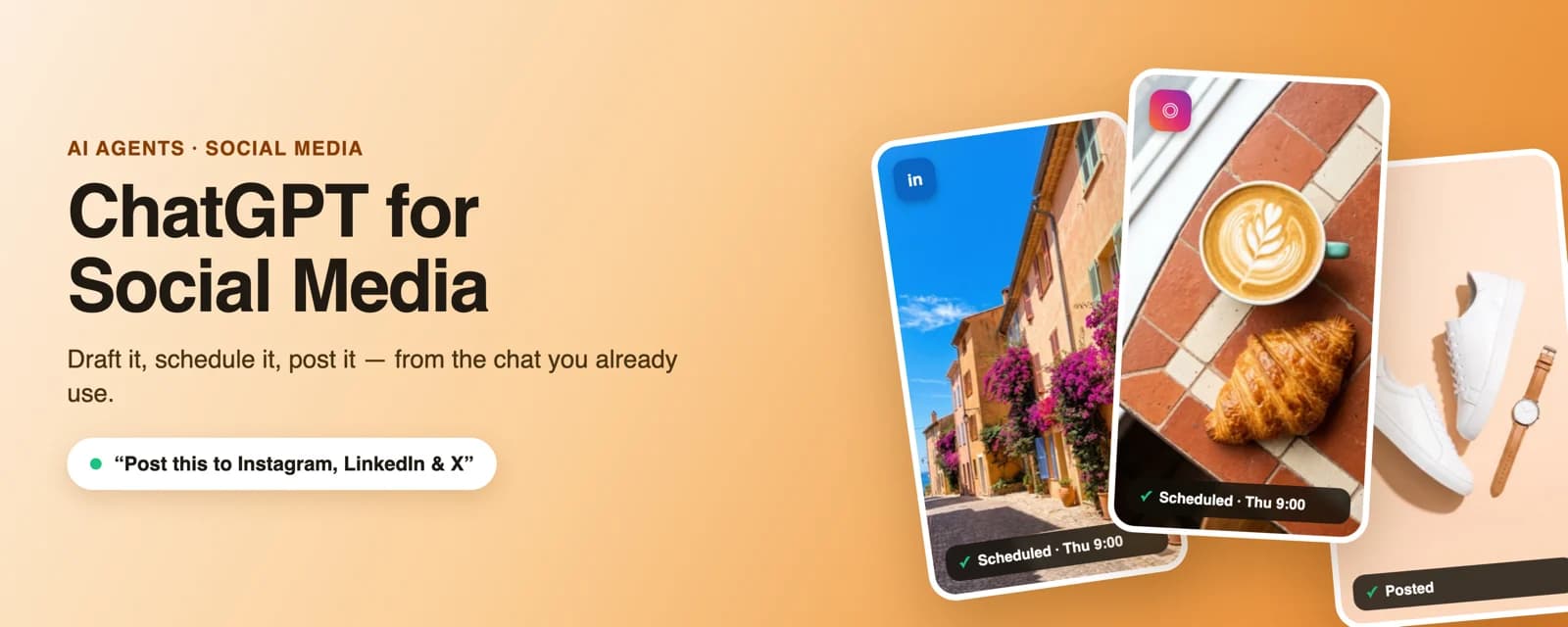
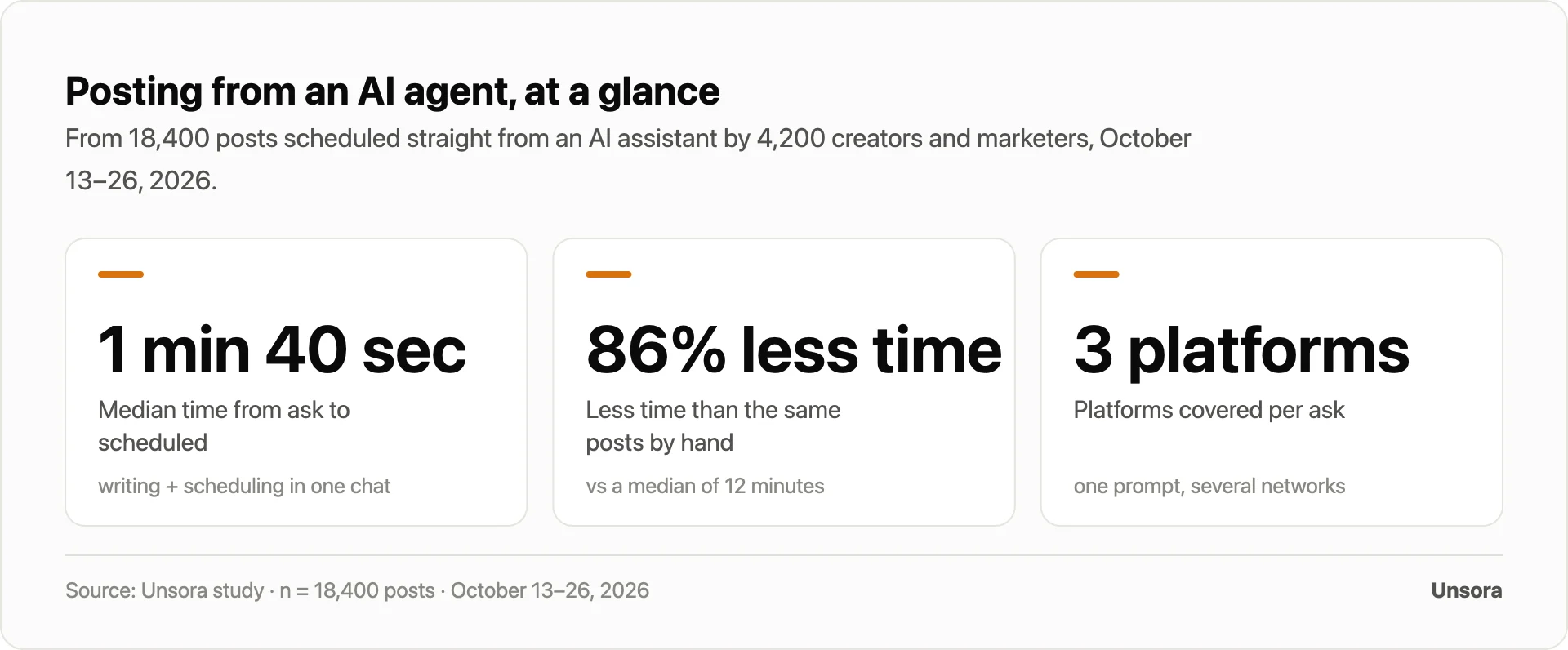
ChatGPT for social media covers two jobs in 2026. It writes captions, content calendars and post ideas that you publish yourself, and, once you link it to a tool like Unsora through a connector, it schedules and publishes after you sign off. In our data, posting directly from the agent took a median of 1 min 40 sec, 86% less time than doing it by hand.
Key takeaways
- On their own, ChatGPT and Claude only draft. Neither can publish to your accounts natively; a connector you authorize handles that step.
- You have two options: treat ChatGPT as a content assistant and copy-paste its output, or hook it up so it schedules and posts on your behalf.
- Across 18,400 posts published straight from an AI assistant, median posting time was 1 min 40 sec against 12 minutes manually. That works out to 86% less time.
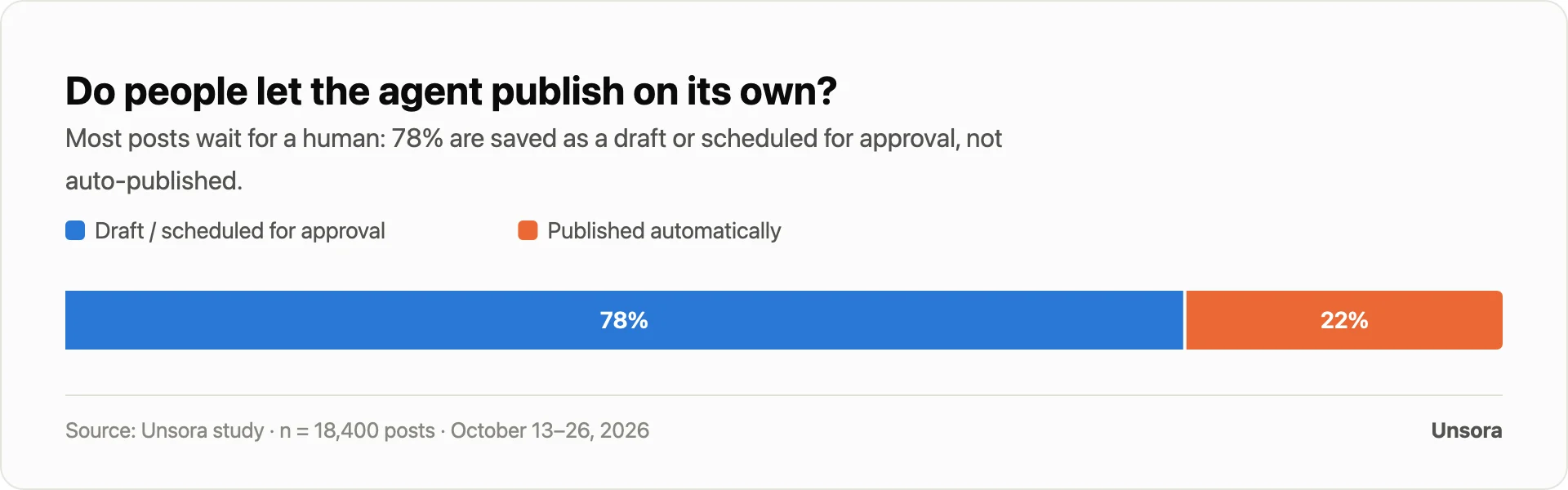
- Human review is still the norm: 78% of agent posts get saved as drafts or scheduled for approval rather than auto-published.
- Setting up an MCP connector in ChatGPT requires a paid ChatGPT plan, a connected social account and a posting tool.
The typical workflow today looks like this: write in ChatGPT, paste each draft into each app yourself, and end up with half the drafts that "sound generic". Connecting ChatGPT to your socials so it posts for you is a real option now, yet prompt guides stop at writing tips and tool pages just pitch their own product. Here you get both routes without the sales spin, plus the limits of what the agent can do.
Put your agent to work posting — start the 3-day trialWhat "ChatGPT for social media" actually means in 2026
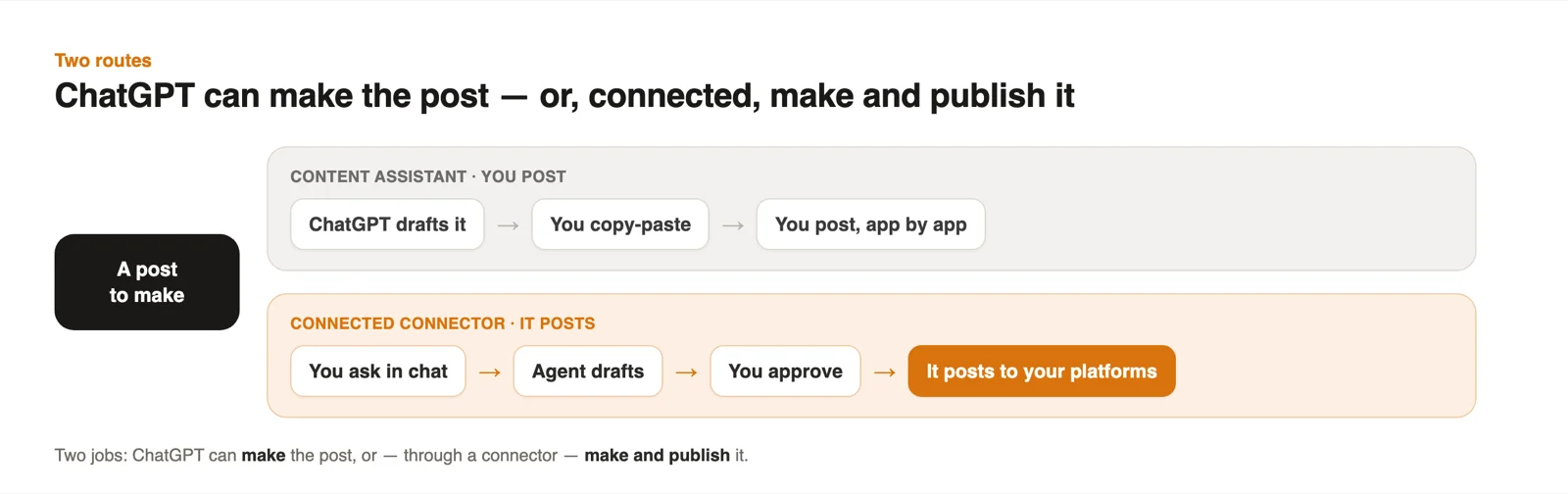
In 2026, "ChatGPT for social media" refers to two separate jobs: having ChatGPT draft content you post yourself, and connecting it to an agent that posts for you.
Job one is what every ranking guide already teaches. ChatGPT writes the caption, the thread, or a week of ideas; you paste the result into Instagram or LinkedIn and hit publish. Job two is newer. An AI agent scheduler holds authorized access to your accounts and publishes on your behalf when you ask in chat. It does the posting, while you keep final approval and full ownership of your accounts — you connect them once and can revoke access anytime.
Using ChatGPT as a social media content assistant
ChatGPT earns its keep as a social media content assistant in four areas: captions and hooks, editorial calendars, repurposing long-form material, and reading back your own numbers.
- Captions and hooks shaped for each platform — an Instagram caption, a LinkedIn opener, an X post, a TikTok script — all from a single brief.
- Editorial calendars: request a 30-day or 12-month plan organized by theme, format and posting day.
- Repurposing: paste in a blog post, transcript or newsletter and walk away with a thread, a short-video script or five posts.
- Analysis: feed it your post stats and have it recap what worked and propose the next week.
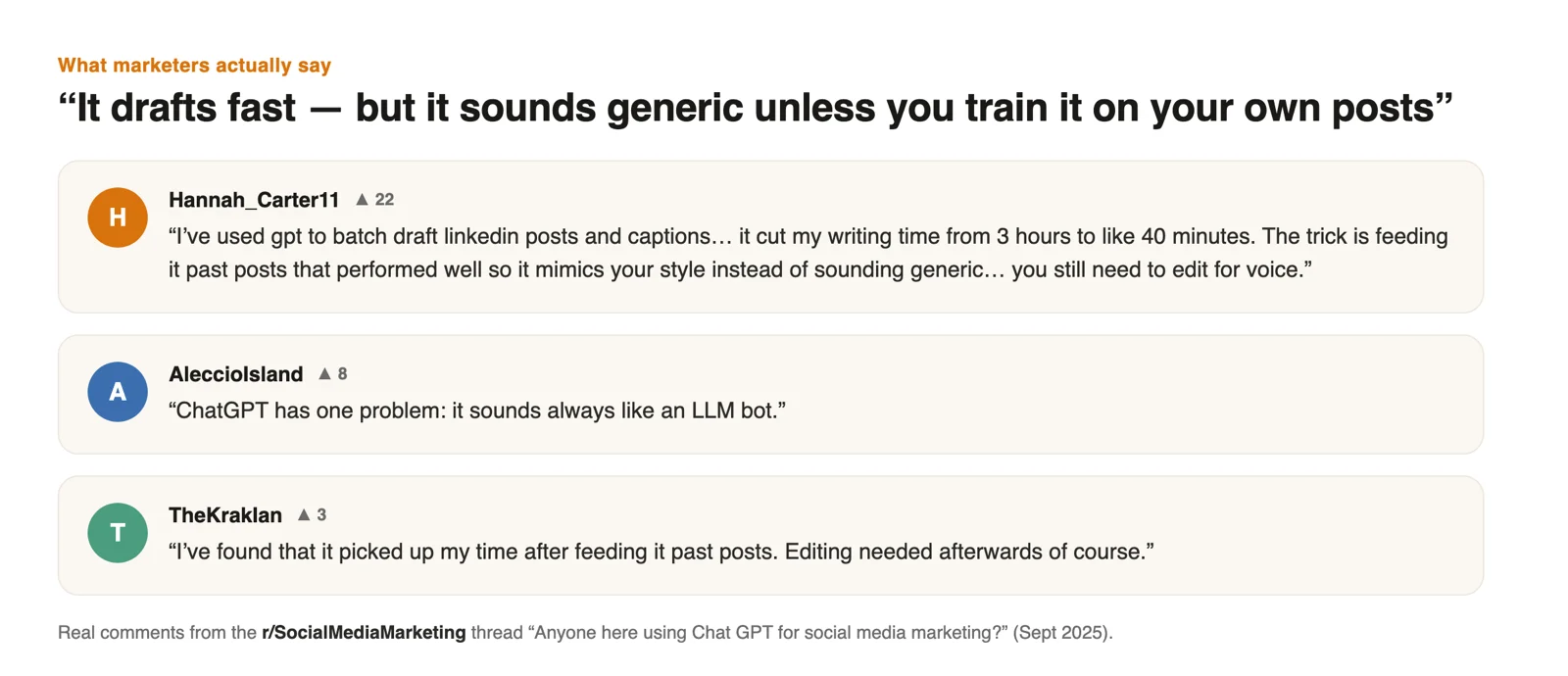
Whether the drafts are worth publishing comes down to three habits: give ChatGPT your niche, brand voice and audience before you ask for anything, have it interview you first instead of writing immediately, and edit every draft. Skip those steps and your feed sounds like everyone else's — the complaint that surfaces over and over in social media marketing communities.
Most prompt guides stop short of the last mile: connecting ChatGPT to a tool that can schedule and post. That is the second route.
Can ChatGPT and Claude actually post and schedule?
Yes, but it takes a connector. By themselves, ChatGPT and Claude produce the draft and go no further.
A connector (ChatGPT calls them apps or connectors; Claude just says connectors) carries authorized access to your social accounts and can create, schedule or publish posts when you ask. With that link in place, the agent lists your accounts, writes the post and schedules or publishes it. The requirement: a social account has to be connected first, and you grant that access once, inside the tool rather than in the chat.
One caveat, stated plainly: adding an MCP connector in ChatGPT requires a paid ChatGPT plan (Plus and above, developer mode on). Claude handles connectors the same way. The connector is a second piece with its own account; the Unsora connector, for instance, is built on Unsora's MCP server.
How to connect your agent and post in 3 steps
You can connect your agent and have it posting in three steps: link your accounts, ask in chat, then confirm it went live.
1. Connect. Install the connector in ChatGPT or Claude, then link your social accounts once inside the app. After that, the agent can run get_accountsand see which accounts it's allowed to post to.

2. Ask.Describe the post in plain language: "Draft a LinkedIn post about our launch and schedule it for Thursday 9am." The agent runs create_post to write it, or compose_post if you want an editable composer to open.
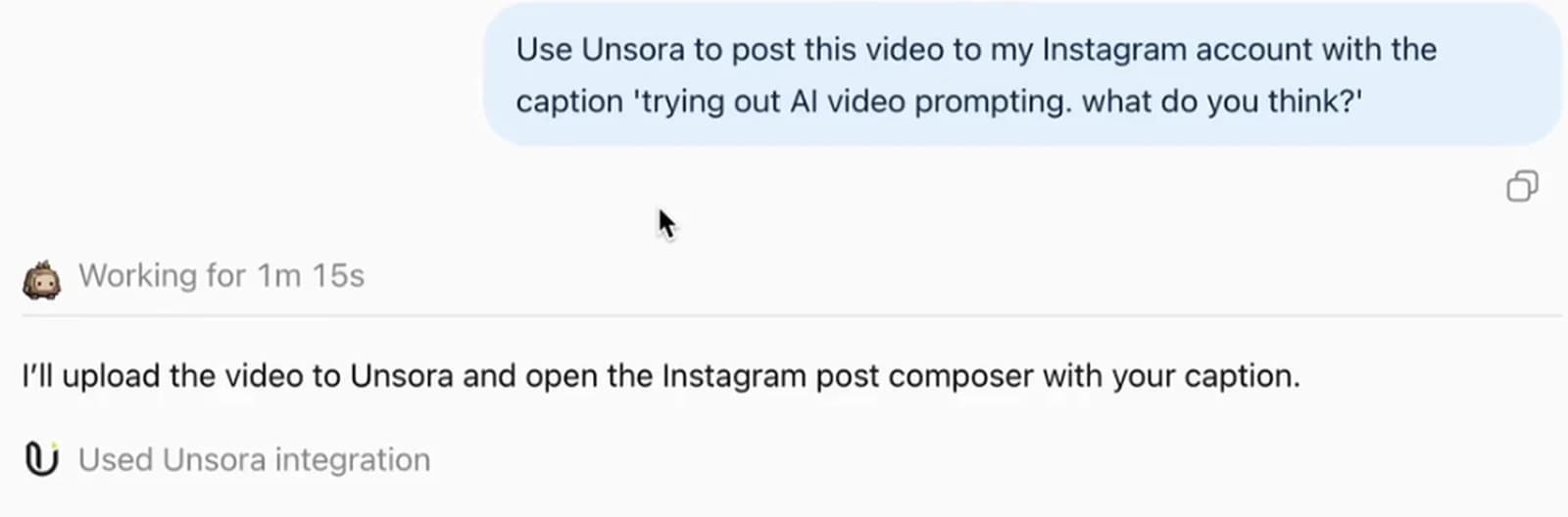
3. Check it posted. You see the draft or the scheduled time before anything happens, and nothing publishes without your go-ahead. The Schedule Post skilldefaults to a draft: leave the time empty and it's saved for your approval. If you'd rather look in the web app, the same posts show up on Unsora's calendar there.
What our data shows: posting from an AI agent
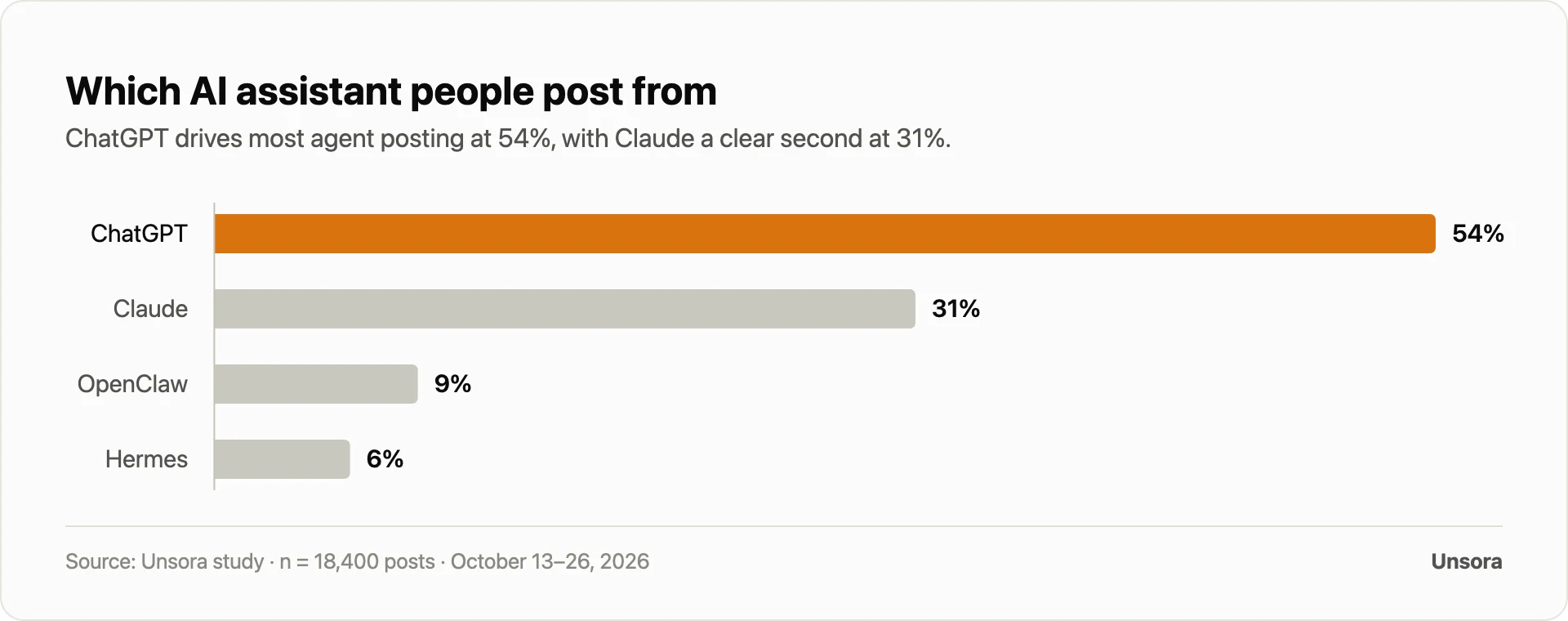
Our dataset covers 18,400 posts created by 4,200 Unsora creators and marketers through an AI assistant (ChatGPT, Claude, OpenClaw or Hermes) between October 13–26, 2026, every one of them made in the chat rather than the web app. For each post, we measured the median time from the first ask to the moment it was scheduled or published. As a control, we also ran 25 tasks by hand, posting the same three-platform set ourselves.
The agent path was far faster, and humans stayed in charge. Posting through the agent took a median of 1 min 40 sec, while the same set posted by hand took 12 minutes. A single ask reached a median of 3 platforms, so one prompt was enough to cover a week of cross-posting.
| Measure | Result |
|---|---|
| Median time from ask to scheduled (agent) | 1 min 40 sec |
| Median time for the same set by hand | 12 minutes |
| Time saved versus by hand | 86% less time |
| Median platforms per ask | 3 platforms |
| Posts from ChatGPT / Claude / OpenClaw / Hermes | 54% / 31% / 9% / 6% |
| Saved as draft or scheduled for approval | 78% |
| Published automatically | 22% |
What this means for you: the time you get back comes from the posting and scheduling step; the writing takes as long as it always did. And that speed costs you no oversight. More than three quarters of posts still sat waiting for a human before they went out.
Where Unsora lands
- Best for: creators and marketers who already spend their day in ChatGPT or Claude and want finished posts drafted and scheduled from the chat.
- Trade-off: you connect your social accounts in the app first, and posting requires a paid Unsora plan (with a 3-day trial).
- Proof: 8 platforms from a single prompt; in this study, the median from ask to scheduled was 1 min 40 sec.
The 4 routes from idea to posted, compared
Four routes take a post from idea to live, and each trades time against control and cost in a different way.
| Route | What it does | Who approves | Time to post | Cost |
|---|---|---|---|---|
| By hand | You write (ChatGPT optional) and upload to each app yourself | You, every post | ~12 min for 3 platforms | Free |
| Platform's own scheduler | The native planner on each platform (Meta Business Suite, LinkedIn) queues your posts | You, per platform | Minutes, one platform at a time | Free with a business/professional account |
| Zapier or n8n automation | A workflow you build yourself, posting on a trigger or a schedule | Optional approval step | Instant once built; hours to build | Free tier; paid plans on top |
| Scheduler connector (ask your agent) | Ask in ChatGPT or Claude; it drafts, schedules and posts | You approve the draft (default) | ~1 min 40 sec, several platforms | From $19/mo with a 3-day trial, plus a paid ChatGPT plan |
Only the connector keeps you inside the chat you already use, with one ask reaching several platforms. Developers can also post straight through the Create Post API.
Claude for social media
Claude follows the same pattern: hook it up to a posting tool and you get a social media manager that writes and queues posts through the same connect-ask-check loop. Reach for it when you want careful, long-form drafts from a model that thinks through the brief before writing. "Can Claude post on social media?" gets the same answer ChatGPT does: yes, through a connector you authorize, since it can't publish anything by itself. Unsora's Claude skills cover the same eight platforms.
Limits and safety: what to watch
An agent works inside hard limits it can't bend, with guardrails that keep your accounts safe; know both before connecting anything.
Start with what it can't do. It won't connect a brand-new social account by itself; you set that up in the app over OAuth first. It can't slip past a platform's own rules or rate limits, and it can't push content to the wrong surface. YouTube only accepts video. Instagram only works with a professional (Business or Creator) account. X stops at 280 characters on a standard account, Bluesky at 300. The agent plays by every one of those rules.
The guardrails address the common concerns. Drafts are the default, so nothing publishes without your say; in our study, that caution is why 78% of posts were saved or scheduled instead of auto-published. Passwords never reach the agent, because authorization happens in the app. If something goes out wrong or a platform turns it down, retry_post sends the failed ones again, and you can still delete a draft before it publishes. Posting takes a paid Unsora plan; the 3-day trial lets you run the full flow first.
How to choose: which agent, which platforms, approve or not
Three questions, answered in order, will settle your setup:
- Which agent? Stay where you already work, ChatGPT or Claude. Both accept connectors; ChatGPT requires a paid plan for one.
- Which platforms? Write down the networks you actually publish on. One connector covering all of them from a single ask beats chaining several tools together.
- Approve or auto-publish? Want eyes on every post before it goes out? Stick with the draft default. Comfortable with a recurring queue? Have it publish on schedule.
| Option | Best for | Trade-off |
|---|---|---|
| Unsora | People who live in ChatGPT or Claude and want finished media plus posting from the agent, across 8 platforms | Accounts get connected in-app first; a paid plan (3-day trial) |
| Zapier / n8n | Developers after custom, multi-step automations who already run workflows | You build and maintain the flow; chatting isn't part of it |
| Platform-native schedulers | One or two platforms with no extra tool | Each platform handled separately; no single ask, no cross-posting |
| Other connectors (Postgale, SocialClaw, Mellow) | A simple “post from ChatGPT” box | Posting only; no video, image or clip creation in the same tool |
Pick by fit:go with Unsora when a single ChatGPT or Claude chat should create your media and post it across platforms; Zapier or n8n to engineer a custom pipeline; a platform's own scheduler for one network; another connector when all you need is the post going out.
Let your agent post for you — start the 3-day trialFAQ
Match the tool to the job. Unsora is the pick if you want finished media and publishing inside the same ChatGPT or Claude conversation, across eight platforms. Zapier or n8n work for developers assembling custom automations, and a network's built-in scheduler covers you when only one platform matters.
Yes, via a connector you authorize and a linked Instagram professional account; ChatGPT can't do it natively. It writes the caption while the connector publishes or schedules the post.
Yes. Claude posts through a connector you authorize, just like ChatGPT. By itself it only drafts the post; pushing it to your connected accounts is the connector's job.
Yes. An MCP connector in ChatGPT only switches on with a paid ChatGPT plan (Plus or above, developer mode); on top of that you need the posting tool and at least one connected social account.
It's as safe as your configuration. Draft is the default, so nothing goes live without your sign-off; in our study, 78% of posts waited for a human. The agent never holds your passwords either: you authorize accounts in the app and can revoke them whenever you want.
You want both working together: ChatGPT drafts the post, the connector schedules and publishes it, and writing-plus-posting runs as one flow rather than an either/or decision.
About the author
Irfan Sadek co-founded Unsora, a creative toolkit that gives ChatGPT, Claude and other AI agents the ability to produce content and schedule posts over MCP.
Related reading: Unsora's scheduler with dedicated pages for Instagram, TikTok, LinkedIn and X; the Unsora connector; Unsora's MCP server; Unsora's Claude skills; plus pricing.