


Unsora/YouTube thumbnail maker
What Is the Best Thumbnail Maker for YouTube? (2026)
By Ashikur Rahman, team lead and product (UI/UX) designer at Unsora · Last updated:
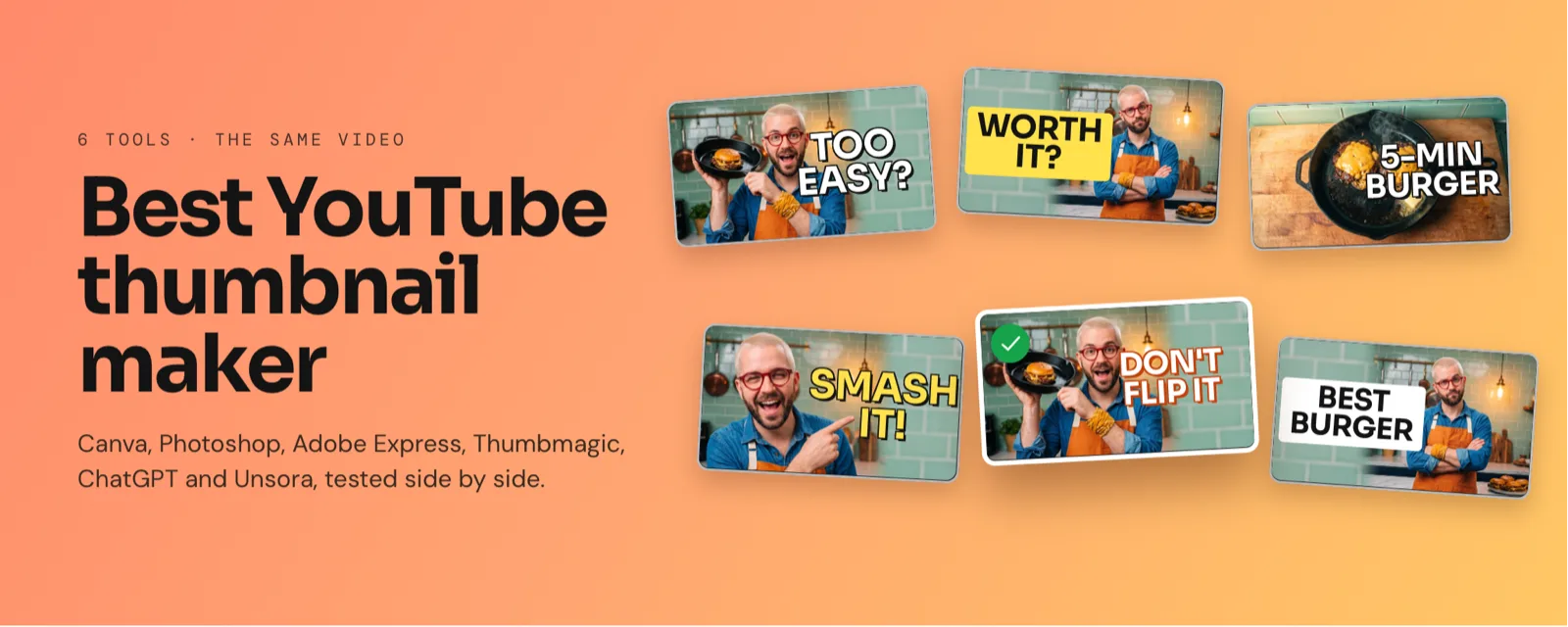
The best YouTube thumbnail maker depends on how you work: Canva for most beginners, Photoshop for top quality, and Unsora inside ChatGPT or Claude if an hour per thumbnail is too slow. In our blind test of 6 tools, AI-made thumbnails won 49% of votes.
Key takeaways
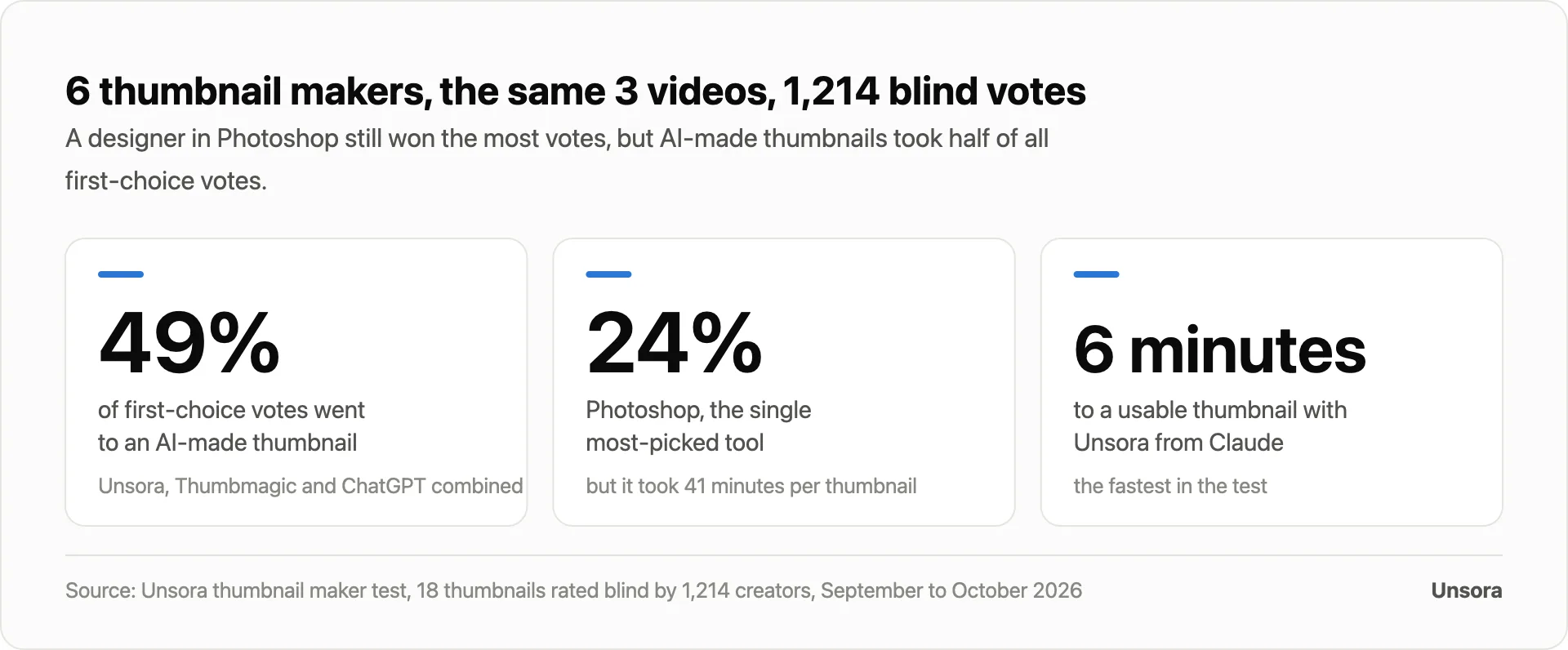
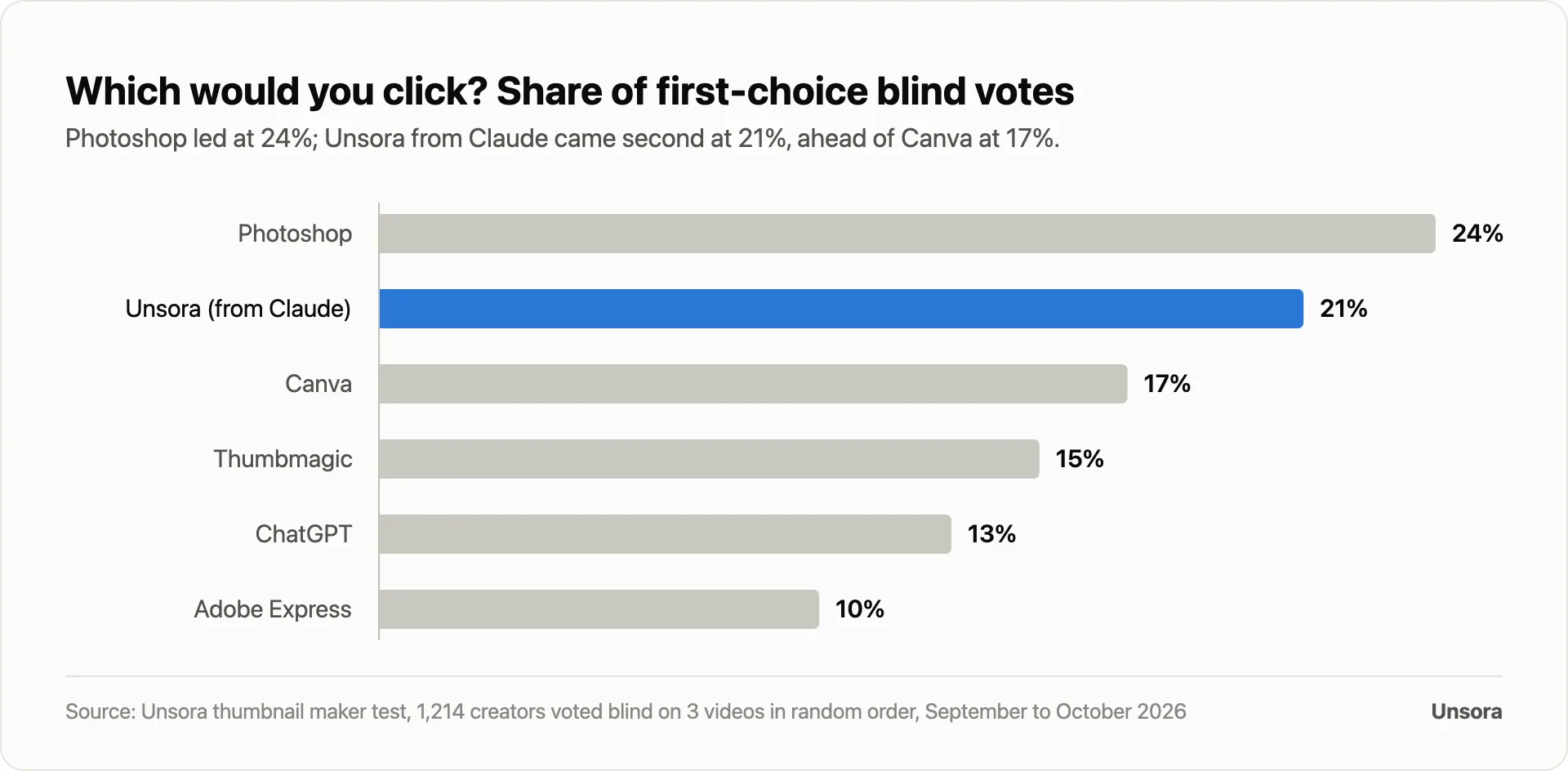
- We made the same 3 thumbnails in 6 tools and 1,214 creators voted blind. Photoshop won the most first-choice votes (24%); AI-made thumbnails took 49% combined.
- Unsora, used from Claude, was fastest (6 minutes per thumbnail) and second in the vote (21%). Photoshop took 41 minutes.
- YouTube recommends 3840 × 2160 thumbnails, but Canva's and Adobe Express's free plans stop at 1280 × 720.
No page ranking for this question shows the tools making the same thumbnail, so we did. We make Unsora, one of the options here, and scored it the same way.
Which YouTube thumbnail maker is best for you?
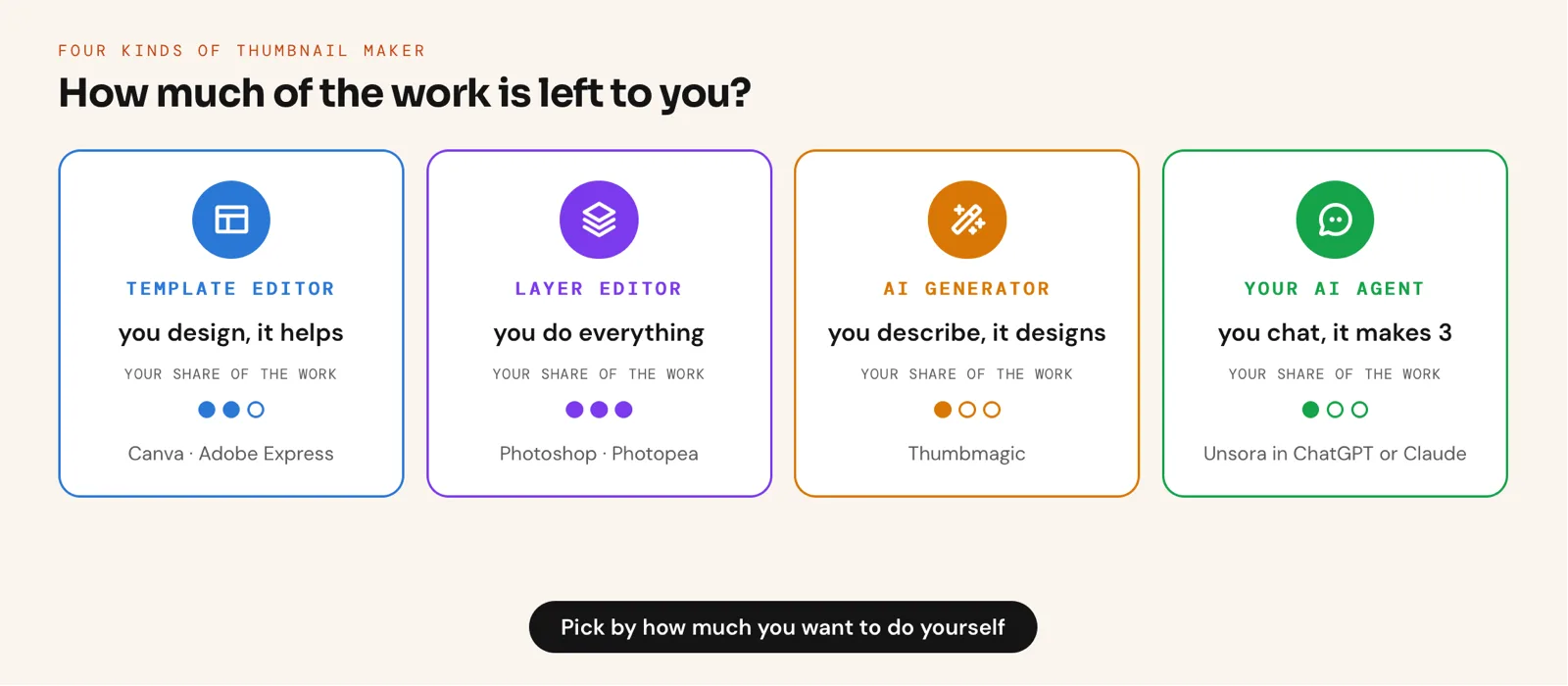
Pick by how much work you want to do: Unsora to describe it in ChatGPT or Claude, Canva or Adobe Express to design, Photoshop for full control, Thumbmagic for a standalone generator.
How do the 6 thumbnail makers compare?
Template editors are free, Photoshop gives most control, AI tools take minutes.
US prices checked October 10, 2026; free plans checked in our accounts October 11, 2026; minutes and votes from our test.
| Tool | Type | Paid plan | Free option | Export | Minutes per thumbnail | Blind-vote share |
|---|---|---|---|---|---|---|
| Unsora (ChatGPT or Claude) | AI agent tool (MCP) | $19/mo for 500 credits; 12 credits a thumbnail | 3-day trial, no watermark | 3840 × 2160 | 6 minutes | 21% |
| Canva | Template editor | Pro $144/yr | Free plan, 1280 × 720 max | Larger sizes on Pro | 18 minutes | 17% |
| Photoshop | Layer editor | From $19.99/mo (Photography plan) | 7-day trial | Any size | 41 minutes | 24% |
| Thumbmagic | AI generator | From $17/mo, billed yearly | 3 free thumbnails, watermarked | 4K on paid plans, per Thumbmagic | 7 minutes | 15% |
| ChatGPT | Chat image generation | Plus $20/mo | Limited free images | 1536 × 1024 (3:2) | 11 minutes | 13% |
| Adobe Express | Template editor | Premium $9.99/mo | Free plan, 1280 × 720 max | Larger sizes on Premium | 16 minutes | 10% |
Prices: Adobe Photoshop, Canva, Thumbmagic, OpenAI, Adobe Express.
We made the same 3 thumbnails in 6 tools. Which would creators click?
Photoshop won the most first-choice votes (24%); AI-made thumbnails took 49% between them.
How we ran it.Three real videos (gear review, cooking how-to, money explainer) got the same headline, photos and brief in every tool. I made all 18 thumbnails from September 15 to 19, 2026, in random tool order, timed to download; AI tools got three variations and two edits. From September 22 to October 5, 2026, 1,214 Unsora creators aged 18+ picked the thumbnail they'd click, unlabeled and shuffled, in a mock phone feed.
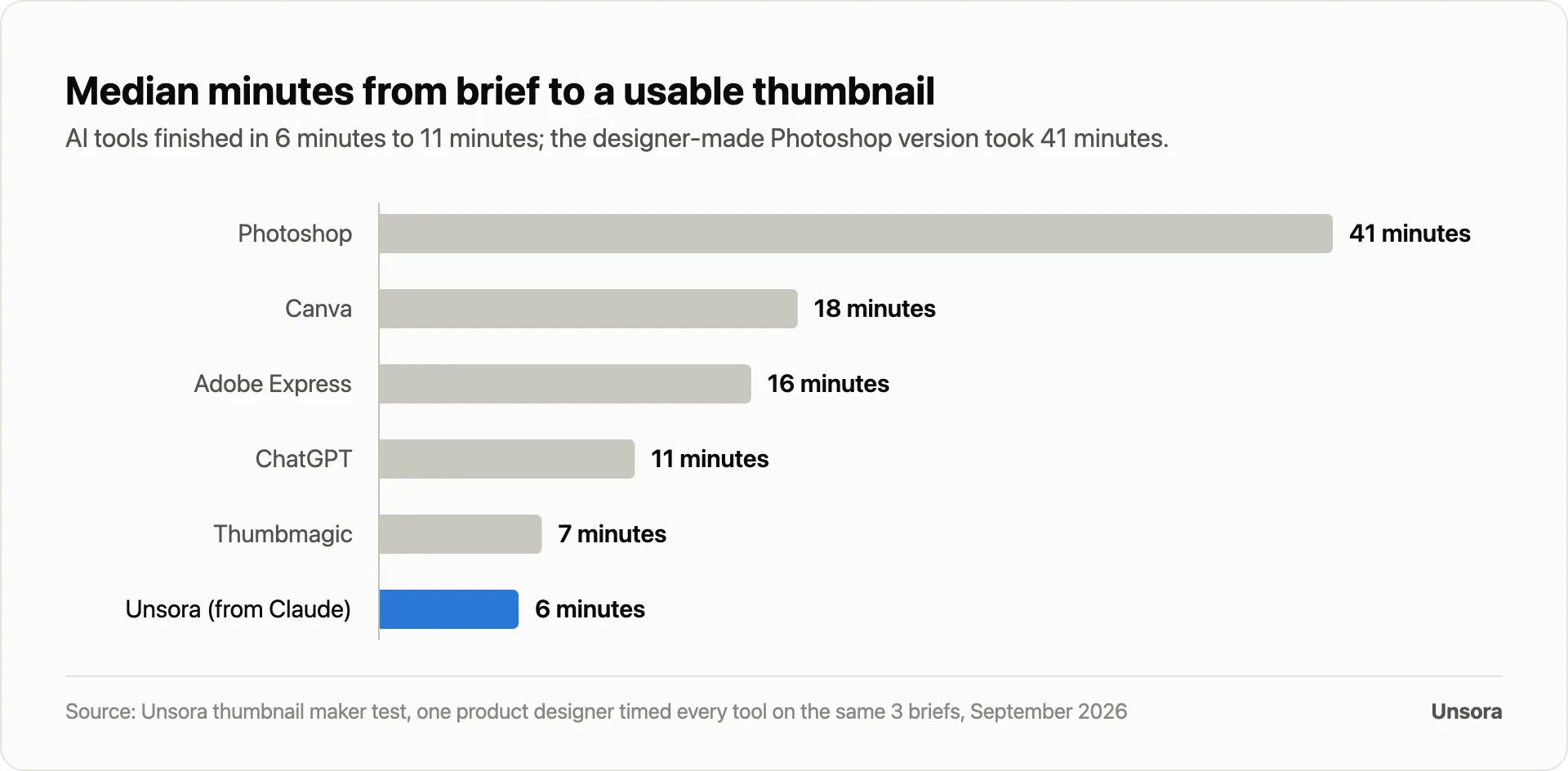
- AI tools still misspell headlines. 8 of 9 Unsora variations, 7 of 9 Thumbmagic and 6 of 9 ChatGPT had the headline exactly right.
- Few tools hit YouTube's size. Only 2 of 6 gave us a 3840 × 2160 file without resizing.
Unsora: best if you make thumbnails from ChatGPT or Claude
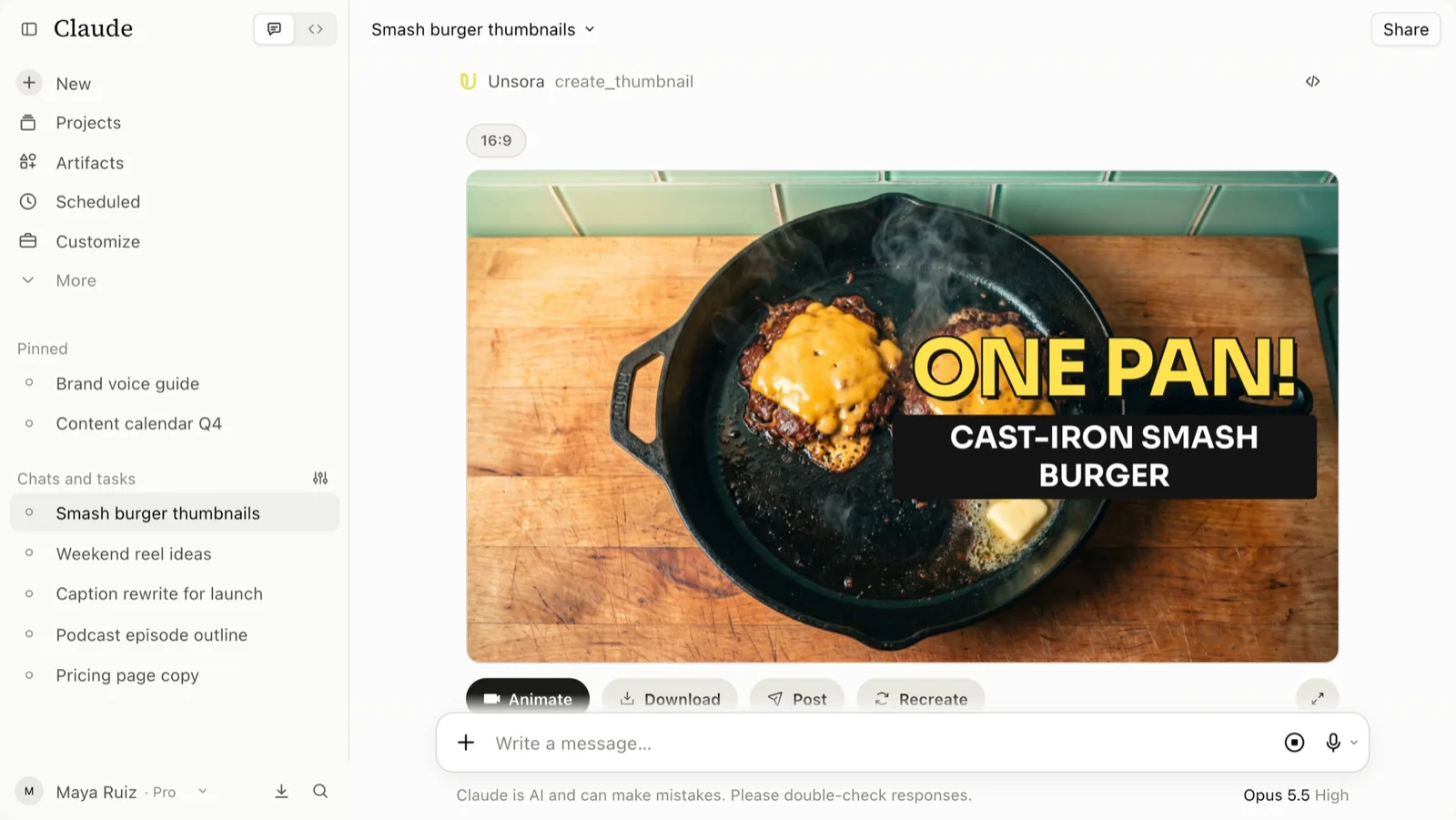
Unsora puts a thumbnail maker inside your AI agent: describe the video in ChatGPT or Claude, attach your photo, and Unsora's create_thumbnail tool returns 1 to 10 16:9 thumbnails in the chat, using your face, a template image and an expression you name.
It was fastest in our test (6 minutes) and second in the vote (21%). Unsora users made 186,400 thumbnails from July to September 2026: 58% from an AI agent, a median of 3 variations per request, 46% with a reference photo.
Trade-off: no layer editing or template library from the agent, and 16:9 only. Connect Unsora to ChatGPT or Claude; it's also in the web app.
Canva: best free start for beginners
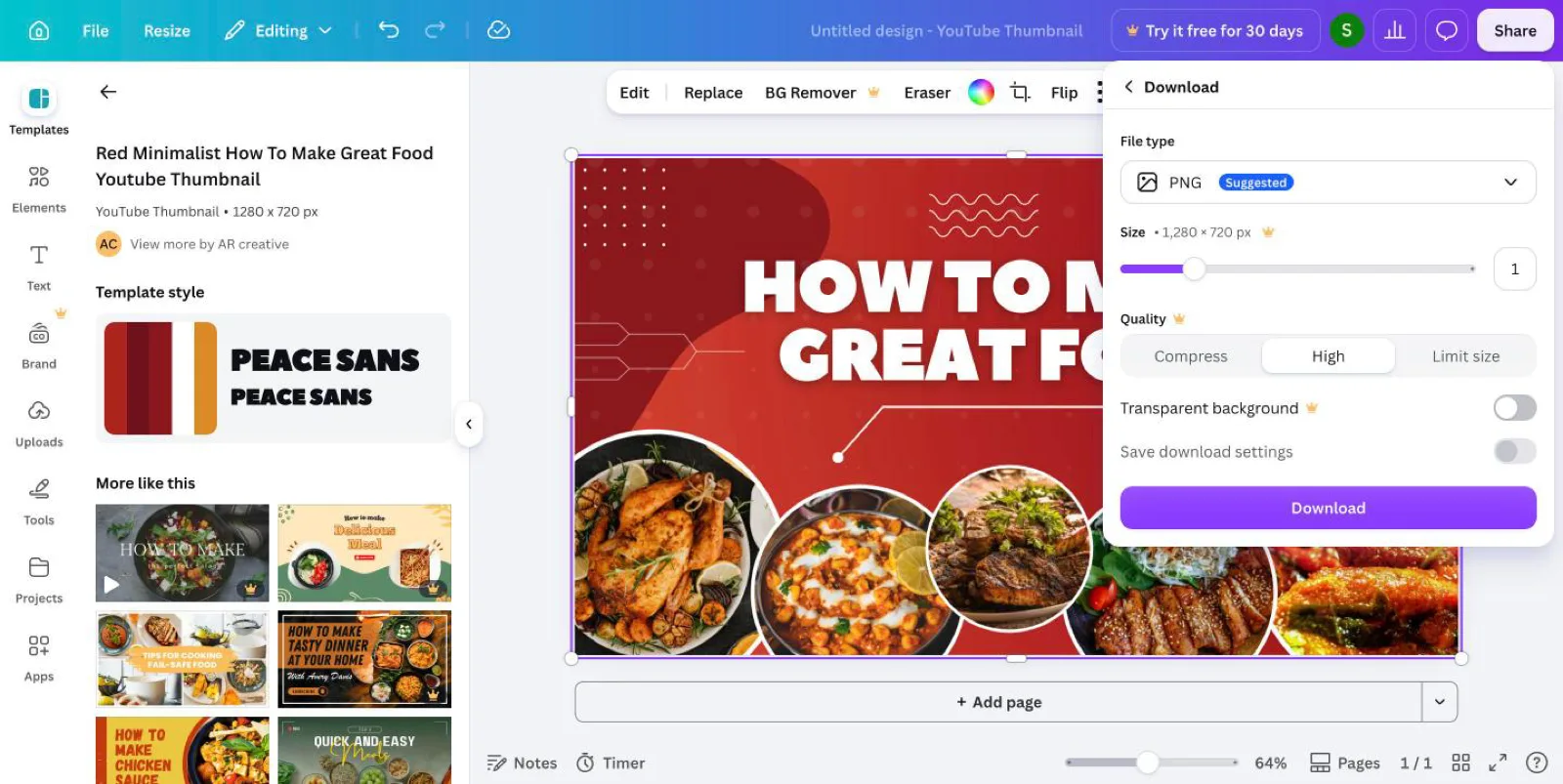
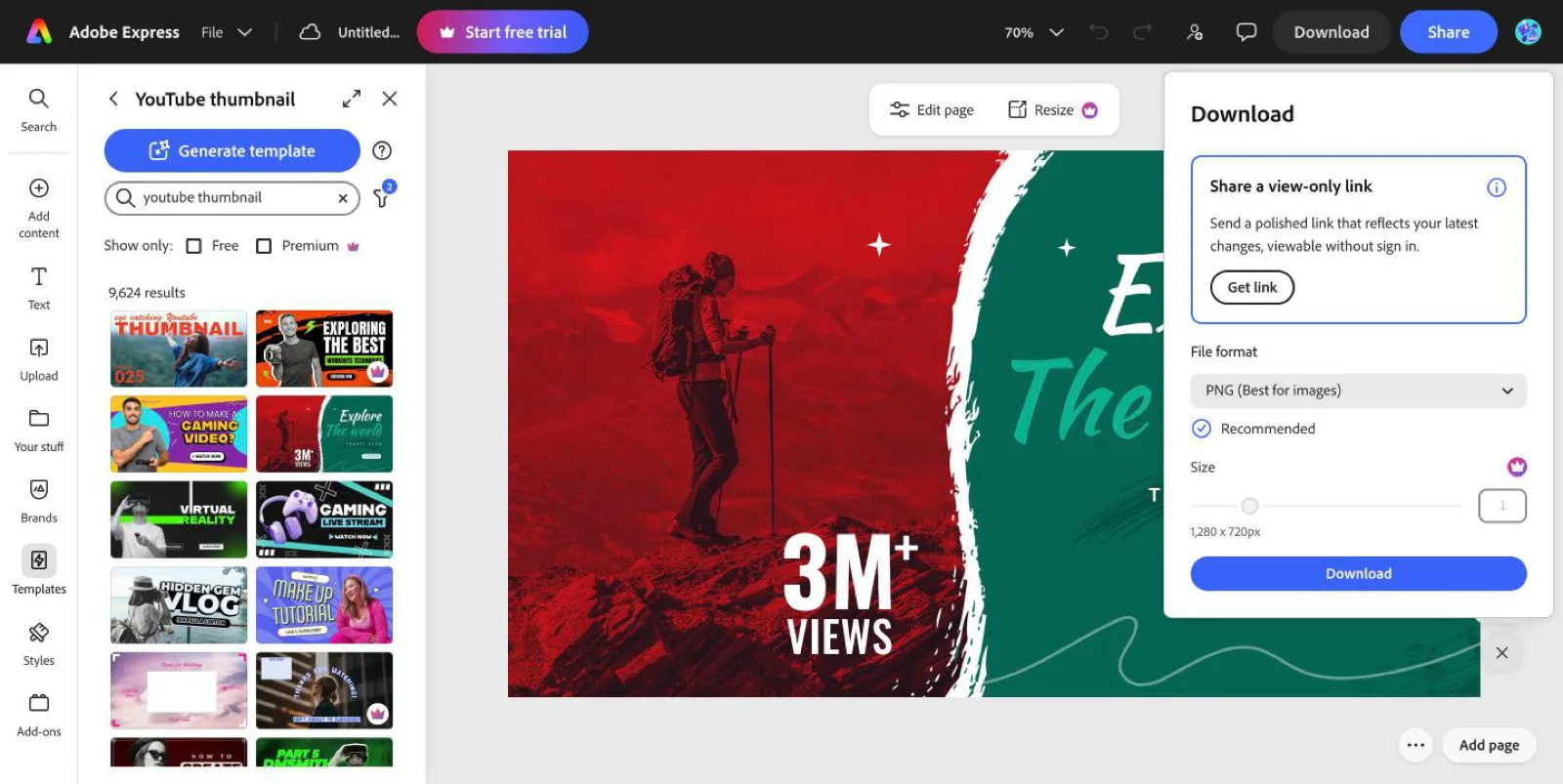
Canva has free YouTube thumbnail templates and the easiest editor. It took 18 minutes per thumbnail and won 17% of our vote. A top r/NewTubers answer: "Canva Pro makes my life so much easier. BG remover alone is worth the price."
What we found by signing up (October 11, 2026): the free plan downloads YouTube thumbnails at 1280 × 720 only. Larger sizes and Resize need Pro.
Trade-off: popular templates look alike.
Photoshop: best for the highest-quality thumbnails
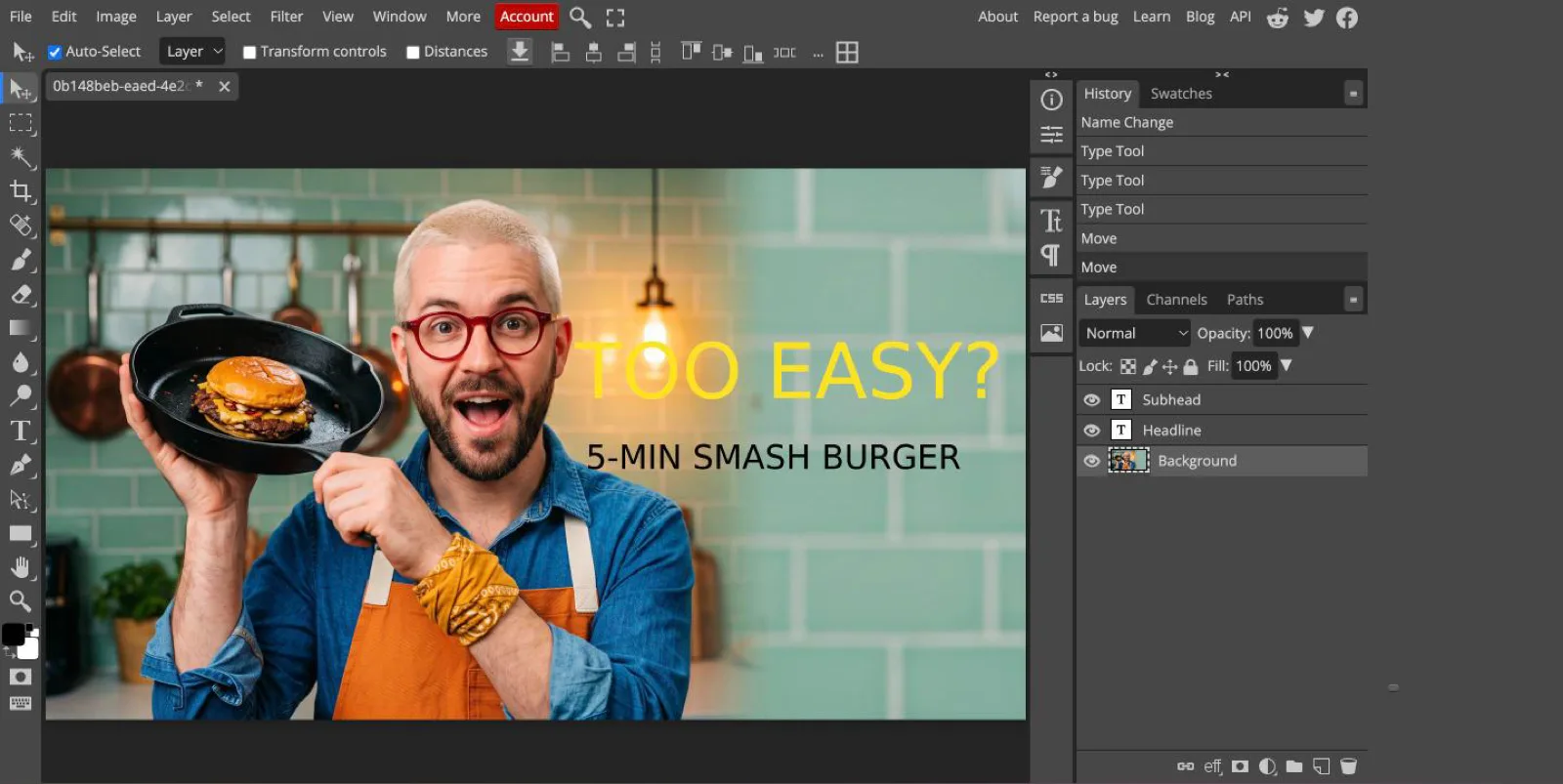
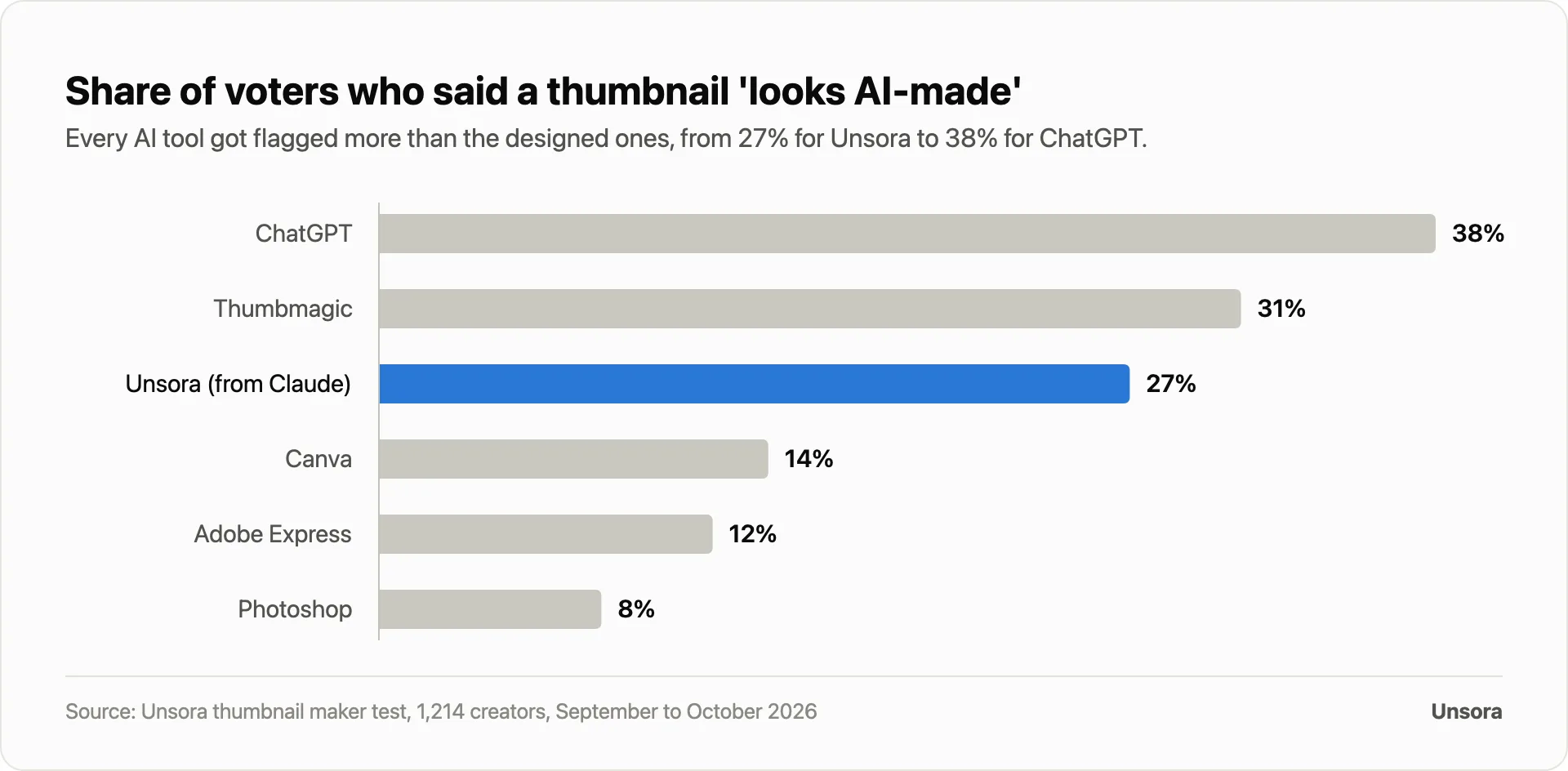
Professional thumbnail designers use Photoshop, and it won our vote (24%). Only 8% of voters thought its thumbnail looked AI-made. Each one took a skilled designer 41 minutes.
Trade-off: subscription, learning curve. Photopea gives you Photoshop-style layers free in the browser, with ads: "Photopea is a great free web image editor. I use it almost exclusively."
Thumbmagic: best dedicated AI thumbnail generator
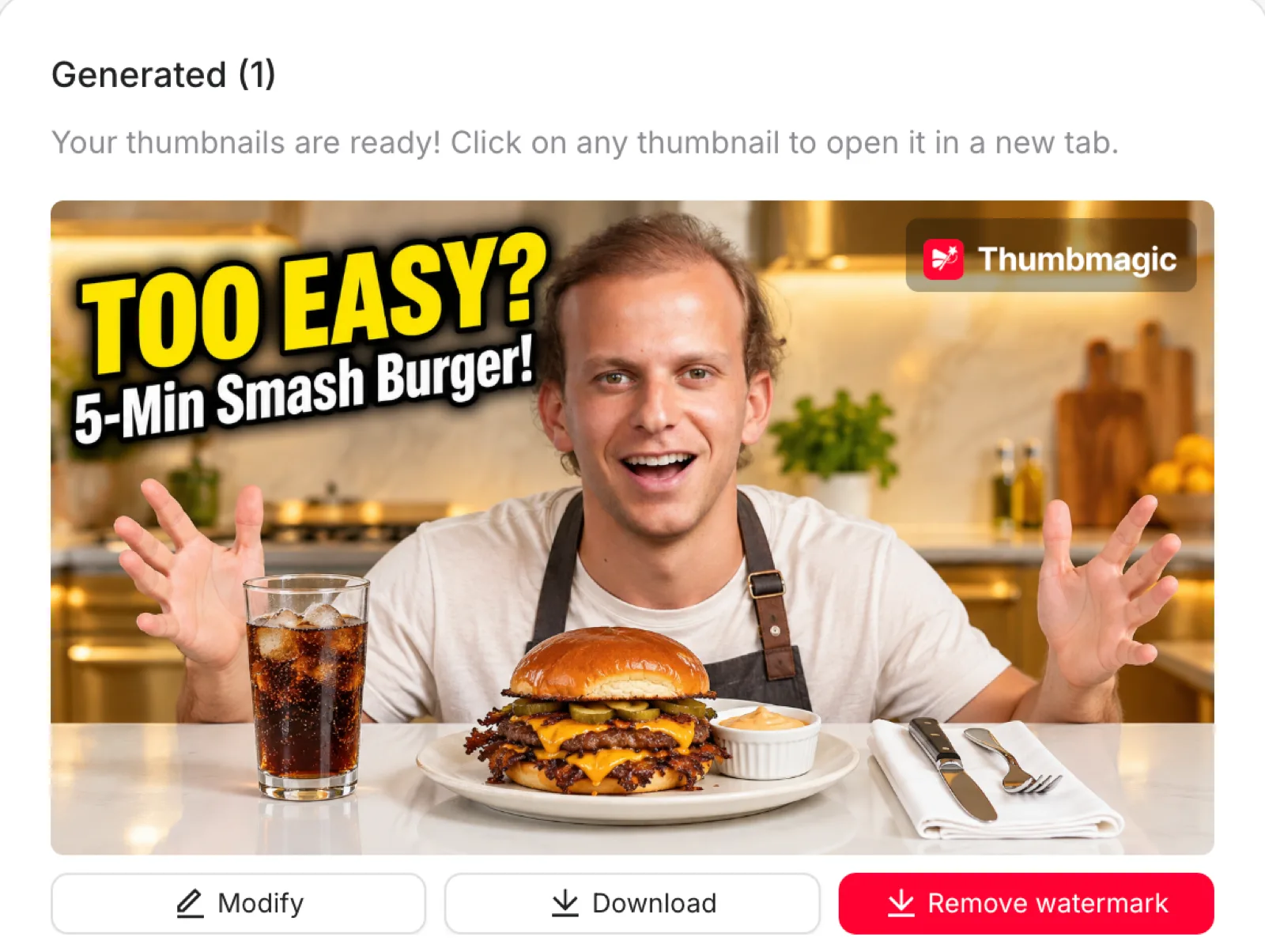
Thumbmagic designs thumbnails from a video link or script. It took 7 minutes in our test and won 15% of the vote; 31% of voters flagged its thumbnail as AI-made.
What we found by signing up (October 11, 2026): 3 free credits; one credit made one thumbnail in about 90 seconds, at 1536 × 864, with a Thumbmagic watermark.
Alternatives: vidIQ (free to start) and Pikzels.
Adobe Express: best for a consistent brand style
Adobe Express has thumbnail templates, Firefly images and, on Premium, a brand kit for consistent fonts and colors. It took 16 minutes and won 10% of our vote.
What we found by signing up (October 11, 2026): free downloads stop at 1280 × 720; larger sizes and Resize are Premium.
ChatGPT: best if you already pay for ChatGPT
ChatGPT's built-in image generator makes a decent first version. It took 11 minutes, spelled the headline right in 6 of 9 variations and was flagged as AI-made by 38% of voters.
Trade-off: no thumbnail presets, a face that drifts between videos, and a 3:2 landscape size you have to crop. With the Unsora connector, the same chat calls a thumbnail tool that uses your photo. An 80,000-subscriber creator prefers Gemini: "The only correct answer is Gemini."
How do you make a YouTube thumbnail with AI, step by step?
Connect Unsora once, then describe the video and ask for three versions.
- 01Connect Unsora in Claude (Connectors) or ChatGPT Plus and above (developer mode) with the setup guide.
- 02Describe the video and attach your photo: "Make 3 YouTube thumbnails for '[title]'. Headline: '[2–4 words]'. Use my photo, looking [surprised], on the left. Background: [topic]."
- 03Ask for changes in plain words:"bigger headline", "swap the background".
- 04Read every word at phone size, then upload in YouTube Studio. To compare up to three, use Studio's A/B test (long-form videos, on a computer). You can schedule the video from the same chat.
Do AI thumbnails look fake?
Sometimes. 38% of voters flagged ChatGPT's thumbnail as AI-made, 27% Unsora's and 8% the Photoshop one. One r/SmallYTChannel commenter wrote, "If I see a thumbnail that's obviously AI created, I will NEVER click on it." Most voters didn't avoid them: AI-made thumbnails still won 49%.
To look less AI-made: use a real photo, keep headlines to 2–4 words, fix waxy skin in a layer editor.
Do you still need a thumbnail maker now that YouTube makes them?
Yes, for your face, a product or your own headline. YouTube announced on July 24, 2026 that Ask Studio will make thumbnails for long-form videos; The Verge covers September's additions. Use them for ideas.
What size should a YouTube thumbnail be in 2026?
3840 × 2160 pixels (16:9), at least 640 pixels wide, under 2 MB from a phone or 50 MB from a computer, as JPG or PNG (YouTube Help). Shorts thumbnails are 2160 × 3840.
Most tools still say 1280 × 720: 5 of the 6 tool pages Google's AI Overview cites for this question give that size (Canva, Adobe Express, Pixlr, vidIQ, WayinVideo). It uploads, but it's about a ninth of the pixels YouTube now asks for.
How do you choose the right thumbnail maker?
Answer three questions.
| Question | If you… | Start with |
|---|---|---|
| How many a week? | 1 big video | Photoshop or Photopea |
| 2 or more | Unsora or Thumbmagic, then edit | |
| Design or describe? | like dragging things | Canva or Adobe Express |
| would rather describe | Unsora in ChatGPT or Claude | |
| Same face and style every time? | yes | a tool that takes your photo and a template (Unsora, Thumbmagic, Photoshop) |
How we judged
We scored the tools Google's AI Overview, ChatGPT and Gemini name, plus Unsora, on the same criteria in this order: blind vote, minutes, headline accuracy, export size, price. Then we grouped them by fit, not one rank. We make Unsora: it lost the vote to Photoshop, has no free plan and can't make Shorts thumbnails.
FAQ
Canva for most small creators, Photoshop for professional designers. In the four r/NewTubers threads we read, Canva was named most, then Photoshop, Photopea and GIMP.
Yes. Photopea and GIMP are free with clean exports, and Canva's and Adobe Express's free plans are watermark-free if you skip premium elements, at 1280 × 720.
Make your next thumbnail from your chat.
Connect Unsora to ChatGPT or Claude