


Unsora/Blog/Can ChatGPT Post on Social Media?
Can ChatGPT Post on Social Media?
By Irfan Sadek, co-founder of Unsora · Last updated:

Yes. ChatGPT can post to social media, with one catch: it needs a connected app to do it. Alone, it just writes text and images. Add a publishing app through an MCP connector, and it can publish or schedule to 8 platforms, each one waiting on your approval.
Key takeaways
- By itself, ChatGPT only drafts posts. Publishing them takes a connected app that works over MCP.
- A connector such as Unsora lets a single prompt reach 8 platforms: Instagram, X, LinkedIn, Facebook, TikTok, YouTube, Pinterest and Bluesky.
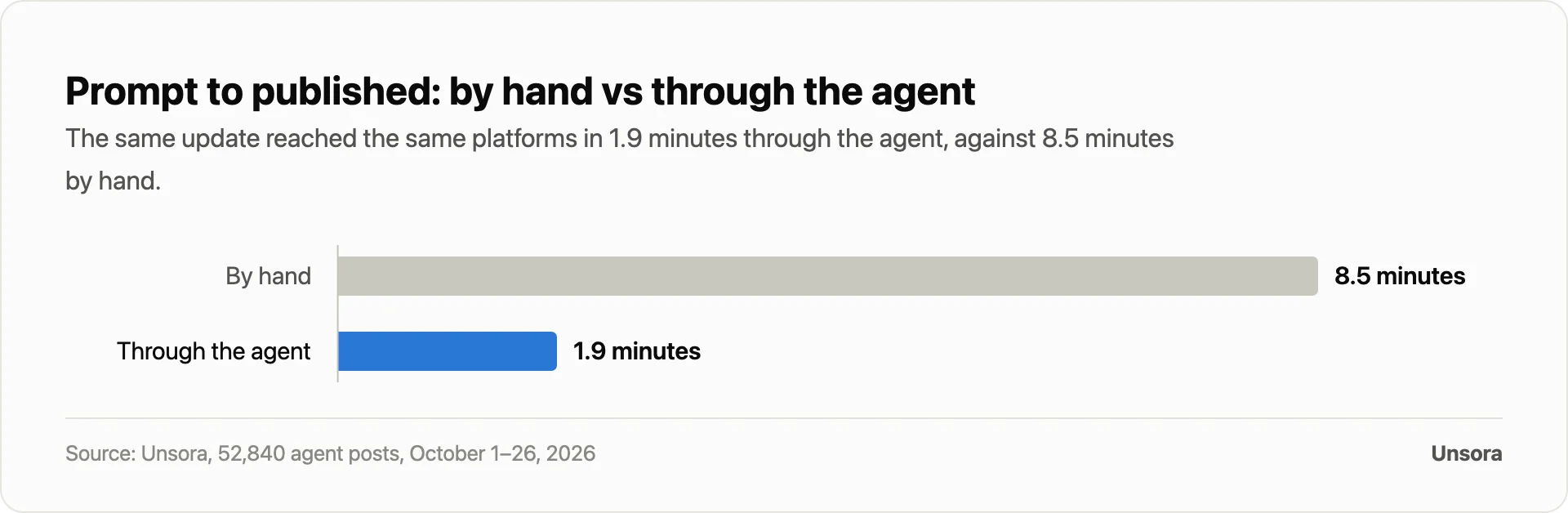
- Looking at 52,840 posts creators pushed from their agent, the median prompt-to-published time came to 1.9 minutes, compared with 8.5 minutes for the manual route.
- Nothing goes live without a yes: 71% of those posts went through an approval step first.
- Hooking up a connector calls for a paid ChatGPT plan (developer mode); publishing calls for a paid Unsora plan.
Ask ChatGPT to "post this to Instagram" and, out of the box, you still get only a caption to copy, paste and publish yourself. Most guides here date from 2023 and stop at using ChatGPT to write captions, so they never reach the real question: can it press publish? It can now, once you connect a publishing app. This page covers how that works, which platforms it reaches, the limits, and how you keep control.
Can ChatGPT actually post, or only write the post?
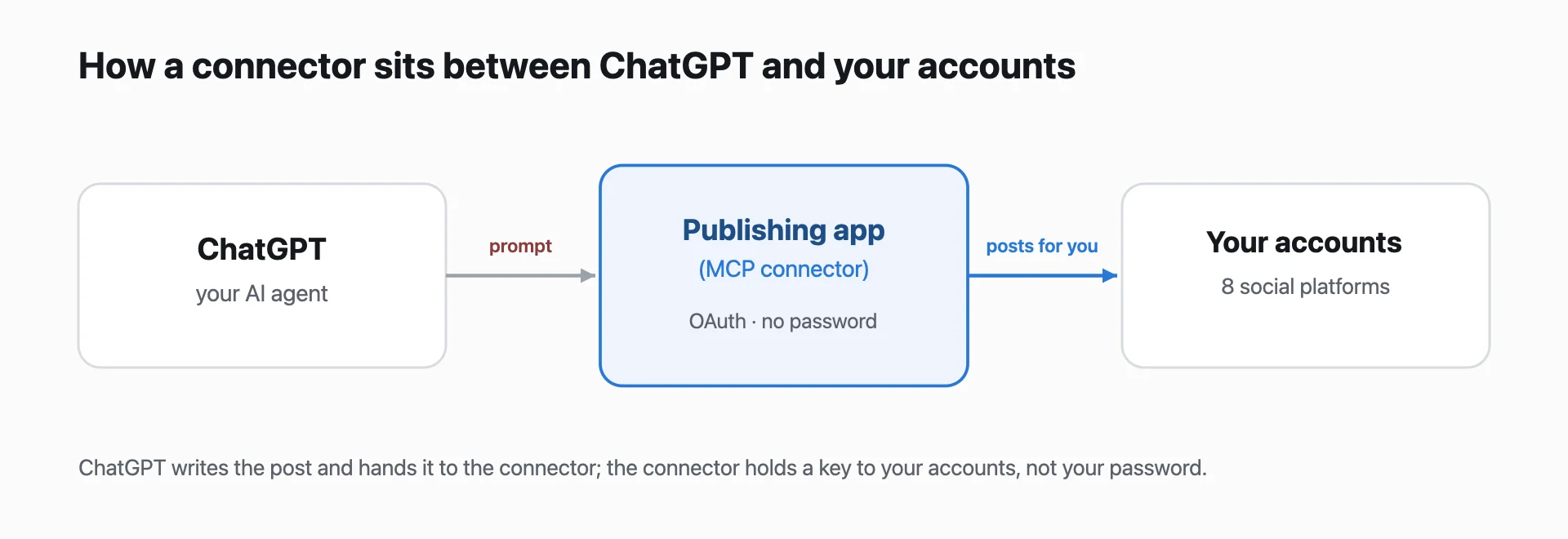
ChatGPT can publish to social media only when you connect it to a publishing app; on its own it writes the words and images but cannot reach your accounts. That connection is the whole difference between a written post and a live one.
A publishing app you add to ChatGPT is a scheduler that posts on your behalf. It connects to accounts you authorize and sends the post for you; it is not a login to your accounts, and it does not replace your approval. Think of it as giving the agent a controlled door to your pages, not your password. Most of the confusion online comes from mixing up the two jobs: ChatGPT is good at writing the post, but publishing needs a connector that talks to each platform.
How posting from ChatGPT works, in 3 steps
Posting from ChatGPT comes down to three moves: connect a publishing app, say what you want, and confirm it went live.
1. Connect a publishing app. Plug a connector like Unsora into ChatGPT: paste one MCP URL and sign in with OAuth, so your passwords never reach ChatGPT, and setup runs under a minute. Connectors need a paid ChatGPT plan with developer mode on.
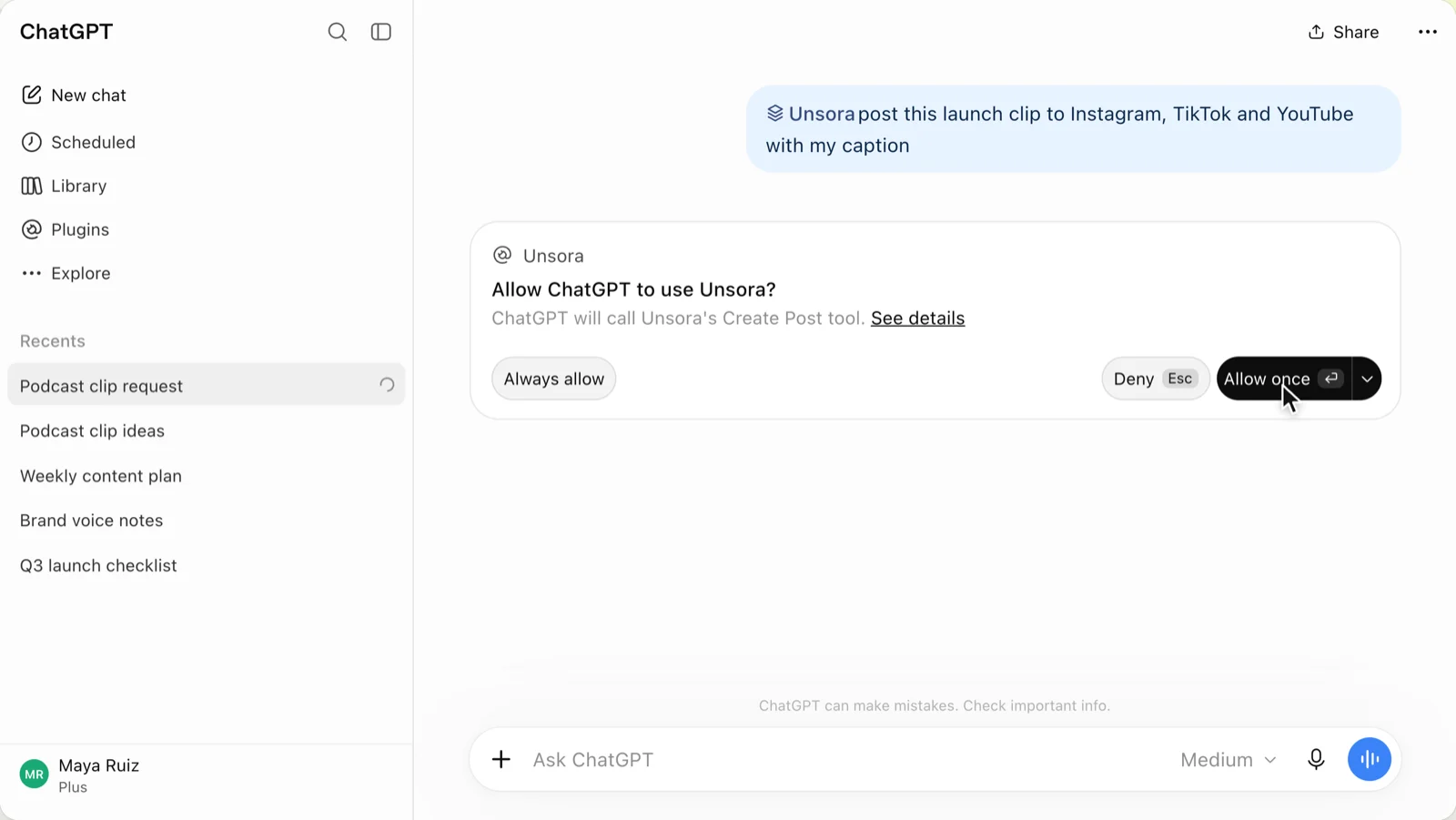
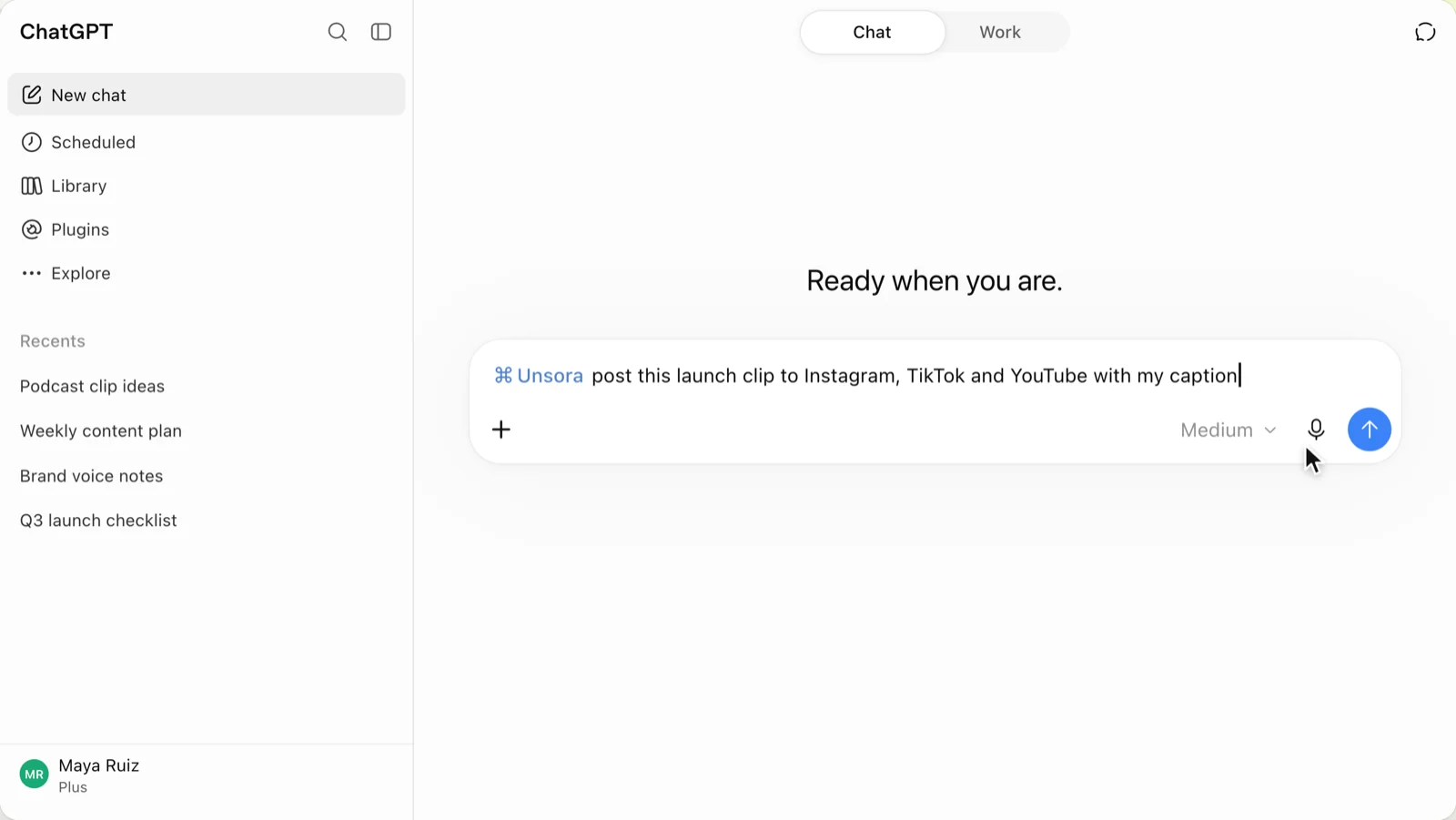
2. Ask for the post.Describe it in a sentence: "Write a launch post and send it to Instagram, X and LinkedIn." The agent drafts the copy, resizes the image per platform, and queues a version for each account.
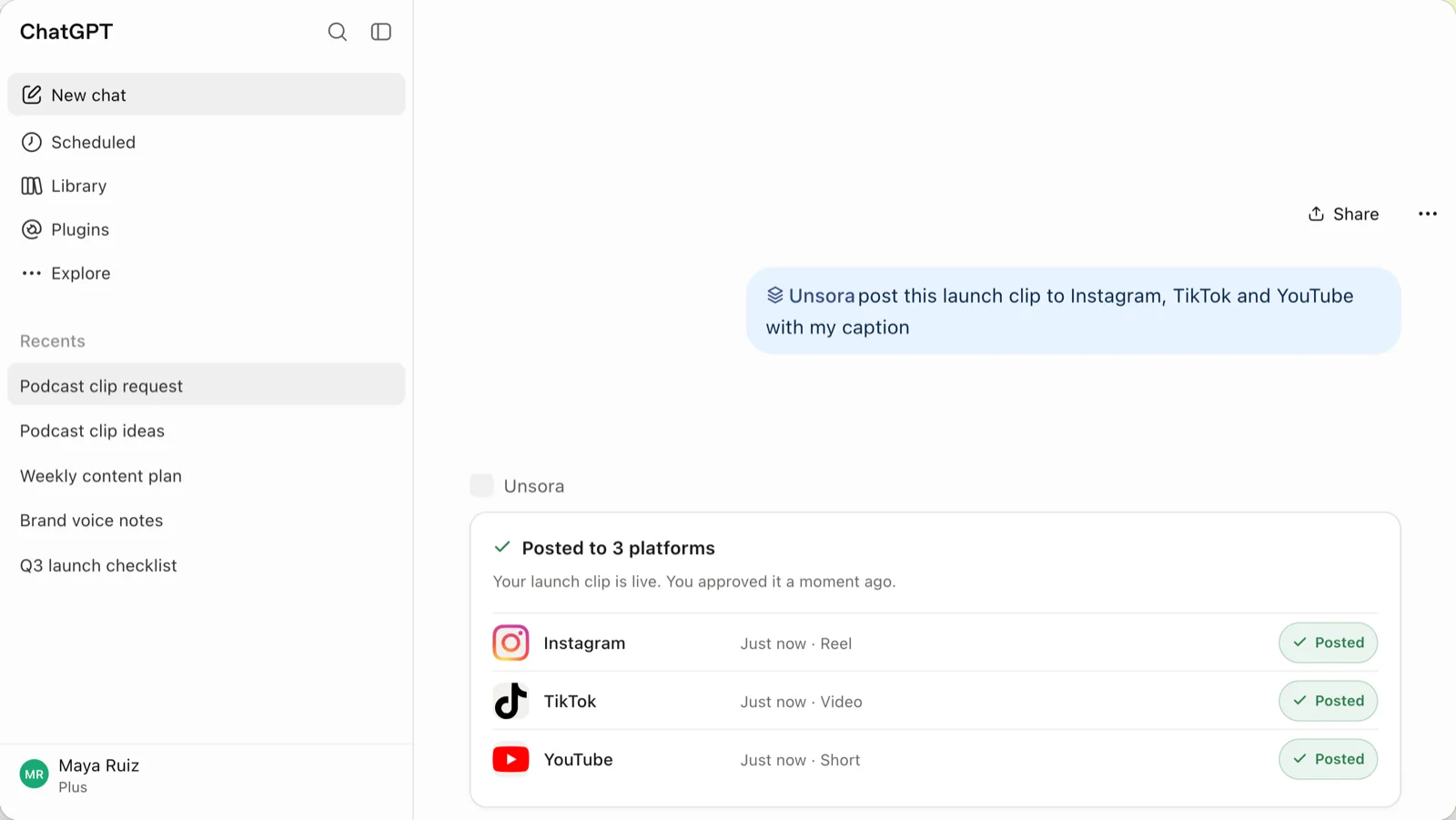
3. Check it posted. Approve it, publish on the spot, or pick a later time. The agent pushes the post out, confirms each one is live, and retries any that fail.
What we found in 52,840 posts sent straight from an AI agent
Across the 52,840 posts creators shipped to social media through an AI assistant, the agent hit 8 platforms with a 1.9-minute median from prompt to published.
The dataset covers 52,840 posts built from an AI assistant by Unsora's 115,000+ creators between October 1–26, 2026. For each, we tracked the minutes from first prompt to live, whether an approval step stayed in the flow, and the platforms it reached. Test accounts and abandoned posts were filtered out.
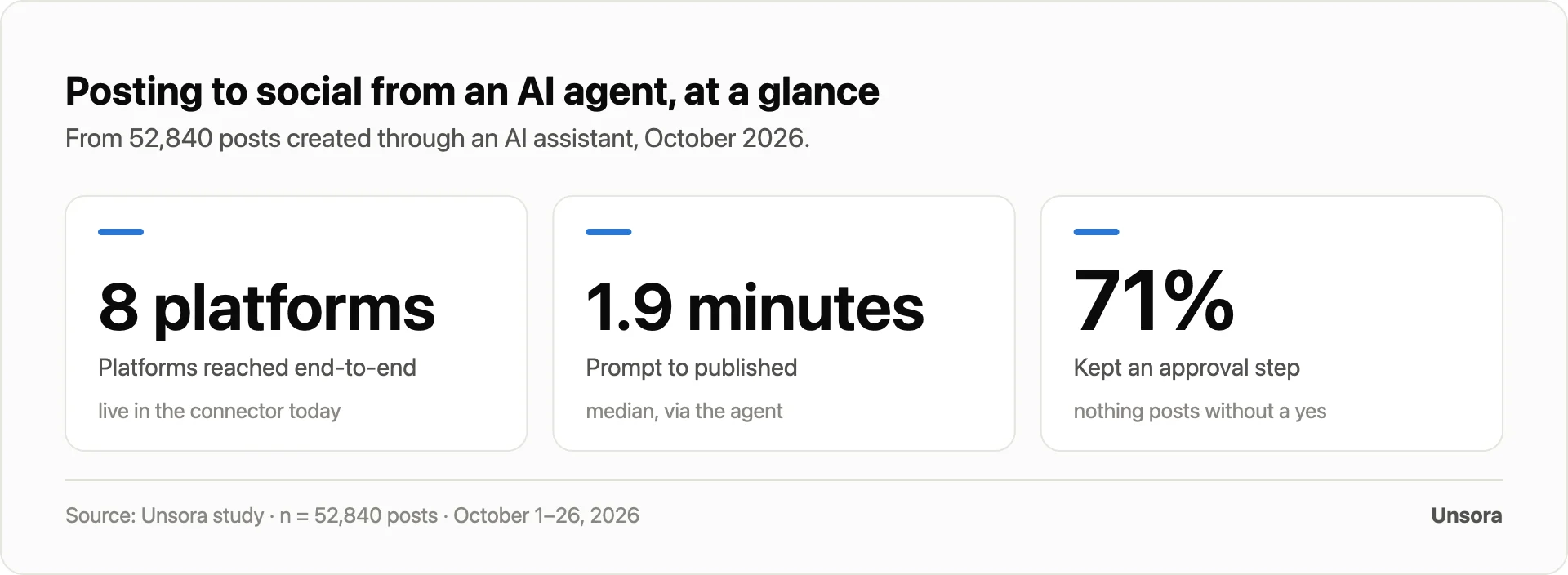
Speed was the headline: a median 1.9 minutes carried a post from prompt to published, while the same update by hand to the same platforms took a median of 8.5 minutes.
Control stayed with the creator: an approval step preceded publishing on 71% of posts, and a typical post reached 3 platforms at once. Over the window, 56% went out on a schedule rather than right away.
Every platform saw traffic, with Instagram and X out front:
| Platform | Share of posts |
|---|---|
| 22% | |
| X | 17% |
| 15% | |
| 13% | |
| TikTok | 12% |
| YouTube | 9% |
| 7% | |
| Bluesky | 5% |
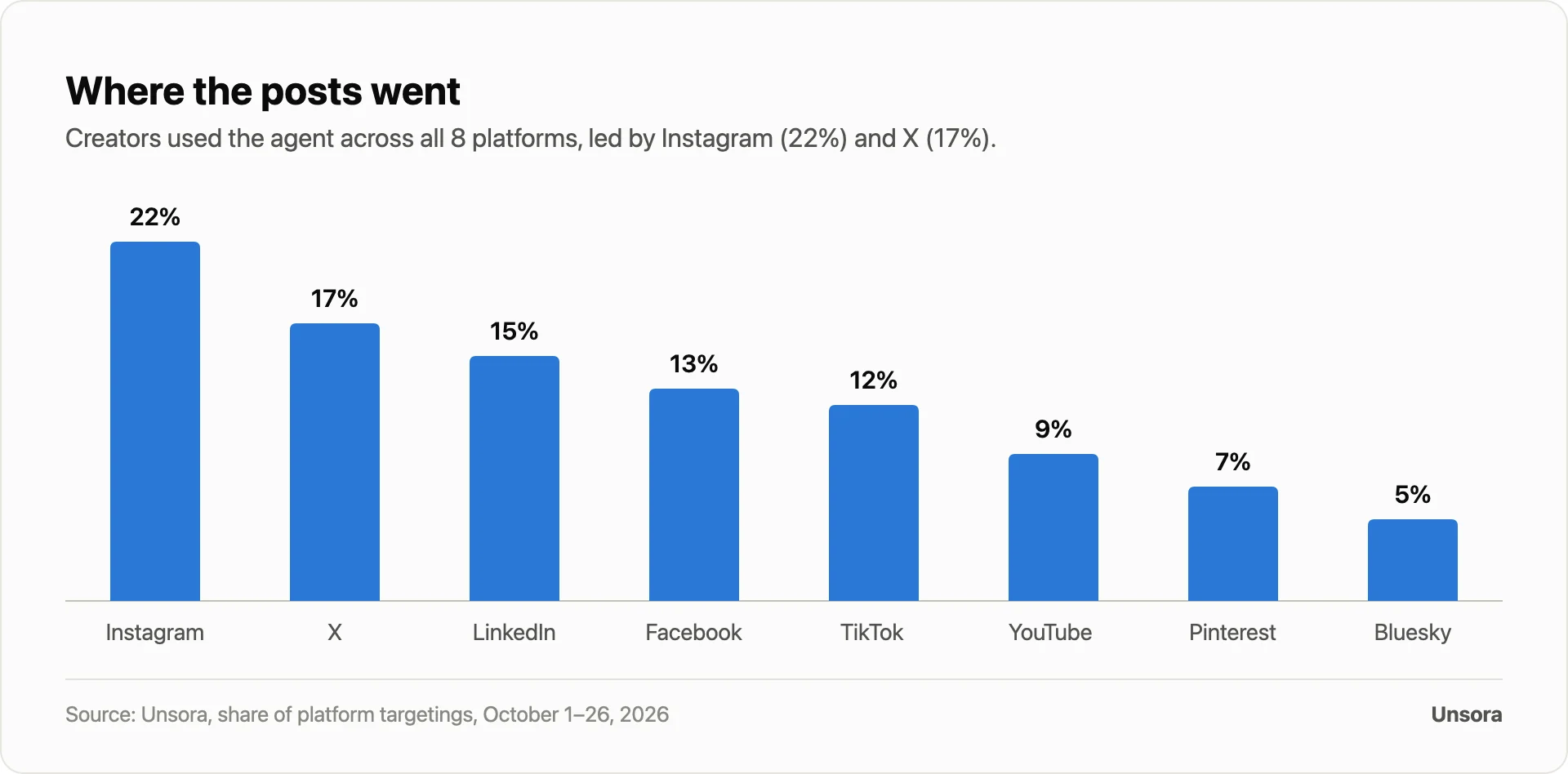
What this means for you: posting from an agent is real, and it saves a few minutes per post while keeping an approval step, on every platform you run.
Where Unsora lands
Choose Unsora if ChatGPT or Claude is already where you work and you want one prompt to hit many platforms behind an approval step: it publishes to 8 platforms with a 1.9-minute median from prompt to published. The catch is price. Adding the connector takes a paid ChatGPT plan, and publishing takes a paid Unsora plan starting at $19/month.
The four ways to post from ChatGPT, compared
Four routes take a ChatGPT-written post live, and they differ mostly in setup time and cost.
| Route | What it does | Setup | Per post | Cost | Best for | Trade-off |
|---|---|---|---|---|---|---|
| By hand | Copy from ChatGPT, paste into each app | None | Minutes per platform | Free | A one-off post | No scheduling; you do every platform |
| Platform's own scheduler | Native scheduling in one app's dashboard | Minutes | Minutes | Free | A single platform | One platform; you leave ChatGPT |
| Zapier / n8n / Make | Automation workflow between apps | Build a workflow | Automatic after setup | Paid subscription | Custom, multi-app flows | You build and maintain it |
| Scheduler connector in ChatGPT (Unsora, xpost, Upload-Post) | Publish and schedule from the chat | Under a minute (Unsora) | One prompt, multi-platform | Paid ChatGPT plan + tool plan (Unsora from $19/mo) | Posting to many platforms without leaving ChatGPT | Needs paid plans |
If you work in ChatGPT and publish across several platforms, use the connector route; for a single network, the native scheduler is enough. For scheduling each network, see the Unsora scheduler pages.
Which platforms can ChatGPT post to?
Through a connector, ChatGPT can publish to Instagram, X, LinkedIn, Facebook, TikTok, YouTube, Pinterest and Bluesky — all eight from one prompt, and often several at once.
Some networks publish through a connected business or creator account instead of a personal profile, and a few limit video or the first comment. You link each account once, then publish to any combination. Per-network scheduling details are on the scheduler pages.
What ChatGPT can't do on its own
ChatGPT can't reach your accounts, schedule a post, or confirm one went live without a connector, and even with one, some work stays in your hands.
It won't publish to an account you haven't connected, and adding the connector takes a paid ChatGPT plan plus a paid Unsora plan to publish. It won't create real engagement or manage replies unless you ask and connect that, and some platforms limit video, analytics or the first comment.
Think of the agent as a fast assistant for writing and publishing, not one you leave unchecked. Setting up the connector is a one-time job on the connector page.
Keeping control: approval, account safety, rate limits, and mistakes
You hold the final say: every post can wait for your approval, accounts connect through OAuth so your passwords never change hands, and any misfire can be retried or deleted.
Approval is the main safeguard: 71% of posts in our data passed through it, so nothing reached a live feed on the agent's word alone. Each account links via OAuth, so the agent never sees or stores your login details. Stagger posts to respect each platform's rate limits, and if one comes out wrong, retry or delete it — the approval queue catches most errors first.
How to decide: three questions
Three questions, answered in order, decide your setup: which agent you run, which platforms you publish to, and whether you approve every post before it goes out.
Start with the agent: ChatGPT, Claude, OpenClaw and Hermes each speak MCP, so stick with the one you already run. Next, platforms — compare your list against the eight a connector covers, and flag any that need a business account. Last, control: leave the approval step on to review each post, or hand scheduling and publishing to a routine you trust.
Once you've answered all three, the choice makes itself. When you're ready, start the 3-day trial and let your agent do the posting.
FAQ
Yes, provided you connect a publishing app. On its own, ChatGPT only drafts the text and creates the images. Add a connector over MCP and it can publish or schedule to your accounts once you approve.
No. Publishing runs through a third-party app that you attach to ChatGPT as an MCP connector; ChatGPT has no built-in posting function.
No. Connectors rely on OAuth, so you grant access to each account directly without handing over a password, and you can pull that access back at any time.
Yes. A connector plus a linked business or creator account lets it publish there after you approve. That same setup also handles X, LinkedIn, Facebook, YouTube, Pinterest and Bluesky.
Adding the connector requires a paid ChatGPT plan with developer mode; publishing requires a paid Unsora plan (Basic $19, Pro $39 or Power $149 per month, with a 3-day trial).
No single tool wins; choose based on fit. Apply the three questions above and go with the connector that covers your platforms and preserves the approval step you want. Unsora suits creators who want one prompt to reach many platforms with a review step.