


Unsora/AI Video Upscaler
AI Video Upscaler: Upscale Video to 4K From Your AI Agent
By Irfan Sadek, co-founder of Unsora · Last updated:
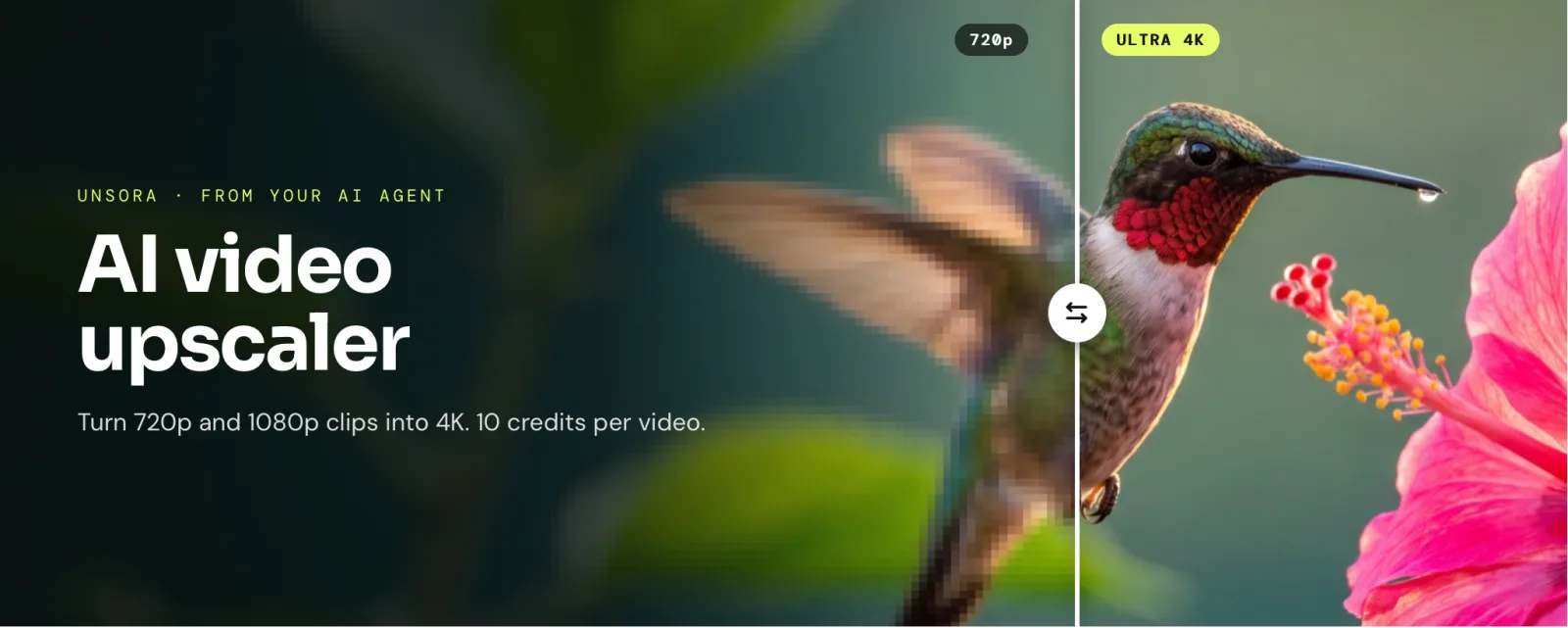
An AI video upscaler uses machine learning to raise a video's resolution while rebuilding detail, reducing noise and sharpening edges. Unsora's Video Upscaler turns 720p or 1080p clips into 4K for 10 credits per video, straight from ChatGPT, Claude or your AI agent.
Key takeaways
- Connect Unsora to Claude, ChatGPT, OpenClaw, Claude Code or Cursor once and ask for a clip in 4K: your agent runs
upscale_videoand hands the file back in the conversation. - Three modes, set by the tool's
modeargument: Standard (fast), Ultra 1080p (high quality) and Ultra 4K (best quality). Each video costs 10 credits. - It takes MP4, WebM and MOV files, up to 10 per batch.
- It works best on clean sources such as AI-generated clips, where it scored 4.4 out of 5 in our blind test of six upscalers.
- Generate a clip and upscale it in the same chat, from one credit balance. Plans start at $19 a month for 500 credits (about 50 videos), with a 3-day trial.
What does an AI video upscaler do?
An AI video upscaler rebuilds a low-resolution video at a higher resolution, such as 3840×2160, by predicting the fine detail a normal resize can't create. Stretching a 1080p frame to 4K makes every pixel four times bigger. An upscaling model redraws edges, textures and text at the new size instead.
In practice, four things happen to each clip:
- Detail prediction: the model fills the new pixels with texture it learned from training footage: hair, foliage, fabric, lettering.
- Frame-to-frame consistency: video upscalers compare neighbouring frames so the added detail stays put instead of shimmering.
- Cleanup: compression blocks and sensor noise are reduced on the way up, which is why results often look cleaner as well as larger.
- Limits: the model can only guess at detail the source never captured, so a clean source gives a convincing 4K and a smeared one gives a sharper smear.
How do you upscale a video to 4K from your AI agent?
Connect Unsora to your agent, put the clip in your Unsora uploads and ask for it in 4K. Your agent passes the file and the Ultra 4K mode to upscale_video, you approve the call, and the 4K video comes back in the chat for 10 credits.
upscale_video call, then download or post the result.- 01Connect Unsora once. Add
https://mcp.tryunsora.com/mcpas a connector: in Claude under Customize → Connectors → Add custom connector, in ChatGPT through Developer mode. OpenClaw, Claude Code and Cursor take the URL or an API key (setup for each agent). New to Unsora? Start the 3-day trial. - 02Put the clip in your Unsora uploads.Claude's chat doesn't take video files, so give your agent a link to the MP4, WebM or MOV and it stores the file through
upload_file, or drop it into the Unsora web app once. Clips you generate with Unsora are already there. - 03Ask by file name: "use unsora to upscale
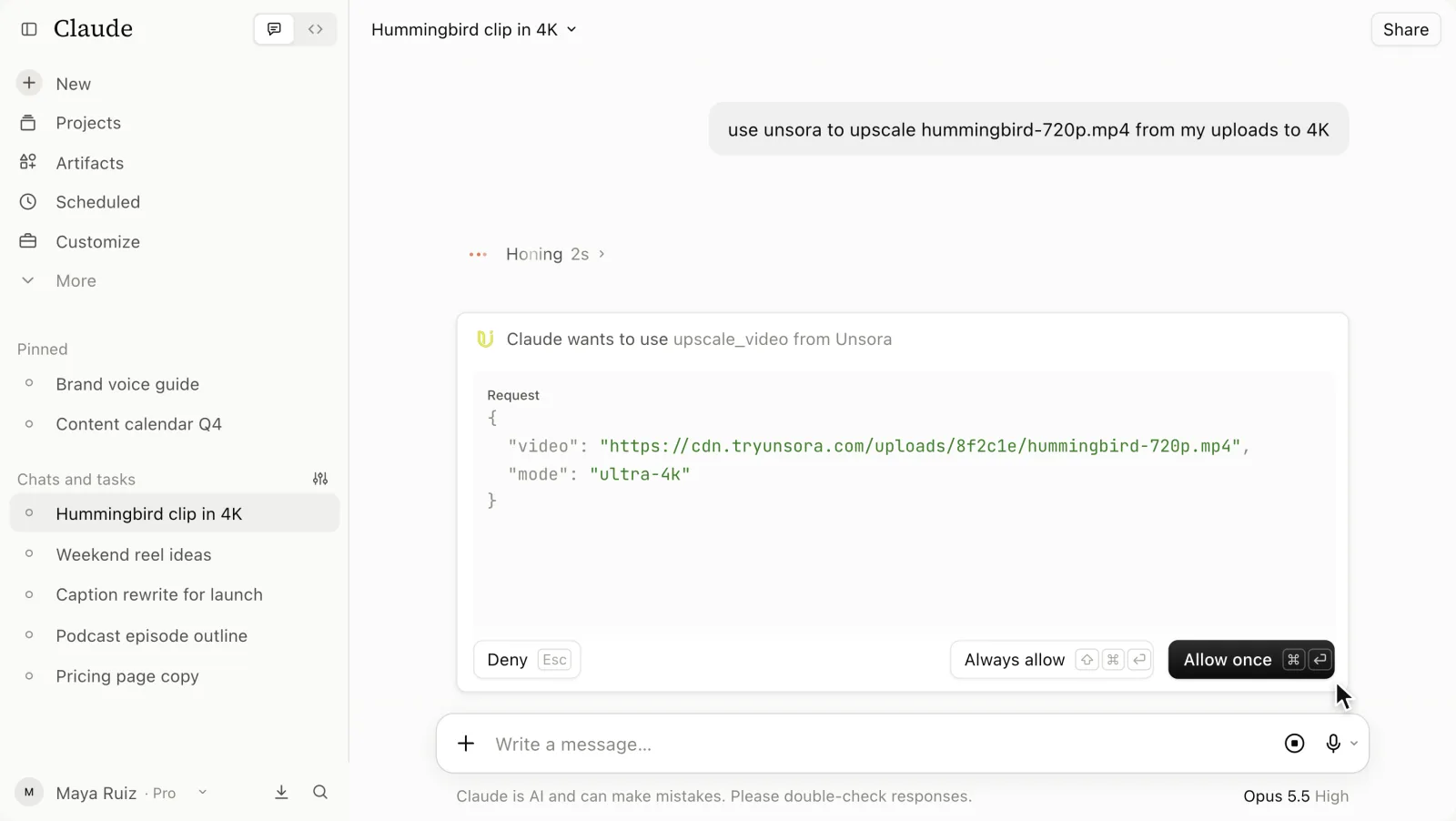
hummingbird-720p.mp4from my uploads to 4K". For another mode, say so: "use Ultra 1080p". - 04Approve the callonce you've checked the file and the mode (see the card below).
- 05Download or post the 4K file.The agent confirms the resolution and the credits used. It can't watch video, so play the file at 100% before you publish.
In Claude, the approval card reads "Claude wants to use upscale_video from Unsora" and lists the arguments: the link to hummingbird-720p.mp4 in your uploads and the mode ultra-4k. Nothing runs and no credits move until you click Allow once or Always allow.
The reply in the recording: "Done: your hummingbird clip is now 3840 × 2160, upscaled with Ultra 4K for 10 credits." If a 4K file is too big to send to a client, shrink a copy with the free video compressor and keep the master.
Which upscale mode should you choose?
Choose the mode by the footage you're starting from. Ultra 4K suits clean 720p and 1080p sources, Ultra 1080p is the safer first step for old or heavily compressed video, and Standard is for quick checks. Say the mode in your request and the agent passes it to upscale_video.
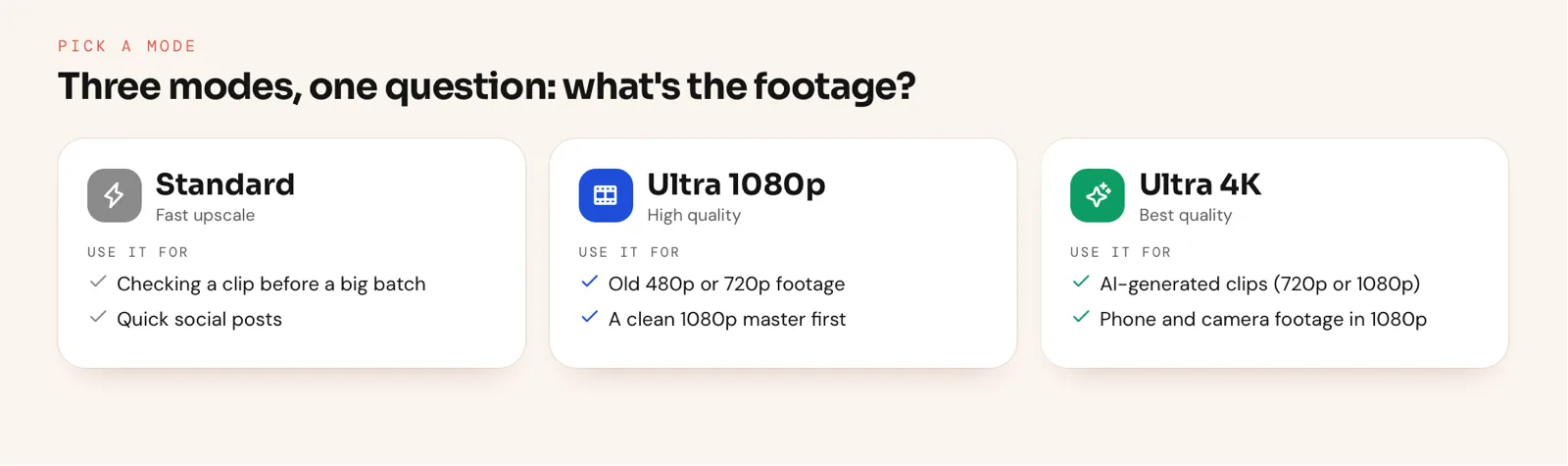
- Ultra 4K (
ultra-4k): AI-generated clips from Veo, Kling or Seedance, and 1080p phone or camera footage. Ultra 4K accepts 720p input directly, so you don't need an intermediate pass. - Ultra 1080p (
ultra-1080p): 480p or 720p archive clips and anything with heavy compression. A smaller jump invents less detail; check the result, then run Ultra 4K on a short test if you still need 4K. - Standard (
standard): a fast upscale to check framing or a look before you commit a batch of 10.
One habit saves credits: ask for a single 10-second clip in the mode you plan to use, and only then send the rest of the shoot.
How do you upscale a clip you just generated?
Ask your agent to generate the clip with Unsora, then ask it to upscale that clip to 4K in the same chat. Most AI video models output 720p by default, so 4K comes from the upscaler, not the generator. The clip is already in Unsora, so nothing needs re-uploading.
A typical flow for a 4K ad or YouTube B-roll:
- 01Generate the shot by describing it in the chat (how video generation works from your agent). Unsora's video tool offers Seedance 2.5, Kling 3, Veo 3.1 and Gemini Omni Flash. Clip length depends on the model: Seedance 2.5 goes up to 30 seconds per generation (ByteDance Seed).
- 02Pick your best take yourself, since your agent can't watch the clips. Upscaling a weak take only makes a sharper weak take.
- 03Ask for the 4K version:"upscale the second one to 4K". Clean AI footage is the easiest material to upscale well, because there's no noise or compression to fight.
- 04Schedule or export. Ask the agent to post the 4K file with the Unsora scheduler, or download it for your editor.
Because generation and upscaling draw on the same credit balance, you can plan a project in one number: the generation credits for the shots you keep, plus 10 credits per clip to take them to 4K.
How do you upscale a batch of videos?
Ask for up to 10 clips from your uploads in one request, sorted by source. Your agent runs upscale_video once per clip at 10 credits each, so a full batch of 10 costs 100 credits.
- 01Sort the footage first. Send AI-generated clips and clean 1080p camera footage in one request for Ultra 4K, and old or heavily compressed clips in another for Ultra 1080p. A mixed request means one group runs in the wrong mode.
- 02Test one file per group. Upscale a single short clip from each group and check it at 100% before you spend credits on the other nine.
- 03Send the rest. List up to 10 file names, name the mode, and check that the first approval card shows it. Always allow skips the card for the calls that follow.
- 04Keep originals next to the outputs. Download each 4K file as it comes back and store it beside its source, so you can re-run one clip instead of the whole batch.
For a project with more than 10 files, work in rounds of 10. The Basic plan's 500 credits cover five full batches a month, and Pro's 1,100 credits cover 11.
How much does upscaling cost in Unsora?
Each upscale costs 10 credits. On the Basic plan, $19 a month for 500 credits (Unsora pricing), that works out to about $0.38 per video, and every plan includes the Video Upscaler with batches of 10 and the Image Upscaler.
| Plan | Price | Credits per month | Upscales per month if you only upscale |
|---|---|---|---|
| Basic | $19 | 500 | 50 |
| Pro | $39 | 1,100 | 110 |
| Power | $149 | 5,000 | 500 |
Credits are one balance across Unsora, so the same credits pay for generating clips and upscaling them, whichever agent sends the request. You can try the upscaler on your own clip during the 3-day trial. See Unsora pricing for the full plan list.
When is a desktop upscaler the better choice?
Use a desktop upscaler when you restore a lot of old, low-resolution footage, have a strong GPU, or can't upload the files anywhere. Unsora is built for creators who work from AI-generated or recent footage in ChatGPT, Claude or another agent and don't want to manage hardware.
| If you… | Better fit | Why |
|---|---|---|
| Restore old home video or 480p archives regularly | Topaz Video ($299 a year, runs on your Mac or PC) | More models and manual controls for difficult footage; on old footage it scored 3.7 against Unsora's 3.3 in our blind test |
| Already edit in Adobe | Adobe Firefly's upscaler (Topaz Astra inside Firefly) | Stays in your Adobe workflow; the web upload takes MP4 clips of 5 to 20 seconds under 200 MB (Adobe) |
| Can't let footage leave the computer | Microsoft Clipchamp's Video Super Resolution on Windows 11 | Processes clips on your PC, one clip at a time (BetaNews) |
| Generate clips with AI, have no GPU, or work in ChatGPT or Claude | Unsora | Runs in the cloud from your agent, batches of 10, one credit balance for generating, upscaling and scheduling |
What won't the Video Upscaler fix?
It won't recover detail that was never recorded, and it can't rescue a file that was ruined before you uploaded it. Plan around these cases:
- Re-downloaded or screen-recorded copies: upload the original export. A platform-compressed copy has already thrown the detail away.
- Heavy blocking or sub-360p sources:you'll get a cleaner file, not a 4K-looking one. Ask for Ultra 1080p first.
- Distant faces and tiny text:the hardest details to predict. Your agent can't watch the result, so check them yourself at 100% before you publish, and add captions after upscaling, not before.
- Very long exports: batches cap at 10 files, so split a long project into scenes and upscale those.
FAQ
MP4, WebM and MOV. You can ask for up to 10 files from your Unsora uploads in one request, and your agent upscales each one.
Yes. Ultra 4K takes 720p input directly. Clean 720p, such as most AI-generated clips, gives the best results.
No. Upscaling runs in Unsora's cloud. Your agent only names the file and gets the 4K version back, so your computer does none of the processing, whichever agent you use.
Yes. Ask your agent to upscale an image and it uses Unsora's Image Upscaler, which goes up to 8K and is included in every plan.
10 credits per video, whichever plan you're on. On Basic ($19 for 500 credits, see Unsora pricing) that's about $0.38 per video.
Yes. Unsora's MCP server works in ChatGPT, Claude, OpenClaw, Claude Code and Cursor, and runs both the Video Upscaler (to 4K) and the Image Upscaler (to 8K). Connect it at tryunsora.com/mcp.